

Ergonomic Keyboard and Mouse for Your Setup

Ergonomic keyboards and mice are specially designed input devices. They are based on the natural posture of your hands and arms. Their goal is to reduce strain and maximize comfort, helping you stay relaxed even during long workdays. They offer a solution for common complaints that can arise from hours of typing and clicking.
Why ergonomic input devices make a difference
A carpenter doesn't work with a poorly shaped hammer. That would be cumbersome and lead to wrist pain. The same thing happens when we work daily with standard keyboards and mice. They force our hands into unnatural positions.
With a conventional flat keyboard, you have to rotate your wrists inward and bend them upward to reach the keys. This twisting, technically called pronation, creates permanent tension in the muscles and tendons of the forearm. Initially, it doesn't feel bad, but in the long run, it's a significant strain on your body.

The secret is in the design
This is where ergonomic keyboards and mice come in. They are specifically designed to counteract this unhealthy posture. Instead of you adapting to the device, the device adapts to you.
- Relaxed wrists: Split keyboards or vertical mice allow your hands to rest in a more natural position, comparable to a handshake.
- Less muscle tension: Due to the better posture, your muscles have to work less to maintain the position. The result is reduced fatigue.
- Prevent discomfort: In the long term, you significantly reduce the risk of pain in your fingers, wrists, arms, and shoulders.
Intensive computer work leads to increasing complaints in the shoulder and arm area. Some occupational groups can reach up to 80,000 keystrokes daily, which is an enormous strain. Ergonomic input devices are not an option, but a crucial measure to prevent problems such as RSI (Repetitive Strain Injury).
Standard vs. Ergonomic: A direct comparison
A direct comparison illustrates the benefits. The differences between standard devices and their ergonomic counterparts have a direct impact on your daily work.
Standard vs. Ergonomic Input Devices at a Glance
The following table shows how the two approaches affect posture, comfort, and long-term health.
| Feature | Standard Keyboard & Mouse | Ergonomic Keyboard & Mouse |
|---|---|---|
| Wrist Posture | Often angled and twisted (pronation) | Neutral and straight, similar to a handshake position |
| Muscle Activity | Increased tension in forearm and shoulder | Significantly reduced, more relaxed muscles |
| Long-term Risk | Higher risk of RSI, tenosynovitis | Reduced risk of work-related complaints |
| Comfort | Can lead to fatigue with long use | Designed for long-lasting comfort and endurance |
It becomes clear: Ergonomic devices are a thoughtful tool for healthy working.
Switching to ergonomic devices is an investment in your long-term health and productivity. It corrects posture and promotes more efficient work by minimizing distractions due to discomfort or pain.
Keyboard and mouse are only one part of a healthy workplace. If you want to optimize your setup holistically, read our article on the most important components of a healthy ergonomic workplace.
The different types of ergonomic keyboards
Choosing the right ergonomic keyboard is crucial. Not every model suits every work style or body type. An ergonomic keyboard and mouse should be tailored to your personal needs. The world of ergonomic keyboards is diverse and offers a suitable solution for almost every requirement.

The market offers different concepts that address specific problems. From split layouts to compact designs, each model aims to minimize a certain type of strain.
Split keyboards for natural wrists
Split keyboards are a prominent example of ergonomic design. They divide the key field into two halves. These are either fixed at a V-shaped angle or completely separated from each other.
This design allows you to position your hands shoulder-width apart. This keeps your wrists in a straight, neutral line and prevents them from being bent sideways. This is one of the most effective methods to reduce tension in the forearm and wrist.
- Fully split models: Offer maximum flexibility. You can adjust the distance and angle of the two halves exactly to your posture.
- Fixed split models: Have a predefined angle and distance. They are a good introduction to the world of split keyboards.
For people who type for many hours every day, such as writers or programmers, this type of keyboard can bring enormous relief.
Compact keyboards for short distances
Compact keyboards omit the numeric keypad on the right side. Models without a numeric keypad are also called Tenkeyless (TKL). The main advantage is simple but effective: The distance between the keyboard and mouse becomes significantly shorter.
This means you don't have to extend your arm as far to grab the mouse. This noticeably relieves the shoulder muscles and can help prevent tension in the neck and shoulder area. Compact keyboards promote a more centered and symmetrical working posture.
A compact keyboard optimizes the workspace directly in front of you. By bringing the mouse closer to the body, it reduces unnatural arm movements and supports a healthy posture, especially on narrower desks.
In Germany, the scientific study of input devices forms an important basis for ergonomic standards. The Institute for Occupational Safety and Health of the German Social Accident Insurance (IFA) has analyzed international research results. From this, checklists for the ergonomic evaluation of keyboards and mice have been developed. You can find more about the biomechanical criteria in this study.
Mechanical keyboards for precise typing
Mechanical keyboards are not automatically ergonomic, but their properties can contribute to ergonomics. Unlike conventional keyboards with rubber membranes, each key on a mechanical model has its own switch, a switch.
These switches provide clear tactile and often audible feedback. You feel exactly when a key has been triggered. This has two decisive advantages:
- Reduced actuation force: You don't have to press the keys all the way down. A lighter touch means less strain on your finger joints.
- Improved typing accuracy: The clear feedback helps reduce typing errors and type faster, which reduces the overall duration of the strain.
There are numerous types of switches (e.g., linear, tactile, clicky) that differ in force and feedback. This allows you to choose a keyboard whose typing feel perfectly suits you. Programmers and frequent typists appreciate mechanical keyboards for their precision and durability.
Each keyboard type has its strengths. Your choice depends on what kind of strain you primarily want to reduce. Whether it's wrist position, shoulder posture, or finger strain, there's a suitable ergonomic keyboard and mouse solution for you.
Understanding the world of ergonomic mice
After keyboards, the second crucial tool on your desk is the mouse. An unsuitable mouse, like a standard keyboard, can lead to strain. The design of a mouse directly determines how you hold and move your arm, wrist, and fingers.
A normal mouse forces your forearm into a twisted position, called pronation. The ulna and radius cross, creating permanent tension in the muscles. An ergonomic mouse is designed to avoid such unnatural postures and allow for more relaxed work.

Let's take a closer look at the main types of ergonomic mice.
Vertical mouse for a natural hand posture
The vertical mouse is one of the best-known ergonomic models. Its design ensures that your hand rests in a natural "handshake position." Imagine shaking someone's hand. This is exactly the posture your hand takes when you use a vertical mouse.
This upright position prevents the forearm from twisting. The ulna and radius remain parallel to each other, which significantly reduces tension in muscles and tendons. This can prevent complaints such as carpal tunnel syndrome or tenosynovitis.
- Functionality: The buttons and scroll wheel are placed on the side, so your thumb and fingers remain neutral.
- Advantages: Reduces forearm pronation, relieves the wrist, and promotes a relaxed arm posture.
- Suitable for: Anyone who struggles with wrist or forearm pain or wants to take preventive action.
Getting used to it usually only takes a few days. The long-term comfort gain is so great for many users that they never want to switch back.
Trackball mouse to minimize arm movements
A trackball mouse works on a different principle. Instead of moving the entire mouse, the device stays in place. You control the mouse pointer by moving a ball, the trackball, with your thumb or fingers.
This approach reduces movement in the wrist, arm, and shoulder to a minimum. All actions focus on the fine movements of your fingers or thumb. This is ideal for people with shoulder or neck problems or for workplaces with limited space.
A trackball mouse shifts control from the large muscle groups in the arm and shoulder to the small, precise muscles of the hand. This reduces overall strain and can be a solution for chronic tension.
There are two main variants:
- Thumb-controlled trackballs: The ball is on the side and operated with the thumb, while the fingers remain on the buttons.
- Finger-controlled trackballs: The ball is centrally or laterally positioned and controlled with the index and middle fingers.
Which variant is better for you depends on personal preference. You can find more details on the specific benefits in our guide, which explains what advantages an ergonomic mouse really offers.
Rollerbar mouse for central operation
The rollerbar mouse, also known as a centered mouse, is a special solution. It is placed directly in front of the keyboard and extends across its width. You control the cursor via a bar that you can roll and slide, instead of a classic mouse housing.
This central positioning has a great advantage: you no longer have to move your hand sideways from the keyboard to the mouse. Both hands remain in the optimal working area directly in front of your body.
- Functionality: A rubberized bar is rolled (vertical movement) and moved sideways (horizontal movement). Click buttons are usually located directly underneath.
- Advantages: Promotes symmetrical posture, eliminates constant reaching to the side, and reduces strain in the shoulder and neck.
- Suitable for: Users with severe, bilateral complaints in the shoulder-neck area and anyone striving for a perfectly centered working position.
Choosing the right mouse depends heavily on your individual needs. Analyze exactly where your complaints lie to find the perfect solution for your workplace.
What you really need to pay attention to when buying
The search for the perfect ergonomic mouse or keyboard is more than a matter of design. Often, the technical details make the difference in everyday work. To find the right ergonomic keyboard and mouse for you, you should consider a few criteria.
One of the first questions concerns the connection. Each variant has advantages and disadvantages that affect flexibility and response time.
Connection: Wired or wireless?
The decision between wired and wireless depends on your priorities. Wired devices are very reliable. They offer a lag-free connection and you don't have to worry about dead batteries. The disadvantage is that the cable can restrict freedom of movement.
Wireless solutions create a tidy, minimalist workspace. There are two technologies here:
- Bluetooth: Ideal if you often switch between different devices such as a laptop, tablet, and PC. Another advantage is that no USB port is blocked by a receiver.
- 2.4 GHz radio: This connection via a small USB receiver (dongle) is often more stable and faster than Bluetooth. Perfect for a fixed workstation.
Modern wireless technologies are reliable. However, in offices with many radio signals, interference can occur. For normal office work, the response time is sufficient.
Customization options and programmability
Good ergonomic devices adapt to you. This personalization goes beyond the pure form and can noticeably increase your efficiency.
Look for programmable keys. This is a valuable function for both keyboards and mice. You can assign frequently used commands, text modules, or complex shortcuts to a single key. This saves time and reduces the number of repetitive, strenuous hand movements. Most manufacturers provide suitable software for this.
Other important customization options include:
- Adjustable tilt angles: For keyboards, foldable feet often allow for negative, neutral, or positive tilt. This allows you to keep your wrists in a straight, relaxed position.
- Interchangeable components: Especially with mechanical keyboards, the switches can often be changed. You can adjust the typing feel from clicky to quiet.
- Modular design: Some high-end models even offer interchangeable modules, for example, for thumb rests or wrist rests.
The best ergonomic tools are those that adapt to you. Programmable keys and adjustable angles are not gimmicks, but important functions to reduce micro-movements and increase comfort.
Compatibility with your system
An often overlooked point is compatibility. Make sure that the keyboard and mouse of your choice work smoothly with your operating system (Windows, macOS, Linux).
Basic functions like typing and clicking almost always work. Problems can arise with the software you use to program keys or set mouse sensitivity (DPI). Check the manufacturer's website to see if the software is available for your system. If you work on a company computer with limited admin rights, clarify whether you are allowed to install additional programs. The full functionality of an ergonomic keyboard and mouse often depends on this.
These devices are only one component of a healthy workplace. If you want to know which accessories make up a modern workplace, you can find more tips in our relevant article.
Checklist for buying your ergonomic devices
This overview will help you keep track when choosing and make the right decision.
| Criterion | What to look for | Why it is important |
|---|---|---|
| Connection | Wired, Bluetooth or 2.4 GHz wireless? | Affects flexibility, reliability, and the number of free USB ports. |
| Customization | Programmable keys, adjustable angles? | Allows personalization for maximum comfort and efficiency. |
| Compatibility | Does the hardware and software work with your OS? | Ensures you can use all functions without technical problems. |
| Size & Form | Does the device fit the size of your hands? | An incorrect size can cause new tension. |
| Material & Feel | High-quality surfaces, pleasant typing feel? | Improves user comfort and durability of the devices. |
Take your time to go through these points. A well-thought-out choice pays off in more comfort and fewer complaints.
Setting up your perfect desk setup
You've purchased an ergonomic keyboard and mouse. That's a big step. However, these tools only unleash their full potential when they are perfectly positioned at your workstation. Even the best design is of little use if the arrangement is not right. The goal is a consistently neutral, relaxed body posture.

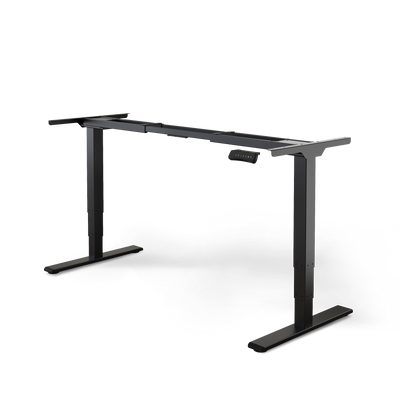
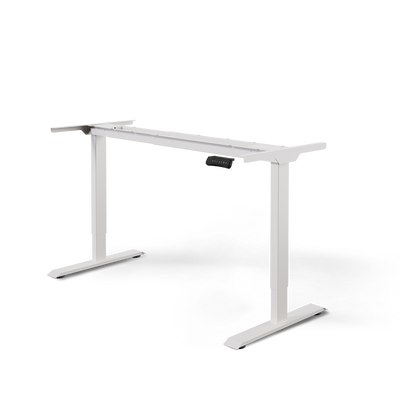
It all starts with the height of your work surface. With a height-adjustable desk, you can adjust it to the millimeter. Sit upright, let your shoulders relax, and position your forearms so that they are parallel to the tabletop.
The correct positioning of your keyboard
The position of your keyboard directly determines the posture of your wrists, arms, and shoulders. Place the keyboard so that your forearms form an angle of about 90 degrees or slightly more with your upper arms.
Your wrists must remain straight. They should neither bend upwards nor sag downwards. A wrist rest can help you find this neutral position. However, it is intended as a rest during typing breaks, not for constantly applying pressure to the wrist while typing.
The keyboard should be centered in front of your body. The center of the letter area (the area between the G and H keys) should be directly in front of you.
The ideal placement of your mouse
The mouse should be placed as close as possible next to the keyboard. This prevents you from having to reach far with your arm, which leads to a one-sided strain on the shoulder muscles. Your hand should be able to operate the mouse while your elbow remains relaxed at your side.
Here's how it works:
- Adjust height: The mouse belongs on the same level as the keyboard. This ensures a seamless transition.
- Minimize distance: Move the mouse directly next to your keyboard. Compact keyboards without a numeric keypad shorten the path.
- Keep a straight line: Your forearm and hand should form a straight line. Avoid bending your wrist sideways.
These small adjustments significantly reduce the strain on your body throughout the workday.
Your workspace is a system where every element counts. The correct positioning of the keyboard and mouse is the link between your ergonomic hardware and your body. Only when everything harmonizes will you achieve maximum comfort and effectively prevent tension.
The interaction with other accessories
An ergonomic keyboard and mouse are team players. They work best in conjunction with other accessories that create a holistic, health-promoting system for your hands and arms.
- Monitor arms: A monitor arm allows you to adjust the screen to the perfect eye level and distance. This keeps your neck in a neutral position, which prevents tension.
- Wrist rests: They support a straight wrist posture. Choose a rest that matches the height of your keyboard and is made of a firm but comfortable material.
- Height-adjustable desk: It is the basis for a dynamic working posture. Regularly switch between sitting and standing to keep your body active and reduce one-sided strain.
By combining these components, you create a workspace that adapts to you. Take your time and experiment with the settings until you find a position that still feels good after hours.
The most common questions about ergonomic devices
Switching to an ergonomic keyboard and mouse often raises questions. This is normal, as it involves a change in daily work routine. Here you will find clear answers to typical uncertainties so that you can optimize your setup.
The decision for ergonomic devices is an investment in your own health. If you understand the benefits and the correct application, you can utilize the full potential of these tools.
How long does it take to get used to the new devices?
The adjustment phase is individual, but most users feel confident using them after one to two weeks. With a vertical mouse or a split keyboard, it can feel unusual at first. You have to relearn movement patterns that you've practiced for years.
Your brain and hands need to get used to the new, healthier posture. Give yourself time and be patient. Start with shorter work sessions and gradually increase the usage time. The long-term comfort gain is worth this learning curve.
Are ergonomic keyboards and mice only for people who already have pain?
No, that's a common misconception. Ergonomic devices are primarily preventive tools. They help you avoid complaints such as RSI, tenosynovitis, or tension in the neck and shoulder area from the outset.
Think of it like safety shoes on a construction site: You wear them before an accident happens. Similarly, an ergonomic keyboard and mouse protect your joints and muscles before pain arises. They are worth considering for anyone who regularly works on a computer.
Ergonomics is not a reaction to pain, but a proactive strategy for sustainable health and productivity at work. It helps you maintain your performance in the long term.
Those who invest in ergonomic products early can significantly reduce the likelihood of work-related musculoskeletal disorders. It is a smart investment in your professional future.
Do these devices really improve my productivity?
Yes, ergonomic devices increase productivity in the long run, even if it takes a short adjustment period at first. This happens in several ways:
- Less fatigue: A relaxed posture means less muscle stress. This allows you to stay focused longer.
- Less distraction from pain: Those who don't have pain work more focused. You won't constantly be distracted by a pull in your wrist or a tense neck.
- More efficient movements: Many ergonomic models with programmable keys allow you to optimize workflows and complete tasks faster.
In short, fewer forced breaks due to discomfort and greater concentration directly lead to better work performance.
Do I always have to buy keyboard and mouse as a set?
It is not absolutely necessary to replace both at the same time, but it is often the most effective approach. An ergonomic keyboard and mouse complement each other and create a holistic, healthy system for your hands and arms.
If you only use a vertical mouse but continue to type on a flat standard keyboard, you are only solving half the problem. Your wrist at the mouse is relieved, but the other remains in an unnatural posture.
If your budget is limited, start with the device that currently causes you the most concern. Plan to purchase the second part in the near future to fully exploit the ergonomic potential of your workplace.
Do ergonomic devices fit on every desk?
Yes, there are suitable ergonomic solutions for almost every desk. The variety of models offers high flexibility.
- For small desks: Compact or "Tenkeyless" (TKL) keyboards are ideal. They save space and allow you to keep the mouse closer to your body.
- For maximum flexibility: Fully split keyboards can be positioned exactly as best suits your body and your workspace.
- For special requirements: Trackball mice do not need a movement surface as they remain stationary. This is perfect if space is extremely limited.
Ergonomic devices unfold their potential best in combination with a height-adjustable desk. This allows you to precisely adjust the height of the work surface to your body size and ensure perfect posture both sitting and standing.
An ergonomic workplace is the key to more well-being and performance. At Deskspace, you will find everything you need for your perfect setup, from height-adjustable desks to suitable accessories. Discover the possibilities now at https://deskspace.de.


