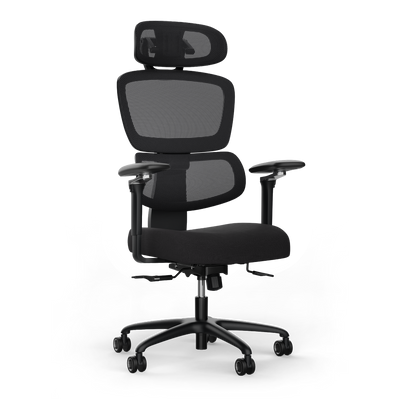
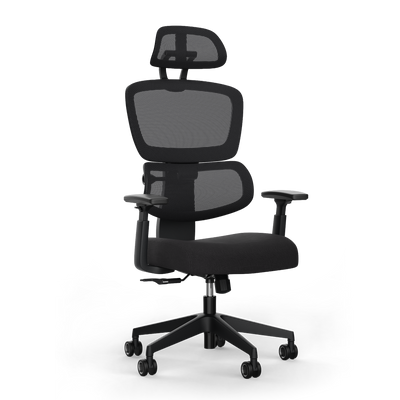


Adjusting your desk correctly for optimal ergonomics

Adjusting your desk correctly is crucial for a healthy and productive workday. The correct position prevents poor posture, which leads to tension. An easy starting point is the elbow rule: your forearms should rest relaxed at a 90-degree angle on the desk.
Why Correct Desk Adjustment is Crucial
An ergonomic workstation is a necessity for your long-term health and performance. Many people spend eight hours or more at their desk every day. Incorrect posture over such a long period leads to physical complaints.
The most common consequences of a poorly set up work environment are neck, shoulder, and back pain. Muscles, tendons, and the spine are continuously subjected to incorrect strain. A desk that is too high or too low forces you into an unnatural position. You either pull your shoulders up or your back hunches.
The Basics of Workplace Ergonomics
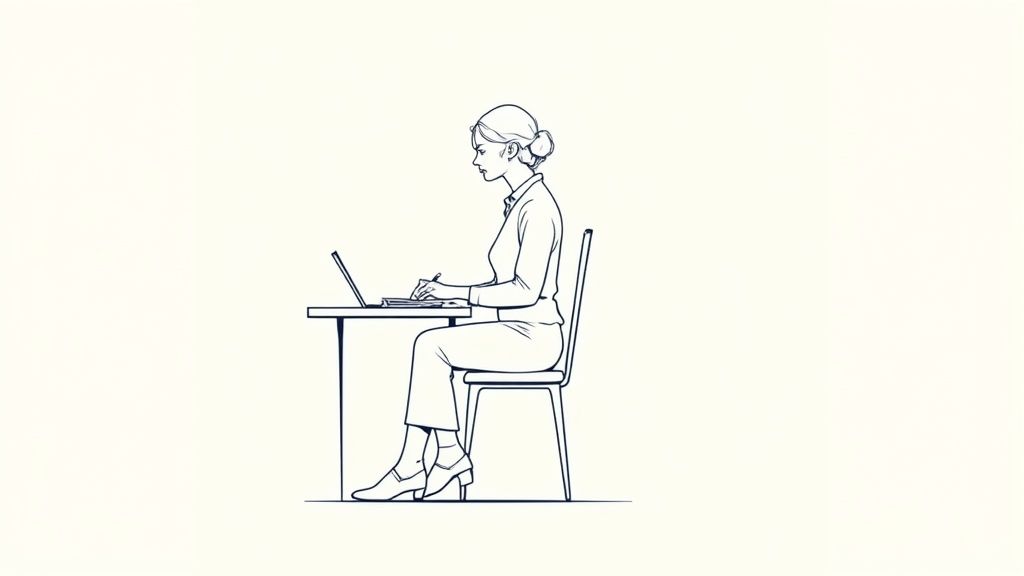
Ergonomics means adapting working conditions optimally to the human being. You should not adapt to the workplace; rather, the workplace should adapt to you. The central principle is a neutral body posture. In this position, your joints and muscles are subjected to the least strain.
Several points are crucial for this neutral posture at the workplace:
- The 90-degree angle: This rule applies to several joints. Your knees should be bent at approximately a right angle, with your feet flat on the floor. Your elbows should form a 90-degree angle when your forearms rest on the desk.
- The elbow rule: This is the simplest method to find the correct height for your desk. Sit up straight, let your shoulders relax, and raise the desk surface to the height of your elbows.
- The chair as a foundation: Adjusting your workstation always starts with the office chair. Only once you are sitting correctly can you adjust the desk height properly. Your chair supports your spine and determines the correct sitting height.
These principles form a system. If only one element is set incorrectly, for example, the chair, a correct adjustment of the desk becomes impossible.
The Effects of Incorrect Adjustment
The consequences of poor ergonomics are well-known and documented. Statistics show the prevalence of the problem. According to a study by the German Social Accident Insurance (DGUV), approximately 25% of all work-related musculoskeletal disorders are due to incorrect workstation design. The spine and the shoulder-neck area are particularly affected.
In the long term, these complaints can become chronic and significantly impair quality of life.
A correctly adjusted desk is an investment in your health. It reduces the risk of pain and promotes concentration, as your body has to expend less energy to compensate for unhealthy posture.
Ergonomics Checklist for a Quick Overview
This table summarizes the most important points. Use it to quickly check your settings.
| Area | Optimal Angle or Position | Common Mistake |
|---|---|---|
| Office Chair | Thighs slightly sloping downwards, feet flat on the floor | Seat height too low or too high, feet dangling in the air |
| Desk Height | Elbows form a 90° angle with the desk, shoulders are relaxed | Desk too high (shoulders shrugged) or too low (rounded back) |
| Monitor | Top edge of the screen at or just below eye level | Monitor too low (neck bent) or too high (head tilted back) |
| Keyboard & Mouse | Close to the body, wrists straight, forearms supported | Too far away, bent wrists, no support |
This checklist is your foundation. If you consider these points, you'll be a big step closer to a healthier working day.
Ergonomics as a Holistic Concept
An ergonomic workstation does not stop at the desk and chair. Your entire posture plays a role. Even your choice of shoes can have an impact. Good posture starts with your feet, and the right support can positively affect your back. A look at the importance of proper footwear for your posture shows how such details contribute to overall health.
The following sections will guide you step-by-step through the correct adjustment of all components of your workstation. With this knowledge, you will create a solid basis for healthy and productive work.
Adjusting the Office Chair as the Foundation
Before you turn your attention to your desk, focus on the office chair. It is the foundation for healthy posture. Imagine building a house on a shaky foundation. That's what happens when your chair is incorrectly adjusted. All efforts at the desk would then be in vain.
Seat Height as the First Step
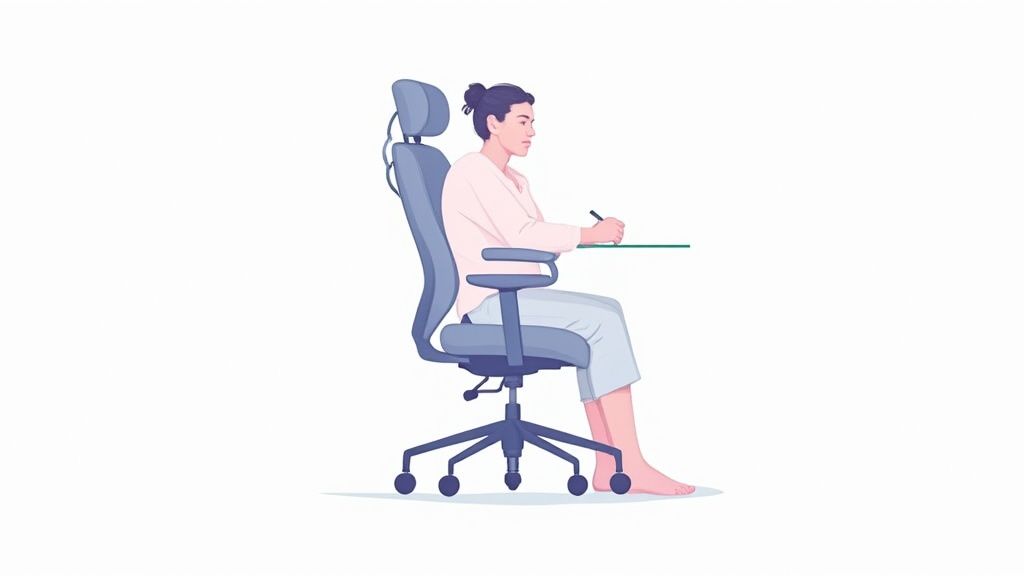
The correct seat height is the most important thing. Sit down and place both feet firmly and flat on the floor.
You have found the right height when your knees form a slightly open angle of just over 90 degrees. Your thighs should slope slightly downwards. This position takes pressure off your thighs and allows blood to circulate freely.
What happens if your feet dangle in the air? This is a sign that your desk is too high. In this case, a footrest is necessary to ensure correct posture.
Adjusting the Seat Depth Correctly
Next comes the seat depth. Slide your bottom all the way back until your back touches the backrest. The lower back area should have full contact.
Check the distance between the front edge of the seat and the backs of your knees. Ideally, there should be about three to four fingers' width of space.
This gap is crucial. It prevents the seat edge from pressing on blood vessels or nerves, which can lead to numb legs. Chairs with adjustable seat depth are advantageous here.
Adjusting the Backrest and Lumbar Support
The backrest is the most important partner for your spine. Many good ergonomic chairs have adjustable lumbar support. This is the curvature in the lower area.
This support should be placed precisely in the natural S-curve of your lumbar spine. Your waistline is a good reference point. When positioned correctly, it gently pushes your pelvis forward and helps you sit upright automatically.
A correctly adjusted lumbar support prevents your pelvis from tilting backward and you falling into a rounded back. It is the key to stabilizing your lumbar spine.
The counter-pressure of the backrest should support you when you lean back. However, it should not push you forward. The backrest should follow your movements. This is called dynamic sitting.
Armrests to Relieve Shoulders
The armrests are key for a relaxed neck and shoulder area.
Adjust them so that your forearms rest loosely, while your shoulders are relaxed and not pulled upwards. Your elbows should form an angle of approximately 90 degrees.
- Height: The armrests should be level with your desk surface. This creates a continuous support surface for your arms.
- Width: Adjust the armrests so that your arms are close to your body and do not have to stick out to the side.
- Position: Make sure the armrests do not hit the edge of the table. You need to be able to move close enough to the desk.
Incorrect adjustment leads to tension. If the armrests are too high, you subconsciously pull your shoulders up. If they are too low, your neck has to do the work.
The best adjustment is only possible if the chair suits you. If you are unsure what matters, you can find out here how to find the right office chair and what to look for when choosing.
Your chair is now optimally adjusted and forms a stable foundation. Now you are ready for the next step: adjusting the desk height.
Finding the Optimal Desk Height for Sitting and Standing
Your chair is correctly adjusted. Now comes the desk to complete the ergonomic chain. A height-adjustable desk from Deskspace allows you to unleash its full potential and adjust your workstation with millimeter precision.
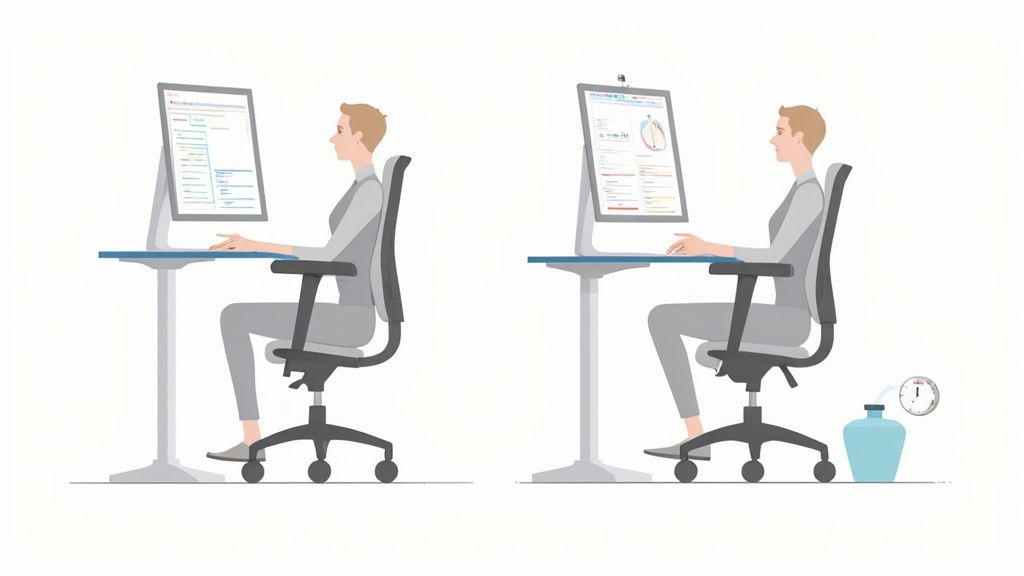
The Correct Sitting Height for Your Desk
The starting point is always your adjusted office chair. You sit upright, feet flat on the floor, and knees forming an angle of approximately 90 degrees.
Let your shoulders hang loosely. Your upper arms rest relaxed against your body. Bend your forearms so that they form a right angle to your upper arms and float parallel to the floor.
Now, raise the tabletop to this height. Your forearms should be able to rest relaxed on the table or armrests without you shrugging your shoulders or leaning forward.
This position is crucial. It ensures that the neck, shoulders, and wrists are minimally stressed. The desk becomes a natural extension of your arms.
Finding the Right Standing Height
The same principle applies when standing. Stand upright with a straight back in front of your desk. Your weight is evenly distributed on both feet.
Relax your shoulders, let your upper arms hang loosely. Again, form a 90-degree angle with your forearms. Now, raise the tabletop until it is at the height of your elbows.
- Upper Body: Your back is and remains straight.
- Shoulders: Your shoulders are low and relaxed, not shrugged.
- Arms: Your forearms lie flat and without tension on the tabletop.
If you want to adjust your desk correctly, this elbow rule, both sitting and standing, is your most reliable compass. It's simple and works for any body size. If you need a guideline, you can also calculate your optimal desk height and use this value as a starting point.
Switching Between Sitting and Standing
The greatest advantage of a height-adjustable desk is dynamic working. Switching between sitting and standing gets your circulation going, relieves your spine, and prevents you from staying in one position for hours.
A proven rule of thumb for distribution is:
- 60% dynamic sitting: Use the rocking mechanism of your chair. Lean back, slide forward. Keep moving.
- 30% working while standing: This stimulates blood circulation and activates other muscle groups.
- 10% active movement: Get a coffee, walk a few steps, stretch.
More important than rigid schedules is regularity. A change every 30 to 45 minutes has proven effective in practice to achieve positive effects.
Memory Function for Effortless Switching
Deskspace's electrically height-adjustable tables have a memory function. It makes switching between your ideal positions easy.
Once you have found your correct height for sitting and standing, you save it on the designated buttons. Then, a press of a button is enough, and the table glides into the correct position.
This saves time and lowers the inhibition threshold to change posture more often. You don't have to remeasure or try every time.
What Does the Law Say About This?
The correct table height is so important that it is legally enshrined. The Workplace Ordinance (ArbStättV) specifies a standard height of 72 cm for fixed desks, with a leeway between 66 and 75 cm for adjustable models. These figures are based on studies showing that incorrect height leads to back and neck pain. More about the background can also be found at weberbuero.de.
Modern, height-adjustable desks go beyond these minimum requirements. They allow precise adjustment to every body size and activity. This is the basis for ergonomics tailored to you.
Ergonomically Arranging Monitor and Work Equipment
Your desk and chair are now an ergonomic unit. All the effort is in vain if the monitor is placed incorrectly. Incorrect screen positioning is a major cause of neck tension and headaches.
Optimizing the Monitor Position
The monitor belongs directly in front of you. Not to the side, not diagonally. Your head should remain in a straight, relaxed line with your spine, without you constantly having to turn or tilt it.
The correct alignment depends on two factors: height and distance.
Setting the Correct Monitor Height
Sit upright and relaxed and look straight ahead. The rule is simple: The top edge of your screen should be at or just below your eye level.
When you look at the screen, your gaze should be slightly downward. This relieves the neck muscles and prevents you from tilting your head back. This posture quickly leads to pain.
A monitor placed too low is a classic ergonomic mistake. It forces you to bend your head forward, which eventually leads to problems in the neck and shoulder area.
Your monitor is not height-adjustable? A monitor stand or a stack of thick books can also help. This small adjustment has a big impact.
Finding the Ideal Viewing Distance
The optimal distance between your eyes and the screen depends on the monitor size. A rule of thumb is a distance of 50 to 80 centimeters.
A simple trick helps you find the right distance: Lean back and stretch your arm straight out. Your fingertips should roughly be able to touch the screen.
This distance ensures that you have the entire content in view without having to move your head. At the same time, it protects your eyes.
Arrangement with Multiple Monitors
If you work with two or more monitors, usage is crucial.
- Do you use both screens equally? Place them directly next to each other, so that the inner edges meet exactly in front of you. Angle them slightly towards you, like an open book.
- Do you have a main and a secondary monitor? Place the main monitor directly in front of you, as described above. The second screen then comes next to it, slightly angled.
This way you avoid constant, one-sided head turning and maintain a neutral posture.
Ergonomically Placing Keyboard and Mouse
Your keyboard and mouse belong directly in front of you, close to the edge of the desk. Your upper arms should hang loosely, while your forearms rest relaxed on the desk or armrests.
The most important thing is: Your wrists must remain straight. They should not be bent up, down, or sideways. An ergonomic keyboard or a palm rest can relieve pressure here.
Place the mouse directly next to the keyboard. This way you don't have to stretch your arm too far, which would strain your shoulder. A tip: Try to switch the mouse hand occasionally to avoid one-sided strain.
Other Work Tools Within Direct Reach
Everything you constantly need should be within your direct reach. This is the area you can comfortably reach with slightly bent arms.
- Laptop: Do you use your notebook as a second screen? Place it on a laptop stand so that the screen is at eye level. An external keyboard and mouse are then mandatory.
- Document holder: If you often type from paper, a document holder is useful. Place it between the keyboard and monitor. This saves you from tilting your head to the side.
A logical arrangement of your work tools saves unnecessary movements and ensures a better workflow. A tidy desk also helps to stay focused. Good cable management at the workplace not only creates order but also space on the table.
If you consider these points, your entire setup will optimally support you in maintaining a healthy body posture.
Avoiding Common Adjustment Mistakes
Ergonomic adjustment is an ongoing process. Your body constantly sends you signals. Learn to listen to these to achieve a big impact through small adjustments and to avoid typical mistakes.
The most common mistake is to ignore one's own body. A pull in the neck, tingling fingers, or pressure in the lower back are signs that something is wrong. Use these signals to check your setup.
Error Source 1: Static Posture
The biggest misconception is to maintain the same position for hours once found. Ergonomics means movement. Your body is not made to remain rigid in one posture.
- The mistake: You stay in the same sitting or standing position for over an hour.
- The solution: Actively use the memory function of your height-adjustable desk. Consciously change your posture every 30 to 45 minutes. Integrate small movement breaks during which you stretch or walk a few steps.
Error Source 2: Wrong Priorities in Adjustment
Many people adjust their chair to a desk that is too high or too low. This is the wrong approach. Your body dictates the measurements, not the furniture.
- The mistake: You adjust the desk first and then force the chair and your posture into an unsuitable position.
- The solution: Always start by adjusting the office chair. Your feet must be firmly and flat on the floor. Only then do you adjust the height of the desk to your arm position. If your desk is not adjustable, a footrest is necessary.
Error Source 3: The Environment is Ignored
Good ergonomic adjustment does not end with the desk and chair. Your immediate work environment has a great influence on your well-being.
Lighting Glare on the monitor strains your eyes and unconsciously leads to a tense head posture.
- The mistake: The desk is directly in front of or behind a window, leading to backlight or reflections.
- The solution: Position your desk sideways to the window. Additionally, use an adjustable desk lamp to illuminate your workspace glare-free and with about 500 lux.
Suboptimal lighting can reduce productivity by up to 15% and increase the error rate. Make sure that light sources do not shine directly at you or reflect on your screen.
Organization A cluttered workspace leads to unnecessary and unfavorable movements. Reaching for distant objects disturbs focus and your posture.
- The mistake: Important utensils are outside of direct reach, and cables restrict freedom of movement.
- The solution: Keep your primary work zone clear. Arrange everything you frequently need within comfortable reach. Use cable channels to ensure order.
The following table summarizes the most common mistakes and their solutions. Use it as a checklist to regularly review your setup.
| Mistake | Symptoms | Quick Solution |
|---|---|---|
| Monitor too low | Neck pain, gaze directed sharply downwards | Raise monitor to eye level with books or a monitor stand. |
| Chair too high | Feet dangling, pressure in the thighs | Reduce seat height until feet are flat. Use a footrest if necessary. |
| Wrists bent | Pain or numbness in the hands | Position keyboard flatter, use a palm rest. |
| Shoulders shrugged | Tension in the shoulder-neck area | Lower desk or armrest height until shoulders are relaxed. |
Frequently Asked Questions About Desk Adjustment
Here we answer the questions we most frequently encounter in practice when it comes to correctly adjusting a desk.
What is the quickest formula for the correct desk height?
The simplest and most reliable method is the elbow rule. This technique works for any body size and can be applied quickly.
Sit upright in your office chair, feet flat on the floor. Let your upper arms hang loosely by your sides and bend your forearms at a 90-degree angle.
Your desk surface should be exactly at the height of your elbows. Make sure your shoulders remain relaxed. This rule is your most important anchor point for basic ergonomic adjustment and also applies to working while standing.
How often should I switch between sitting and standing?
Regularly changing your posture is key to utilizing the benefits of a height-adjustable desk. The point is to stay constantly in motion.
The following distribution has proven to be a good rule of thumb for one hour:
- Approx. 40 minutes of dynamic sitting. This means not remaining rigid even when sitting, but subtly changing your position.
- Approx. 15 minutes of working while standing. This activates different muscle groups and gets your circulation going.
- Approx. 5 minutes of active movement. Get a glass of water, stretch briefly, or look out the window.
More importantly, listen to your body. Many find a change every 30 to 45 minutes ideal to avoid one-sided strain.
The best rhythm is the one you can actually maintain. Initially, use your desk's reminder function or an app until switching becomes a habit. Your body will thank you.
My desk is not height-adjustable – what can I do?
Even with a fixed-height desk, you can do a lot for your ergonomics. The trick is to adapt the other elements to the situation.
First, adjust your office chair so that your arms are positioned at the correct 90-degree angle to the desk. If your feet are dangling, a footrest is essential. It provides stability and ensures a healthy leg posture.
Then, take care of the monitor. Since it is certainly too low, raise it to the correct eye level with a monitor stand or a stack of books. This way, you can achieve a neutral and relaxed body posture even at a static workstation.
Does workplace lighting play a role?
Yes, a big one. Lighting is an often-underestimated but crucial factor for ergonomics. Poor or glaring light leads to tired eyes, headaches, and unconsciously forces you into a tense posture.
Your workstation should be well and glare-free lit. To avoid reflections on the screen, place the desk sideways to the window. This way, daylight enters from the side.
A good, adjustable desk lamp also specifically illuminates your work surface. For offices, an illuminance of about 500 lux is recommended. This value protects your eyes and helps you stay focused.
Do you want to take your workplace to the next level? With a height-adjustable desk from Deskspace, you can easily find your perfect sitting and standing height and make a lasting investment in your health. Discover the variety of ergonomic solutions now at https://deskspace.de.


