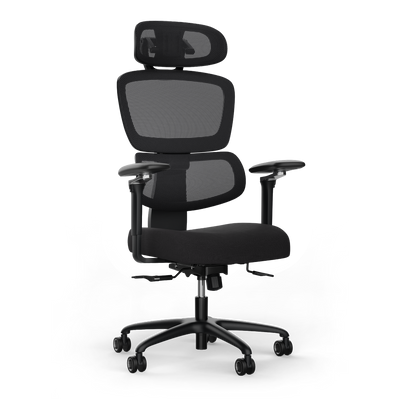
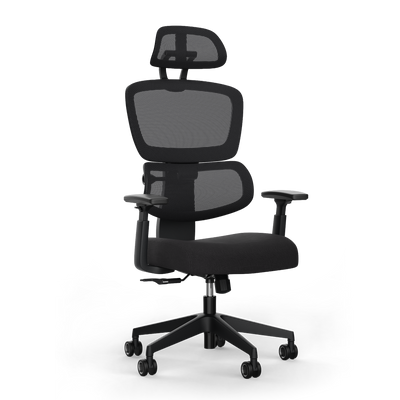


What Is Lumbar Support and How It Protects Your Back

A lumbar support is an ergonomic tool that specifically supports the natural S-curve of your lumbar spine. It fills the gap between your lower back and the chair back, preventing the slouching that often occurs during prolonged sitting.
What a lumbar support really is
Your spine has a natural, double S-curve. The lower part, the lumbar spine, is slightly curved inwards. Experts call this curvature lordosis. When sitting on unsuitable chairs, this curve flattens. Your lower back rounds outwards, creating a rounded back.
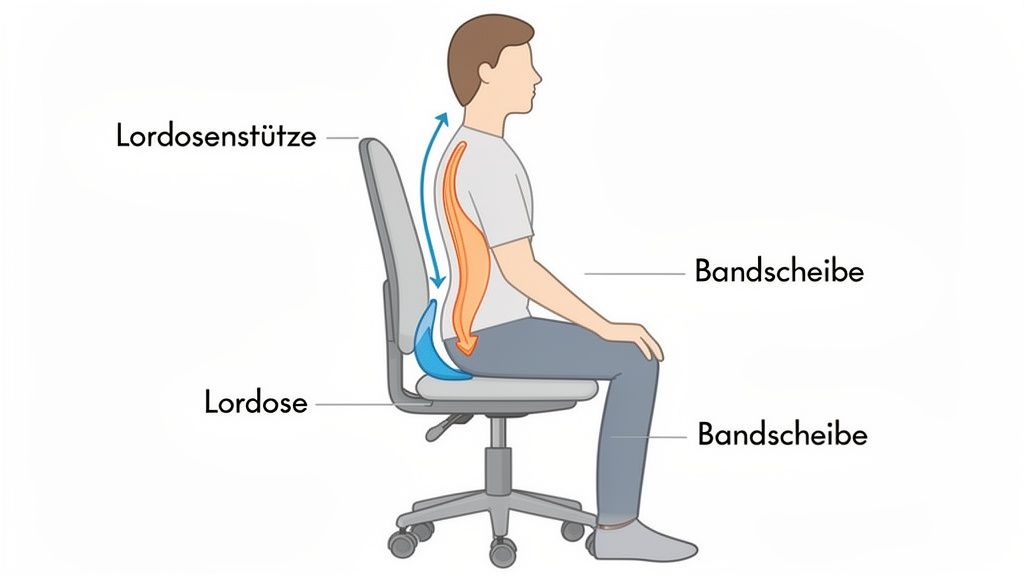
This unhealthy posture strains your intervertebral discs and surrounding muscles. A lumbar support acts like a brace, providing gentle counter-pressure exactly where your spine needs it.
A well-adjusted lumbar support gently guides your spine back into its natural position, relieving pressure on the intervertebral discs and supporting muscles.
The importance for your back health
Poor sitting posture has serious consequences. Back pain is one of the most common reasons for absenteeism from work. A survey by AOK NordWest shows that in Schleswig Holstein alone, back pain caused almost 870,000 days of absence in 2024. 83 percent of those affected complain of lower back pain.
An ergonomically optimized workplace can help here. Further information can be found in the study results on back health at the workplace at AOK.
Advantages of lumbar support at a glance
The main task of a lumbar support is to prevent postural damage and the resulting pain. The positive effects are often quickly noticeable and contribute to your long-term well-being.
This table summarizes the direct effects of a lumbar support.
| Advantage | Explanation |
|---|---|
| Posture improvement | Promotes an upright sitting position and counteracts the formation of a rounded back. |
| Pressure relief | Reduces pressure on the intervertebral discs in the lumbar region. |
| Muscle relaxation | Reduces the strain on the back muscles, which would otherwise have to compensate for poor posture. |
| Pain prevention | Prevents the development of tension and chronic back pain. |
A lumbar support is not a luxury. It is a fundamental element for anyone who spends many hours at a desk.
How a lumbar support improves your health
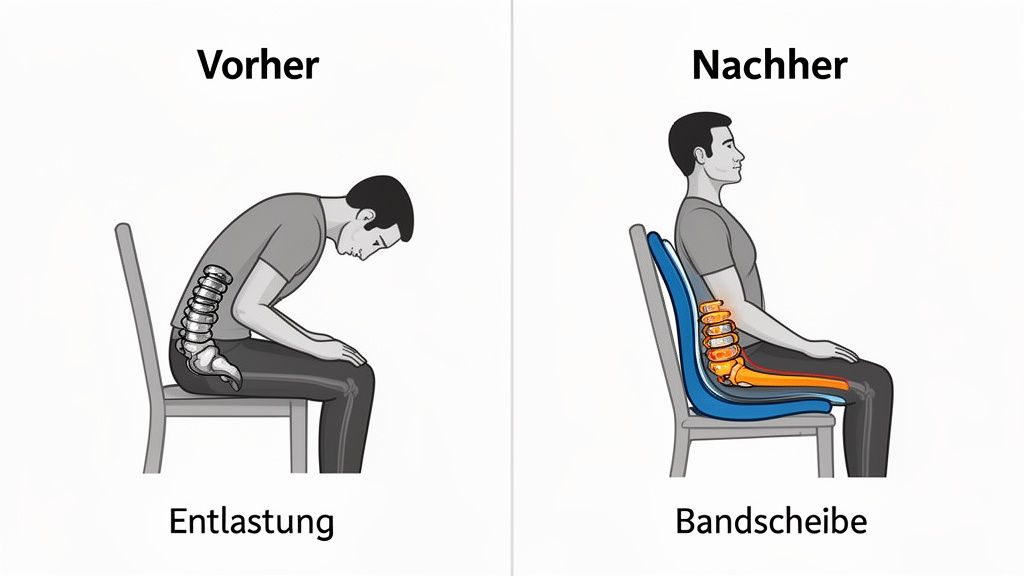
A good lumbar support reduces pressure on your intervertebral discs. Without support, your lumbar spine loses its natural S-curve and bulges outwards. This posture places uneven stress on the intervertebral discs and overstretches the back muscles.
When correctly positioned, the lumbar support gently pushes your lower back forward, helping it to stay in its natural position. The pressure is evenly distributed across the intervertebral discs, and your supporting muscles can relax. This prevents tension and can alleviate existing pain.
Prevention instead of reaction
The biggest advantage of a lumbar support lies in prevention. It doesn't force you into a rigid shape; instead, it gently reminds your body of a healthy posture.
In the long run, this support trains your postural muscles. Your body gets used to an upright position, which is effective protection against chronic ailments caused by years of incorrect sitting.
The decisive advantage lies in the relief. A lumbar support reduces pressure on the lumbar spine by up to 40%. This value illustrates the high strain without ergonomic assistance.
Economic and personal benefits
Back pain is also an economic problem. The BURDEN 2020 study by the RKI showed that 61.3% of Germans suffered from back pain in the last twelve months. This causes costs of up to 53 billion euros annually in the German economy due to lost productivity.
An ergonomic workplace with good lumbar support is an effective measure against this. Studies show that such workplaces protect 28% of users from complaints. In workplaces without this equipment, it is only 5%. If you want to learn more about the findings on lumbar support and ergonomics, you can find more facts here.
Specific advantages at a glance
Investing in a chair with adjustable lumbar support pays off in multiple ways. Here are the most important health improvements summarized:
-
Reduction of intervertebral disc pressure
Even pressure distribution prevents one-sided wear and tear and reduces the risk of herniated discs. -
Relief of muscle tension
Your supporting muscles have less to correct and can relax. This can also reduce pain in the neck and shoulder area. -
Improved circulation
An upright posture facilitates blood circulation and oxygen supply to the muscles, which can increase your concentration. -
Increased productivity
Those who are pain-free are less distracted and can concentrate better on their work.
A lumbar support is a core element for anyone who takes their health at the desk seriously.
What types of lumbar supports are there?
There is no one-size-fits-all solution. Different variants are suitable depending on the office chair, budget, and personal needs.
One can distinguish between lumbar supports integrated into the chair and external supports. Both types have advantages and disadvantages.
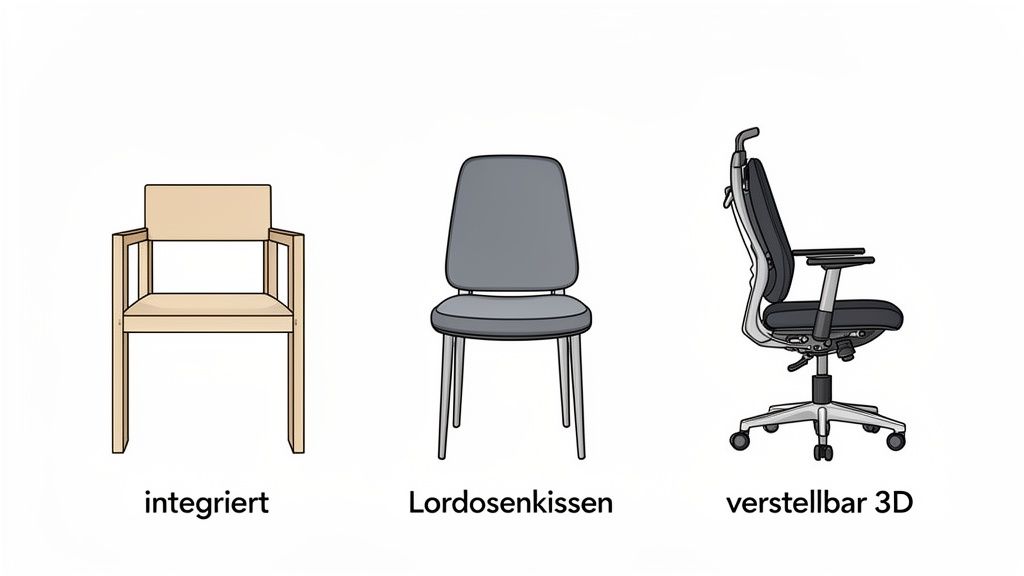
Integrated lumbar supports
Good ergonomic office chairs have a lumbar support built into the backrest. Usually, it can be adjusted in height and depth, allowing you to adapt it precisely to the curve of your spine.
The advantage is that such supports do not slip and provide constant hold. They are the first choice for anyone who spends many hours at a desk every day.
External lumbar cushions
An external lumbar cushion is a flexible and often cheaper alternative. You can attach these cushions with straps to almost any chair, thus ergonomically upgrading a seating option. This makes them ideal for the home office or the car.
They usually consist of memory foam, which adapts well to the back. They are a good immediate aid but can sometimes slip. If you want to know more about selection and use, read our guide on the right back cushion.
Important: The decisive factor is adjustability. A good lumbar support must adapt to your body shape, not the other way around. Rigid supports often provide insufficient or even counterproductive support.
Adjustability as a quality feature
The quality of a lumbar support is reflected in its adjustment options.
- 2D adjustment: You can change the support in height and depth. This is the standard for most good ergonomic chairs.
- 3D or 4D adjustment: Premium models can also be adjusted in the intensity of the counter-pressure or laterally. This allows for very individual support.
Comparison of lumbar support types
This table compares the features and pros and cons of different types of lumbar supports.
| Type | Advantages | Disadvantages | Ideal for |
|---|---|---|---|
| Integrated (fixed) | No slipping, aesthetic, durable | No adjustment possible, often in more expensive chairs | Users of average height looking for a simple solution |
| Integrated (adjustable) | Precise adjustment, high comfort, reliable support | Higher price, integral part of the chair | Power users in home office and office who sit for long hours daily |
| External cushion | Flexible to use, cost-effective, retrofittable | Can slip, less precise support, aesthetics | Occasional use, upgrading existing chairs, car journeys |
The choice depends on your working habits and budget. For frequent users, an integrated, adjustable support is the most sustainable investment in back health.
How to correctly adjust your lumbar support in 3 steps
Even the best lumbar support is only effective when adjusted correctly. If it is set incorrectly, it can lead to new tensions. With this guide, you will find the optimal setting in three steps.
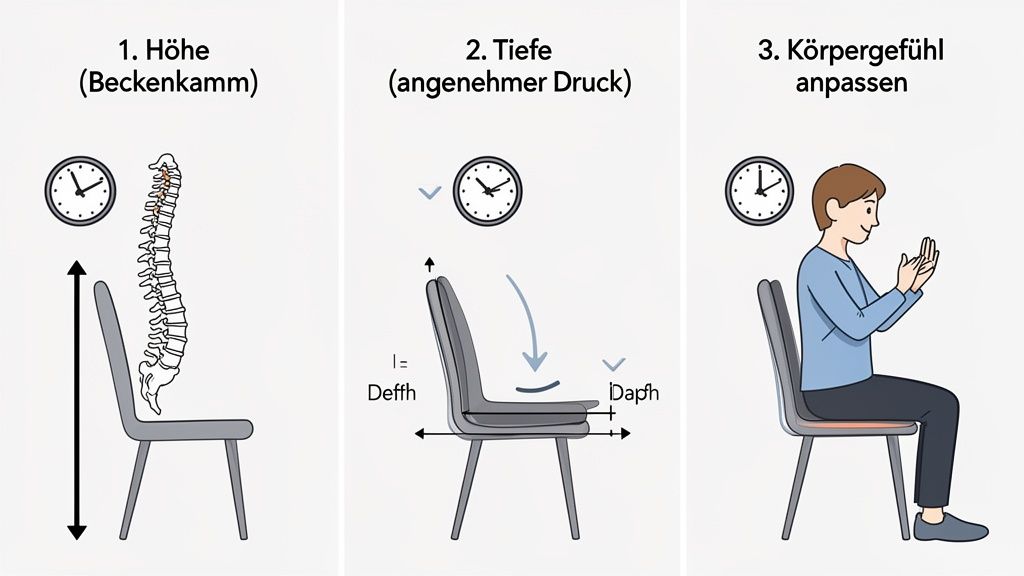
The correct adjustment is a combination of correct positioning and your personal body feeling. Take your time for the adjustment.
Step 1: Find the right height
Sit upright in your chair, with your back against the backrest and both feet flat on the floor. The lumbar support should fit exactly into the natural curve of your lumbar spine, i.e., into the arch above your buttocks.
As a guide, you can use your belt or the iliac crest. The support should be approximately at this height. Slowly slide it up and down until it precisely fills this gap.
Step 2: Adjust the ideal depth
Once the height is right, the counter-pressure follows. With the depth, you determine how strongly the support presses into your back. The goal is a noticeable but gentle support.
Adjust the depth so that you feel a gentle but firm hold. The support should support your natural spinal curve without pushing you forward.
Start with little pressure and slowly increase it until you find the right balance. Your lower back should feel supported and relaxed.
Step 3: Listen to your body and stay in motion
The perfect setting is not static. Your body and your sitting position change throughout the day. Pay attention to your body's signals. If you feel pressure or discomfort, readjust the support.
A lumbar support should support dynamic sitting.
- Adjust the setting: If you change your sitting position, also adjust the height or depth of the support.
- Move regularly: Stand up at least once an hour to loosen your muscles.
- Avoid rigid sitting: Use the movement options of your ergonomic chair.
Long, rigid sitting can flatten the natural lordosis. The individual adjustability of the support is crucial to support the lumbar curve and relieve the intervertebral discs.
A well-adjusted lumbar support is only one part of ergonomics. In our guide, we show you how to ergonomically adjust your entire office chair.
What to look for when buying a chair
A new office chair is an investment in your health and productivity. Good lumbar support is important, but it is only one part of the overall concept. Pay attention to several criteria that together ensure ergonomic support.
A good chair adapts to your body, not the other way around.
Material and workmanship
The quality of the materials determines the longevity of your chair. Pay attention to upholstery and cover fabric.
- Breathability: A mesh back allows air to circulate and prevents sweating during long working days.
- Durability: Robust fabrics and solid mechanics are crucial. Pay attention to the manufacturer's load capacity specifications.
The materials should be easy to clean and withstand everyday stresses.
Adjustability as a key factor
A chair is only your chair if it can be precisely adjusted to your body measurements. Without further adjustment options, the lumbar support loses its effect.
An ergonomic chair functions as a complete system. Even the best lumbar support is of little use if the seat height, seat depth, or armrests do not fit.
Pay attention to these adjustment options:
- Seat height: Your feet should be flat on the floor, while your thighs are almost horizontal.
- Seat depth: There should be a hand's width of space between your knee crease and the front edge of the seat to avoid impeding blood circulation.
- Armrests: Adjustable armrests relieve pressure on the shoulder and neck area.
- Synchronous mechanism: The backrest and seat tilt synchronously with your movements, promoting dynamic sitting.
Certifications as proof of quality
Independent seals of approval provide assurance that a chair meets strict standards.
Look for recognized certificates:
- TÜV/GS mark: The "Geprüfte Sicherheit" (Tested Safety) seal confirms that the chair meets legal requirements.
- IGR Certificate: The Institute for Health and Ergonomics e.V. tests products for their ergonomic functionality.
These seals are a strong indication of a tested and safe product. You can find more tips in our buying guide for selecting the best office chairs with lumbar support.
The combination of high-quality materials, versatile adjustment options, and tested quality ensures that your new chair supports you optimally.
Avoid common mistakes when using it
A lumbar support is only effective when used correctly. Many users unconsciously make mistakes that negate the positive effect or lead to new tensions.
If you know the typical pitfalls, you can easily avoid them.
The most common mistake is incorrect positioning. If the support is too high or too low, it fails its purpose. Both are counterproductive.
Another critical point is too much pressure. The support should gently guide your lumbar spine. Too much counter-pressure can force your upper body into an unnatural hollow back and overload the muscles.
The support as a tool, not a resting cushion
A misconception is to use the lumbar support passively. It should not press you into a rigid position, but remind your body of the natural S-curve.
A lumbar support is not a panacea that replaces movement. Its job is to promote healthy posture. Regular standing up and moving around remain crucial.
Therefore, avoid these behaviors:
- Passive leaning: Consciously switch between leaning back and free sitting. This keeps your core muscles active.
- No adjustment throughout the day: Your sitting position changes. Adjust the support as needed.
- Ignoring movement: Stand up at least once an hour, stretch, and walk a few steps.
View the lumbar support as an active tool for dynamic sitting. This way, you fully exploit its ergonomic potential.
What you always wanted to know about lumbar support
Here we answer frequently asked questions about lumbar support.
Does a lumbar support help with a herniated disc?
Yes, a well-adjusted lumbar support can help with a herniated disc in the lumbar spine. It stabilizes the lower back and keeps the spine in its natural S-curve. This takes pressure off the affected disc, which can relieve pain and promote healing.
Important: Always consult your doctor or physical therapist beforehand. An incorrectly adjusted support can worsen the situation.
How long a day should one use a lumbar support?
There is no general answer to this. It depends on you and your daily work routine. Basically, the lumbar support is intended for longer sitting periods.
The support is an aid, not a substitute for movement. It should remind you of good posture, but not make you passive.
Use it during concentrated work phases at your desk. During breaks, you should stand up, stretch, and change your position.
Is a lumbar support also useful for driving?
Yes. Especially during long car journeys, the lower back often rounds, which quickly leads to pain. Many modern car seats already have an adjustable lumbar support integrated.
If your seat doesn't have this, an external lumbar cushion is useful. It ensures an upright sitting posture and can prevent back pain on long journeys.
An ergonomic workplace is the key to more well-being and productivity. At DESKSPACE, you'll find TÜV-certified ergonomic chairs and height-adjustable desks that optimally support you. Discover the right solution for your back now at https://deskspace.de.


