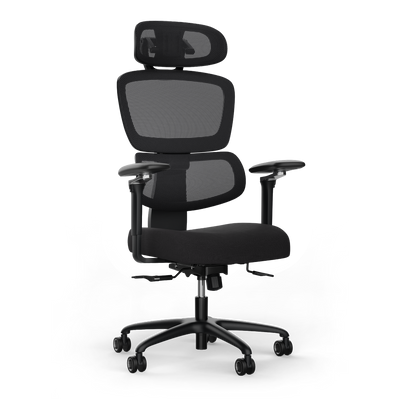
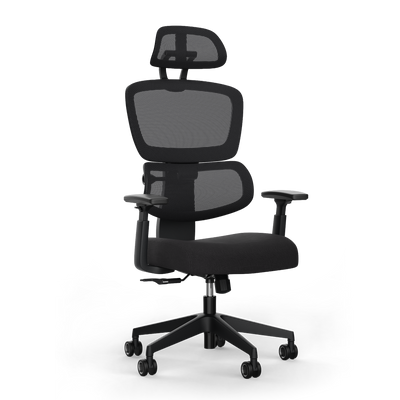


What Does an Ergonomic Workplace Mean: A Guide

An ergonomic workstation is an adaptable system. It adapts to your body, not the other way around. Instead of forcing you into a rigid position, it promotes natural movements. This prevents back pain and neck tension. It's about creating a work environment that protects your health and boosts your concentration.
What makes a workplace ergonomic
The term ergonomics comes from Greek and means "law of work." The crucial question for you is: What does an ergonomic workstation mean in everyday life? Essentially, you design your workstation to be aligned with your physical and mental needs. The goal is to minimize strain and maximize performance.
A workstation is not a rigid piece of furniture. It is a personal partner that flexibly adapts to your size, proportions, and working style. A fixed, non-adjustable desk forces you into an unnatural posture. An ergonomic workstation allows you to dynamically change your position.
The basic principles of adaptation
The foundation of an ergonomic workstation is adaptability. Your body is not designed to stay in the same position for eight hours or longer. A well-thought-out setup takes this into account through several factors.
- Customizability: Every element, from the chair to the desk to the monitor, can be precisely adjusted to your body measurements.
- Promotion of movement: The environment encourages you to change your posture, for example, by easily switching between sitting and standing.
- Reduction of strain: The arrangement of devices and furniture prevents forced postures and minimizes strain on the spine, joints, and eyes.
A common misconception is that a single ergonomic product is sufficient. It is the interaction of all components that makes a workstation ergonomic. The best chair does little good if the desk is set too high or the monitor is positioned incorrectly.
The difference between comfort and ergonomics
Comfort is a subjective feeling of well-being. Ergonomics is a scientifically based discipline. A comfortable armchair feels good at first, but it does not necessarily support a healthy posture. An ergonomic workstation is designed to protect your health in the long term.
An ergonomic workstation is not a matter of luxury. It is a necessity for sustainable health and productivity. It adapts to you so you can concentrate on your work without straining your body.
The following table summarizes the most important principles and their benefits.
Core principles of ergonomics and their benefits
This table shows the pillars of an ergonomic workstation and the concrete benefits for your health and efficiency.
| Principle | Description | Your benefit |
|---|---|---|
| Adaptability | Components like chair, desk, and monitor are individually adjustable to your body measurements. | Less tension in the neck and shoulders due to a natural posture. |
| Dynamic | The workstation promotes regular changes between sitting and standing. | Improved blood circulation, higher calorie consumption, and increased concentration. |
| Neutral posture | The arrangement of elements allows for a relaxed body posture without twisted joints. | Reduced risk of chronic conditions like carpal tunnel syndrome. |
| Accessibility | All important work tools are within reach without you having to stretch. | More efficient work and avoidance of one-sided strain on arm and shoulder muscles. |
As you can see, one wheel turns into the other here. Ergonomics is the result of a holistic view of your work environment.
The measurable impact of ergonomics on your performance
An ergonomic workstation is more than a convenience. It is a strategic decision that directly affects your health and concentration. Investing in the right environment pays off with fewer absences and a clearer mind.
Recurring complaints such as back, neck, and shoulder pain are often the direct result of an unsuitable workstation design. A workstation tailored to your body actively counteracts these problems and lays the foundation for productive work.
The economic consequences of poor ergonomics
The numbers are clear. Musculoskeletal disorders caused by work are a common reason for sick leave. Every day of absence means not only personal suffering but also economic costs.
Data from the Robert Koch Institute and the Federal Statistical Office show the extent of the problem. In Germany, over 80% of office workers complain about work-related ailments. 61.3% of respondents report back pain occurring at least once a year. The Federal Institute for Occupational Safety and Health (BAuA) states that 51% of employees suffer from neck and shoulder pain. Ergonomic measures often pay for themselves quickly. Every avoided sick day saves a company an average of 300 euros. You can find more about these facts in our article on statistics on office illnesses on maidesite.de.
These figures clearly show why the question "what does an ergonomic workstation mean" also has a financial side. It's about preventing absences that affect a company's efficiency.
An ergonomic workstation is not an expense, but an investment. You protect your most important resource, your health, and increase the quality of your work.
The connection between posture and concentration
Your posture influences your mental fitness. A hunched, slumped posture at your desk strains your spine. It also restricts your breathing and the oxygen supply to your brain.
An upright posture, promoted by a well-adjusted chair and the right desk height, opens your chest. The result is deeper breathing and more oxygen for your brain. This leads to better concentration and less mental exhaustion.
Pain and discomfort distract from the task. If your body is constantly compensating for an uncomfortable position, it consumes cognitive resources. An ergonomic workstation eliminates these distractions. It gives you the mental space to focus on your work.
More productivity through optimized workflows
The benefits go beyond avoiding pain. A well-designed workstation also optimizes your movements and makes you more efficient.
- Everything within reach: The most important work tools are within your reach. This prevents unnecessary stretching and twisting.
- Less fatigue: Properly positioned monitors and input devices prevent eye and wrist fatigue. This helps you stay fit longer.
- Movement as a motor: A height-adjustable desk makes it easy to switch between sitting and standing. This change of posture stimulates your circulation and keeps you mentally fresh.
An ergonomic workstation removes the physical obstacles that slow down your productivity. It creates an environment where you can unleash your potential without making physical compromises. Ergonomics is the basis for sustainable performance.
The components of your ergonomic workstation

Your workstation should function like a pilot's cockpit. Every instrument is perfectly placed and effortlessly accessible. This is about your health and productivity.
An ergonomic workstation is more than the sum of its parts. It is a system in which each element plays a specific role. We break this system down into its individual components. This way, you can see where your setup is good and where there is room for improvement.
The foundation: your ergonomic office chair
Your chair is the base. It dictates your posture and the strain on your spine. A good office chair is an active tool that supports you dynamically.
The core of a good chair is the synchronous mechanism. It links the movement of the backrest with the tilt of the seat. This promotes dynamic sitting and keeps your intervertebral discs healthy. Pay attention to these adjustment options:
- Seat height: Your feet are flat on the floor. Knees and hips form an angle of approximately 90 degrees.
- Seat depth: There should be a hand's width of space between your knee hollow and the front edge of the seat. This prevents impaired blood flow in your legs.
- Armrests: When adjusted correctly, they relax your shoulders while your forearms rest loosely.
The control center: the height-adjustable desk
A height-adjustable desk brings dynamics into play. It allows you to switch between sitting and standing. This switch is the most effective method against the consequences of hours of rigid sitting.
The correct height is crucial. When sitting, your forearms should rest loosely on the desk at a 90-degree angle, without shrugging your shoulders. When standing, the same principle applies. Your desk is the center of your work, so ensure a sufficiently large and stable work surface.
An ergonomic workstation is not a static construct. It thrives on change and movement. The height-adjustable desk enables this dynamic working style.
The focal point: correct monitor positioning
The position of your monitor determines the posture of your head and neck. Incorrect positioning leads to tension. The most important rule is: The top edge of the screen should be at or just below your eye level.
Your gaze should be directed slightly downwards. The ideal distance to the screen is 50 to 80 centimeters. This protects your neck and eyes. If you use two monitors, place them directly next to each other at a slight angle.
Your tools: mouse and keyboard
Mouse and keyboard are your direct tools. Their shape and positioning affect the health of your hands, wrists, and arms. An unnatural posture can lead to problems like carpal tunnel syndrome.
Make sure your wrists remain straight when typing and clicking. Special ergonomic keyboards and mice support this natural posture through their adapted shape. They help reduce tension in the forearms.
The environment: lighting and room climate
Environmental factors are important. Good lighting prevents your eyes from being overstrained. The best solution is a combination of daylight and a glare-free desk lamp. Place your desk sideways to the window to avoid reflections.
The room climate also affects your well-being. A temperature between 20 and 22 degrees Celsius and regular ventilation ensure fresh oxygen. Air that is too dry or stuffy makes you tired.
Checklist for the ergonomic setup of your workstation
Use this checklist to check the components of your workstation and find the ideal settings.
| Component | Optimal state | Common mistake |
|---|---|---|
| Office chair | Feet flat on the floor, 90° angle in knees & hips, a hand's width of space between knee hollow and seat edge. | Sitting too high or too low, seat too long, armrests incorrectly adjusted. |
| Desk | When sitting and standing, forearms rest loosely at a 90° angle, shoulders are relaxed. | Desk too high (shrugged shoulders) or too low (rounded back). |
| Monitor | Top edge of screen at eye level, viewing distance 50-80 cm, placed sideways to the window. | Monitor too low (vulture neck) or too high (neck hyperextended), glare. |
| Keyboard & Mouse | Wrists remain straight, input devices are close to the body. | Bent wrists, keyboard too far away. |
| Lighting & Environment | Glare-free light from the side, temperature at 20-22 °C, regular ventilation. | Direct light, reflections on the screen, stuffy air. |
An ergonomic workstation is the sum of its coordinated parts. Only when each component is correctly adjusted does the system unfold its effect on your health.
A step-by-step guide to proper adjustment
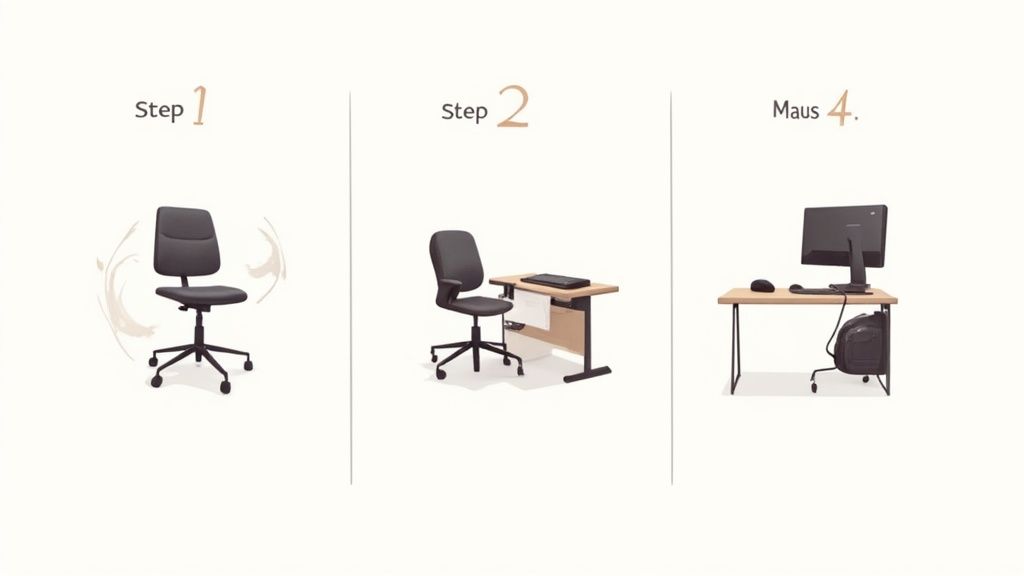
We will guide you systematically through setting up your workstation. We proceed in a logical order. Each setting builds on the previous one. The result will be a system tailored to you.
The foundation is your office chair. Only when it is correctly adjusted can you sensibly coordinate the height of the desk and other elements.
Step 1: The office chair as a base
Your chair is the central point. A proper adjustment ensures that your spine is supported in its natural S-shape.
Sit down and adjust the seat height so that your feet are flat on the floor. Your knees should form an angle of approximately 90 degrees. Your thighs should be parallel to the floor or slightly sloped.
Next comes the seat depth. There should be a hand's width of space between the front edge of the seat and your knee hollows. This is important for blood circulation. You can find more details on how to adjust your office chair ergonomically in our guide.
Finally, the armrests. Their height is perfect when your forearms rest loosely while your shoulders are relaxed. They serve as the reference for the height of your desk.
Step 2: Adjusting the desk height
Your chair is adjusted. Now comes the desk. A height-adjustable desk is ideal here, as you can adjust it precisely.
- When sitting: Your armrests determine the height. Raise the tabletop to the height of the top edge of your armrests. Your forearms should rest at a 90-degree angle with relaxed shoulders.
- When standing: Stand upright in front of the desk. Bend your arms at a 90-degree angle. Raise the tabletop until it gently touches your forearms. Your shoulders should remain relaxed.
The correct desk height is not a fixed number. It results from your posture. It is correct when your arms and shoulders are relaxed both when sitting and standing.
Step 3: Bringing monitors to eye level
The position of your monitor determines the posture of your head and neck. Incorrect adjustment leads to tension.
The top edge of your screen should be at or just below your eye level. This way, your gaze is directed slightly downwards without you craning your neck. This relieves strain on the neck muscles.
The distance to the screen is equally important. A good rule of thumb is an arm's length, which is about 50 to 80 centimeters. If the text is too small, enlarge the font in the operating system instead of moving closer to the screen.
Step 4: Positioning keyboard and mouse
Your input devices should be positioned so that your wrists maintain a straight and neutral posture. Bending them up, down, or to the side should be avoided.
- Position: Place the keyboard and mouse close to the edge of the desk. This way, you don't have to lean forward.
- Distance: Leave about 10 to 15 centimeters of space between the keyboard and the desk edge. Your wrists can rest on the desk surface if needed.
- Alignment: Make sure your arms stay close to your body.
By following these four steps, you have aligned the building blocks of your workstation. The result is an environment that promotes a healthy posture.
Why movement is the key to true ergonomics
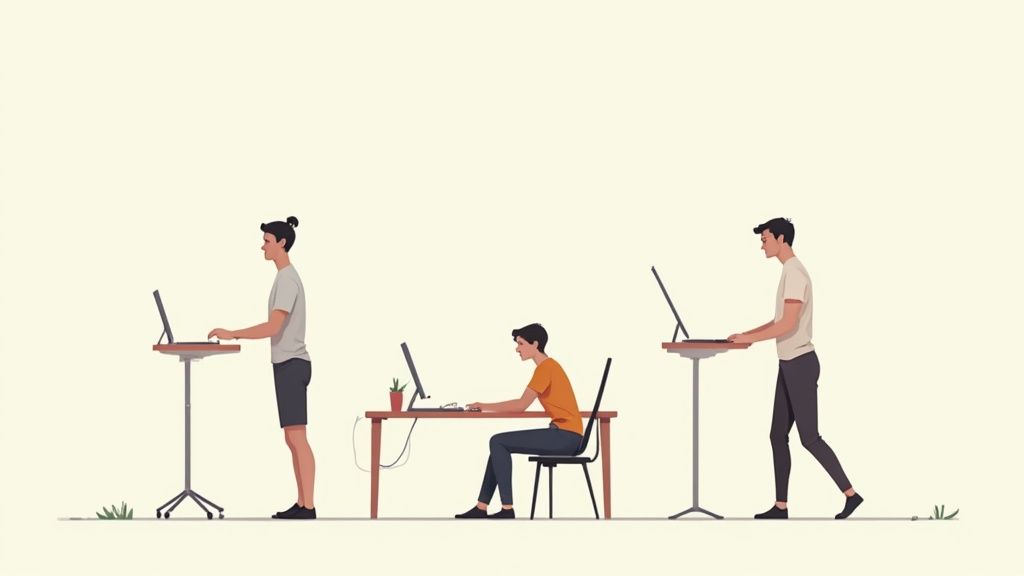
The best workstation is of little use if you remain in one position for hours. Your body is made for movement. Rigid sitting is one of the biggest stresses in office life.
True ergonomics is dynamic. It's not about finding the one perfect posture, but about making posture changes easy. The answer to the question "What does an ergonomic workstation mean?" is inextricably linked to movement.
The principle of active working
Active working means keeping the body in motion. The alternation between sitting and standing is the most effective method. It activates your muscles, stimulates circulation, and relieves strain on the spine.
The problem is well-known in home offices. According to a study, 66% of people in German home offices regularly suffer from complaints such as back, head, or joint pain. The cause is usually hours of sitting.
An ergonomic workstation not only prevents damage. It actively promotes your health by motivating you to move more. This boosts metabolism and concentration.
A height-adjustable desk is the crucial tool here. It allows you to change your working position without interruption.
Why micro-movements are so important
In addition to switching between sitting and standing, small, imperceptible movements also count. These micro-movements keep your joints flexible and your muscles active.
- Better nutrient supply: Changes in posture promote blood circulation to your intervertebral discs. They are better nourished and remain more elastic.
- Activated metabolism: Small movements, such as shifting your weight while standing, keep your metabolism going.
- Mental freshness: Movement increases the oxygen supply to the brain. This helps you stay awake and focused.
Modern office chairs with synchronous mechanisms encourage these small movements. The chair adapts to your body and encourages you to make constant adjustments. This is active sitting.
Practical tips for more activity in everyday life
You don't have to change your entire workflow to incorporate more movement. A few small habits make a big difference and help you stay healthy and fit when working at a desk for long periods.
- The 40-15-5 rule: Work 40 minutes sitting, then switch to 15 minutes standing, and use 5 minutes for active movement.
- Phone calls standing up: Use every call or video conference as an opportunity to stand up.
- Schedule conscious breaks: A timer that reminds you to stand up and stretch every 30 minutes works wonders.
Movement is not an additional effort. It is an integral part of an ergonomic workstation.
What to look for when choosing ergonomic products
Investing in an ergonomic workstation is a decision for your health. The market is huge, and not every product labeled "ergonomic" delivers on its promises. It depends on tested quality, well-thought-out functions, and reliable materials.
Orient yourself towards recognized quality seals and certificates. They independently confirm that a product meets strict requirements for functionality, safety, and ergonomics.
Quality seals as a mark of quality
Certificates are based on scientific tests. They prove that a product offers added health value. Look out for these labels:
- AGR seal of approval: Awarded by the Aktion Gesunder Rücken e. V., this seal identifies products whose back-friendly construction has been proven.
- TÜV certification: A TÜV seal confirms that a product's safety, stability, and durability comply with German and European standards.
- IGR certificate: The Institute for Health and Ergonomics e. V. tests products for their ergonomic adaptability and benefits for the user.
These seals give you confidence that you are investing in a tested product.
What matters when it comes to a height-adjustable desk
A height-adjustable desk is the centerpiece of your dynamic workstation. Here are the features that determine quality:
- Lifting capacity and motorization: Models with at least two motors (dual-motor) ensure quiet, fast, and stable height adjustment.
- Stability: The frame should not wobble even in the highest position. A robust, multi-stage design of the lifting columns is crucial.
- Operation: A memory switch that allows you to save your sitting and standing heights simplifies daily changes.
- Safety features: Anti-collision protection is indispensable. It immediately stops the table's movement if it encounters an obstacle.
Features of a high-quality office chair
Your office chair is your most important partner when sitting. The essential functions actively support your body.
- Synchronous mechanism: This ensures that the seat and backrest tilt synchronously with your movements. This promotes dynamic sitting.
- Adjustability: Pay attention to adjustment options for seat height, seat depth, lumbar support, and armrests.
- Material and workmanship: High-quality, breathable fabrics and a stable base are important for comfort and longevity.
If you pay attention to these criteria, you ensure that your investment pays off in the long run.
Frequently asked questions about ergonomics at the workplace
Do you still have open questions? Here we answer the most common questions about ergonomics at the workplace with practical answers.
What measures can I implement immediately and without a budget?
Good ergonomics doesn't have to be expensive. The most effective measure costs nothing: movement. Get up regularly, stretch, and change your sitting position.
Optimize your workstation with simple tricks. A stack of books becomes a monitor riser. Your feet should be flat on the floor. If your chair is too high, a box can serve as a footrest.
How often should I switch between sitting and standing?
A good guideline is the 40-15-5 rule: Work 40 minutes sitting, then switch to 15 minutes standing, and use 5 minutes for active movement.
More important than rigid schedules is listening to your body. As soon as you become restless or your posture slumps, it's time for a change of position.
Which purchase has the highest priority?
If you can only invest in one thing, it should be a high-quality, ergonomic office chair. Your chair is the foundation for a healthy posture.
A good chair with a synchronous mechanism and flexible adjustments promotes dynamic sitting and prevents postural damage. It creates the basis for all other adjustments. After that, a height-adjustable desk comes as the second step.
A good ergonomic chair corrects and supports your posture. It is the most important single investment for a healthy back.
Ergonomics is not rocket science. With a few adjustments and new habits, you can create a work environment that benefits your health.
At Deskspace, you'll find TÜV and IGR-tested ergonomic solutions that meet these criteria. Discover our height-adjustable desks and ergonomic chairs now for healthier and more productive work.


