

9 Effective Methods for a Tidy Desk in 2025

A messy desk interferes with concentration, causes stress, and wastes work time. Clutter creates a mental burden that consumes your cognitive resources, even if you don't consciously perceive it. Studies show that a clear work environment improves focus and increases efficiency.
It's not about creating a sterile workspace. It's about establishing a system that works for you. It minimizes distractions and speeds up access to necessary tools. An organized desk is the foundation for structured thinking and productive work. If you learn to control your environment, you can better avoid stress and writer's block.
This article introduces nine proven methods to help you permanently create order on your desk. Each method offers a specific approach. This way, you'll find the solution that suits your work style. We'll show you how to optimize your work environment with clear systems like zone division or the minimalism principle. We'll also explain how ergonomic furniture from DESKSPACE can support this process. A height-adjustable desk not only offers health benefits. It also allows for a more flexible way of working and easy integration of organization systems like under-desk cable trays. These create space and contribute directly to a tidy workspace.
1. The Zone System: Assigning a Fixed Place to Everything
A proven method for lasting order on your desk is the zone system. Instead of placing items haphazardly, you divide your workspace into functional areas. This structure is based on how often you use certain tools and materials. The goal is to eliminate search times and optimize workflows.

The system typically divides the workspace into three to four clearly defined zones. Each zone has a specific function. This reduces mental effort and helps you stay focused.
How the Division Works
- Zone 1 (Primary Work Zone): This is the area directly in front of you. Only the most important, daily used tools are located here. This includes your keyboard, mouse, and possibly a current notepad.
- Zone 2 (Secondary Zone): This zone surrounds the primary area. It houses frequently used items that are not in permanent use. Examples include your smartphone, pens, or current documents.
- Zone 3 (Tertiary Zone): The outer edges of your desk form this zone. Here you place less frequently needed items such as reference books, a stapler, or a hole punch.
- Zone 4 (Storage): Anything that doesn't need to be within daily reach belongs in drawers, shelves, or mobile pedestals. This includes office supply reserves, archive documents, or rarely used technical devices.
A large desk like the DESKSPACE PRO PLUS facilitates the clear demarcation of these zones due to its generous tabletop.
Practical Tip: Review your zones weekly. Do they still fit your current tasks? Adjust the arrangement as needed to maintain the efficiency of your system and ensure lasting order on your desk.
2. The Minimalism Principle: Less Is More for Your Focus
Minimalism is an approach to lasting order on your desk. Instead of sorting and storing items, this method reduces the number of objects to a minimum. The goal is to eliminate visual distractions, create mental clarity, and focus on the essential task. Everything that is not immediately needed for the current work is removed.
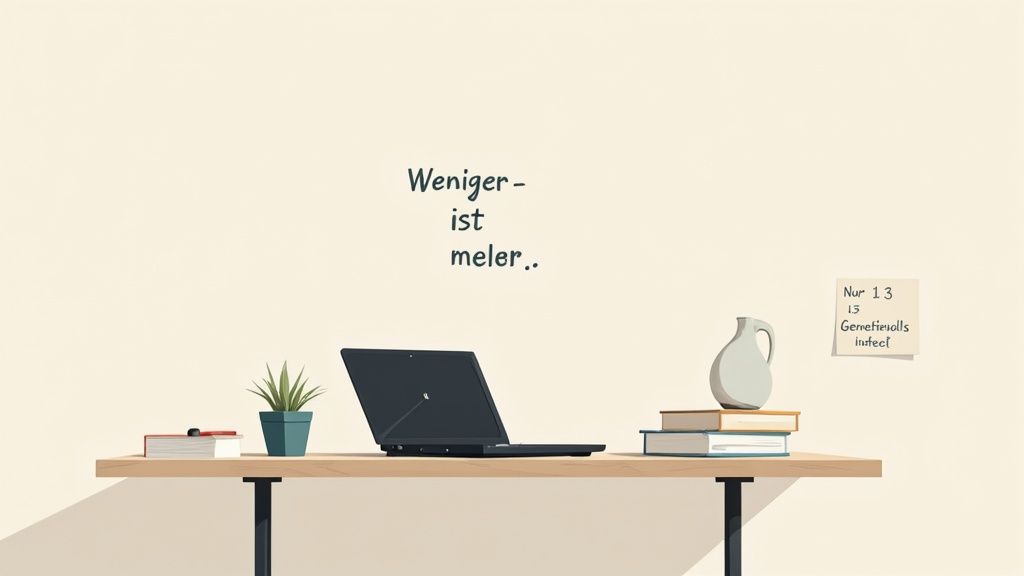
This principle, popularized by methods such as the KonMari technique, creates an aesthetic work environment. It also encourages a conscious decision about which tools truly add value to your productivity.
How to Implement It
- Radical Decluttering: Start by completely clearing your desk. Pick up each item and critically ask yourself if you need it daily. Everything else is put away, archived, or discarded.
- The Sightline Rule: Only keep items on the desk that are essential for your current task. Ideally, this should be no more than three to five things, such as a laptop, a notebook, and a pen.
- Functionality Over Decoration: Every item on a minimalist desk should serve a clear purpose. Decorative elements are reduced to a minimum to avoid disturbing focus.
- Utilize Storage Space: A minimalist desk requires well-organized storage space. Mobile pedestals or cabinets are essential to keep rarely used office supplies, documents, and cables out of sight.
A minimalist approach is often practiced in technology-oriented companies and Japanese offices to maximize concentration.
Practical Tip: Define a "landing zone" next to your workspace. Here you can temporarily place new items or mail. Take five minutes at the end of each day to tidy this zone and restore minimalist order to your desk.
3. Vertical Storage Solutions: Utilizing Height Instead of Width
An effective strategy for more order on the desk is the use of vertical space. Instead of cluttering the work surface with items, you move storage upward. Wall shelves, stackable containers, and magnetic wall organizers create space and keep the desktop clear. The goal is to maximize floor space by activating unused wall areas.
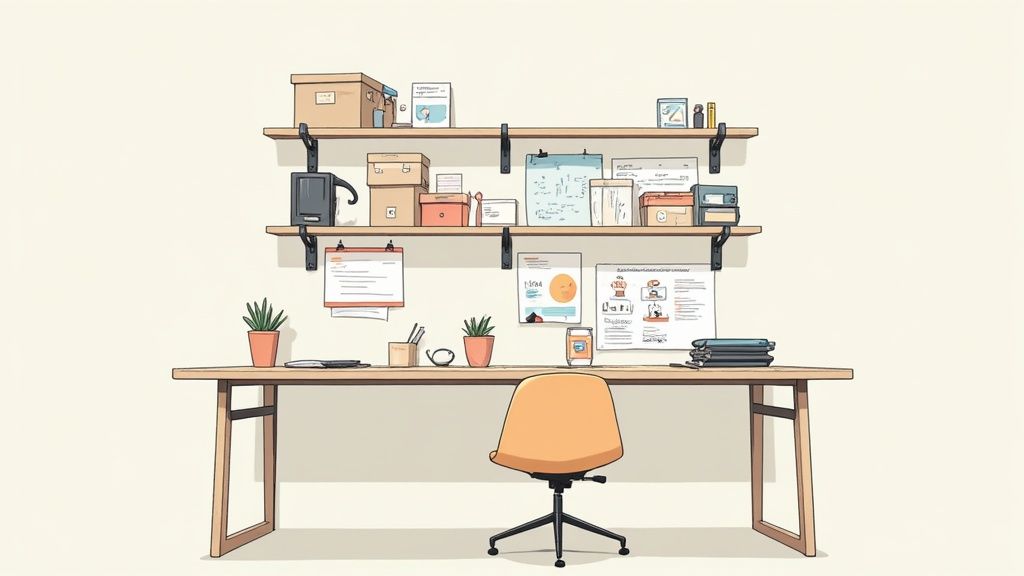
This principle combines functionality with aesthetics. It transforms a blank wall into an organized area. This approach is ideal, especially in creative professions or with limited space. This way, materials and tools remain within reach without restricting the work surface.
How to Implement Vertical Storage
- Install wall shelves: Mount shelves or shelving boards above your desk. Place frequently used items like reference books or notebooks at eye level.
- Magnetic or perforated wall panels: These systems, also known as pegboards, offer maximum flexibility. With hooks, containers, and small shelves, you can customize them to your needs.
- Stackable containers and boxes: Use stackable boxes for office supplies like pens, paper clips, or sticky notes. Label them clearly to quickly identify the contents.
- Vertical document trays: Instead of stacking papers flat on the desk, organize them in upright trays. This way, you keep track of invoices, projects, and documents.
Vertical solutions are a core component when looking for suitable office furniture for small spaces, as they make optimal use of the available space.
Practical Tip: Combine open and closed storage elements. Open shelves are suitable for inspiring or frequently used items. Closed boxes create a calm, tidy appearance and protect small items from dust.
4. The 5S System: Order as a Sustainable Process
Originally from Japanese manufacturing, the 5S method provides a systematic framework for creating and maintaining sustainable order on the desk. It is not a one-time clean-up effort, but a continuous process that promotes efficiency and clarity. The system was made famous by Toyota and is applied worldwide in industry and offices.
The 5S stand for five sequential steps that transform your workplace. Each step has a clear function to eliminate chaos and create a productive environment.
How to Implement It
- Sort (Seiri): Remove everything unnecessary from your desk. For each item, ask yourself: Do I need this for my current work? Everything else is put away, archived, or discarded.
- Set in Order (Seiton): Give every remaining item a fixed, logical place. Frequently used tools belong within reach, rarely used ones in drawers or shelves.
- Shine (Seiso): Clean your workspace regularly. A clean desk promotes concentration. It also helps to immediately detect deviations from the system.
- Standardize (Seiketsu): Develop clear rules and routines to maintain the first three steps. For example, create a short checklist for tidying up at the end of the day.
- Sustain (Shitsuke): Make the 5S principles a habit. Continuous application ensures that order on the desk becomes a natural part of your work routine.
The combination of an organized workspace and an ergonomic table like the DESKSPACE PRO MAX increases efficiency and well-being.
Practical Tip: Introduce the 5S steps one after another. Start with sorting and establish each step before moving on to the next. Weekly 15-minute checks help to review standards and reinforce self-discipline.
5. Drawer Systems and Container Organizers for Clarity
An effective method for order on your desk begins under the tabletop: in the drawers. A well-thought-out drawer system with container organizers creates a permanent home for every single item. This prevents junk drawers and helps you find office supplies, cables, and accessories at a glance.
The principle is simple. Instead of throwing loose items into a large drawer, you systematically divide the space with inserts, dividers, or small boxes. This provides visual structure. It also makes inventory and refilling supplies easier.
How to Implement the System
- Take inventory: First, empty all drawers. Sort the contents by categories such as stationery, tech accessories, documents, and personal items.
- Choose suitable organizers: Select inserts that match the contents. Flat trays are suitable for pens and paper clips. Deeper containers are suitable for cables or chargers. Transparent organizers help maintain an overview.
- Logical arrangement: Place frequently used items in the top or most accessible drawers. Rarely needed accessories can be stored further down.
- Labeling: Use small labels to clearly mark compartments or boxes. This is especially helpful for opaque containers and saves search time.
Mobile pedestals like the DESKSPACE PRO CABINET offer ideal storage space to implement such a system and keep the work surface free of clutter.
Practical Tip: Conduct a monthly "drawer inventory." Take five minutes to check if everything is in its place. Dispose of what you no longer need. This way, order on your desk is maintained.
6. Digital Organization and Cable Management
A tidy desk doesn't just apply to physical documents. A mess of cables and poorly placed devices disrupts aesthetics and concentration. Systematic cable management is therefore a crucial step for comprehensive order on the desk. It reduces distractions, prevents cable clutter, and creates a safe, functional work environment.
The goal is to minimize visible cables. Charging cables must be organized so that they are always within reach without getting in the way. A well-thought-out setup, as seen in professional tech workplaces or content creator setups, increases productivity.
How to Implement It
- Centralize: Bundle all cables leading to a central power strip. A switchable strip also helps save power and disconnect all devices from the mains with one click.
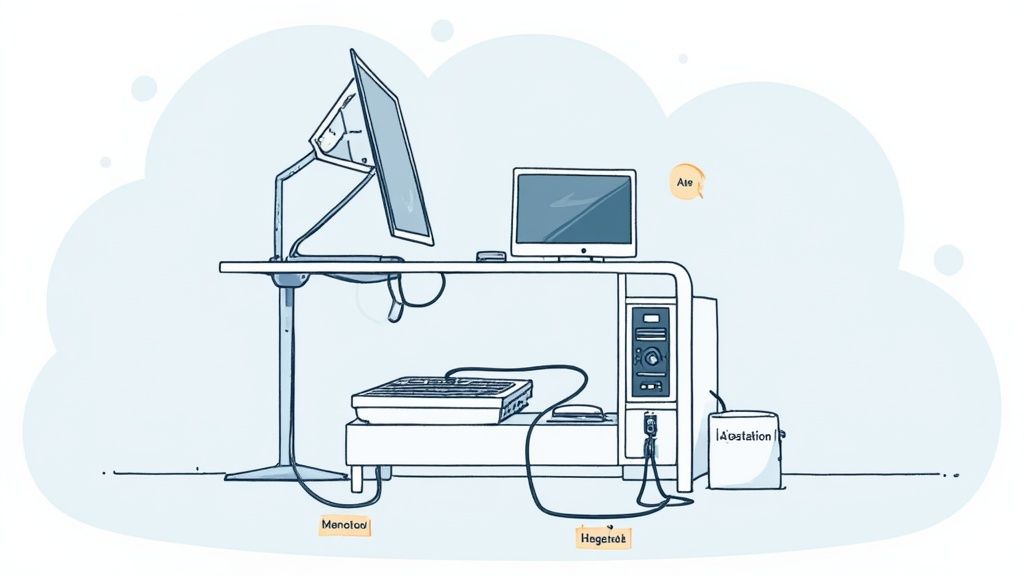
- Hide: Use cable channels or cable trays that are mounted directly under the tabletop. They invisibly accommodate most cables and power adapters.
- Secure: Use cable ties, Velcro cable ties, or magnetic cable holders. Secure loose cables along the desk legs or on the back of the desk.
- Label: Mark the ends of important cables, especially if you use many similar plugs. This avoids guessing when reconnecting devices.
A height-adjustable desk like the DESKSPACE PRO benefits from good cable management, as the cables need to move flexibly with it. Learn more about how to master cable management in the workplace.
Practical Tip: Plan your cable management before setting up all devices. Route the cables from each device directly to the collection point under the desk. This prevents cables from crossing or running visibly across the work surface.
7. The GTD System (Getting Things Done Method)
David Allen's "Getting Things Done" (GTD) method is a system for organizing tasks and information. It aims to free the mind from unfinished business. Everything is externally captured and processed. Applied to your workspace, GTD creates not only physical but also, above all, mental order on your desk. Instead of thinking about open tasks, you rely on a structured filing system.
The method is based on the principle of immediately collecting all incoming information in an inbox. This inbox is then regularly emptied by processing each item according to a clear set of rules. The result is a defined, stress-free workflow.
How to Implement It
The GTD system helps you systematically evaluate and assign every task and document. This way, you maintain an overview and can concentrate on the actual work.
- 1. Capture: All tasks, ideas, and papers first land in a physical or digital inbox. This can be a simple document holder on your desk.
- 2. Clarify: For each item, decide what it is and if an action is required. Does the 2-minute rule apply (complete task in under two minutes)? Then do it immediately.
- 3. Organize: Put everything in the right place. Non-actionable items are archived, delegated, or discarded. Tasks belong on specific lists (e.g., by project or context).
- 4. Reflect: Conduct weekly reviews. During this time, you review your lists, bring your system up to date, and plan the coming week.
A mobile pedestal like the DESKSPACE PRO CABINET can serve as a central hub for your physical GTD system. It provides space for your inbox and project folders.
Practical Tip: Start simple. Use a single physical tray as your inbox and a notepad for your task lists. The weekly review is the crucial step to keep the system running and sustainably secure order on your desk.
8. Time Blocking and Task Categorization
An effective method that goes beyond physical arrangement is time blocking. Here, order on the desk is directly linked to your workflow. Instead of constantly switching between different tasks, you dedicate clearly defined time slots (time blocks) to specific task categories. This reduces mental clutter and the disorganization caused by multitasking.
This technique structures your day and, consequently, your workspace. You only use the materials relevant to the current task block. All other documents and tools remain stored. This creates a clear and focused work surface.
How to Implement It
- Define task categories: Group your recurring activities into 3-4 main categories. Examples include "Creative Work," "Communication" (emails, calls), and "Administration."
- Schedule time blocks in your calendar: Assign fixed time blocks to each category in your calendar. For example, plan 90 minutes for focused writing and then a 30-minute block for emails.
- Adjust workspace: At the beginning of each block, set up your desk with only the necessary materials. For the "Creative Work" block, only a notebook and pen are available. In the "Communication" block, the headset is in the foreground.
- Include buffer time: Keep about 15-20% of your day free for unexpected tasks or breaks. This makes the plan flexible and realistic.
A tidy workspace like the DESKSPACE PURE with its minimalist surface supports this method by minimizing distractions.
Practical Tip: Use visual aids such as color-coded sticky notes or digital calendar entries to mark your task blocks. This signals to your brain the switch to the next task. It helps you quickly establish the corresponding order on your desk.
9. The Daily 10-Minute Routine
An effective habit for lasting order on the desk is a daily 10-minute routine. Instead of postponing tidying up until chaos takes over, you invest a short, fixed amount of time each day to reset your workspace. This principle prevents the accumulation of clutter and makes extensive cleaning unnecessary.
The method is simple and effective. Take 10 minutes each day to put everything back in its designated place. This short but consistent action creates a clear separation between the end of work and leisure. It ensures that you start each morning at an organized workspace.
How to Establish the Routine
- Set a timer: Set an alarm for exactly 10 minutes. The fixed time limit makes the task manageable and prevents procrastination.
- Choose a fixed time: Always perform the routine at the same time, for example, directly before your lunch break or as the last action of your workday.
- Create a checklist: Define clear tasks. File documents, clear away cups, wipe surfaces, sort pens. A list creates structure.
- Establish routine: Treat these 10 minutes like a fixed appointment. Regularity is key to success in maintaining order on the desk.
A tidy workspace reduces stress and promotes concentration. Learn more about how to create sustainable order on your desk.
Practical Tip: Use motivating music as accompaniment. One or two songs can make the 10 minutes fly by. They turn the routine into a positive ritual.
Comparison of the 9 Methods for Desk Organization
| Method | Implementation Complexity | Resource Requirement | Expected Results | Ideal Use Cases | Main Benefits |
|---|---|---|---|---|---|
| The Zone System | Medium | Low-Medium | Faster processes, reduced movement | Recurring tasks (call centers, studios) | Increased efficiency, easily adaptable |
| The Minimalism Principle | Low-Medium | Low | More concentration, less visual distraction | Focused work, creative environments | Clear workspace, easy maintenance |
| Vertical Storage Solutions | Medium | Medium | More free desk space, visible storage | Small rooms, creative studios, workshops | Space utilization, decorative and functional |
| The 5S System | High | Medium-High | Sustainable increase in productivity and quality | Teams, production, scaling organizations | Systematic, scalable, reduces waste |
| Drawer & Container Organizers | Low | Low | Quick finding, tidy desk | Office workplaces, home desk, material storage | Cost-effective, modular, protects items |
| Digital Organization & Cable Management | Medium | Medium | Improved appearance, enhanced ergonomics | Tech-heavy workplaces, home office | Safety, easy maintenance, ergonomic |
| The GTD System | Medium-High | Low-Medium | Clearer priorities, reduced mental load | Project and knowledge-intensive work | Structured task management, scalable |
| Time Blocking & Task Categorization | Medium | Low | More focus, less context switching | Writing, research, routine tasks | Promotes flow, predictable daily routine |
| Daily 10-Minute Routine | Low | Very Low | Constant order, prevention of accumulation | Any workplace, frequently used desks | Quick, preventive, easy to maintain |
Finding and Implementing Your System for Sustainable Order
The path to a tidy workspace is a process. The methods presented, from the zone system to the 5S method to the daily 10-minute routine, are not rigid rules. They are a toolkit of strategies from which you can assemble your personal system. The most effective order on the desk arises when it integrates into your workflows and meets your needs.
Key Takeaways Summarized
Sustainable order is the result of a system, not a one-time clean-up. Whether you prefer minimalism, value the structure of GTD, or find the division into zones helpful, success depends on consistent application.
The approaches presented show that there isn't one universal solution. Your method could be a combination of different elements:
- Structure: Use the zone system or the 5S method to assign a fixed place to each item.
- Process: Integrate techniques like GTD or time blocking to control workflow and avoid paper piles.
- Habit: Establish the daily 10-minute routine as the conclusion of your workday to maintain basic order.
Your Next Step to Organization
The crucial step is to move from knowledge to action. Choose one of the methods presented and start implementing it today. You don't have to redesign your entire office immediately. Start small. Begin by dividing your desk into zones or structuring a single drawer with organizers. The visible progress will motivate you.
An optimized workspace is more than an aesthetic improvement. It is a tool that increases your productivity, reduces stress, and helps you concentrate on what matters. A structured environment promotes clear thinking and efficient work. Investing in a well-thought-out organization system is an investment in the quality of your work and your well-being.
Are you ready to lay the groundwork for lasting order? An ergonomic and flexible workspace from DESKSPACE provides the basis for implementing your personal organization system. Discover height-adjustable desks and suitable accessories that help you maximize structure and efficiency: DESKSPACE.


