

Creating and maintaining order on your desk

A desk needs a clear system. It must suit your way of working and prevent distractions. The goal is an uncluttered surface where only what you need daily is present. This creates focus and increases efficiency. You don't have to search for things, and your mental energy remains free for important tasks.
How an organized desk boosts your productivity
A messy desk is more than an aesthetic problem. It slows you down. Every unnecessary item on your workspace is a visual distraction. It consumes your cognitive resources, even unconsciously. Your brain has to process and filter out all these stimuli.
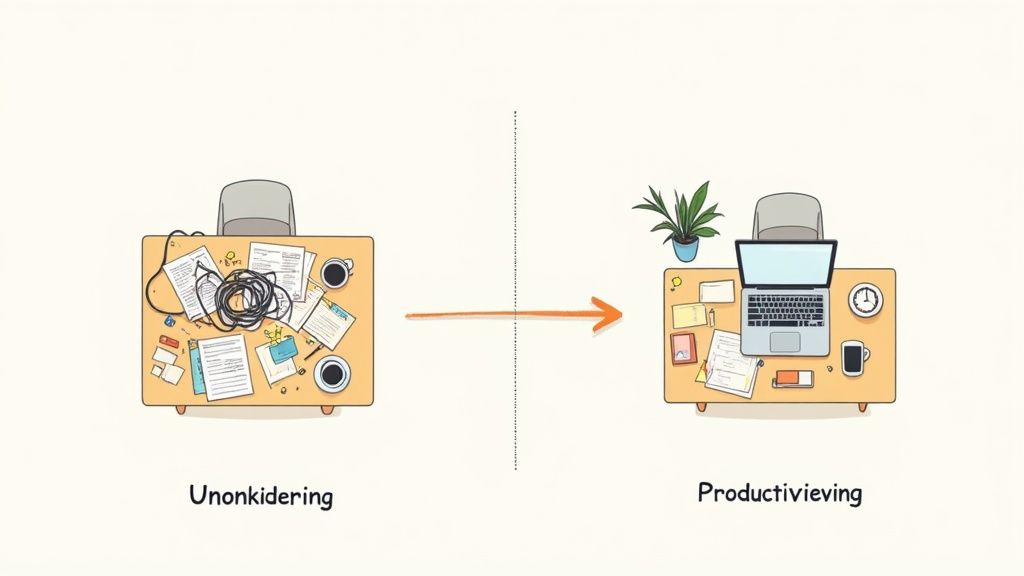
This constant background load causes mental fatigue. It prevents you from entering a state of deep concentration, known as flow. A tidy desk, on the other hand, creates a calm, clear environment. Here, you can fully concentrate on what matters.
The measurable effect of order
The time you waste searching for documents or materials adds up. A study by the Fraunhofer Institute on "Lean Office" analyzed the financial consequences of clutter. The result: a good ten percent of working time is lost because materials or information are searched for in unstructured filing systems. This is almost a third of the annual working time used for unproductive activities. You can read more about this at spiegel.de.
A clear system for your work tools is not a matter of preference, but an economic necessity. It reduces stress and demonstrably increases the efficiency of your workflows.
If you establish fixed places for everything, the time-consuming search ends. If every tool and every document has its fixed place, you reach for it intuitively, without interrupting your workflow.
Psychological benefits of a clear structure
An organized workspace has a positive effect on your psyche. It conveys a sense of control and professionalism. When you start your day at a clean, organized desk, you begin with a clearer mental attitude.
The benefits of a tidy workspace are:
- Less stress: Visual clutter means mental overload. Less clutter, less stress.
- Better decisions: A clear mind can process information better and make more informed decisions.
- More creativity: An orderly environment gives the mind freedom for new ideas, instead of dealing with clutter.
- Higher motivation: A professional workspace can increase your feeling of competence and job satisfaction.
Well-thought-out organization is a fundamental building block for productive work. This is closely linked to the physical design of your workplace. Find out how you can set up your workplace ergonomically to combine both aspects.
A clear inventory of your workspace
Before introducing a new organizational system, you need to know what has accumulated. The most effective way to do this is a radical fresh start. This sounds drastic but is liberating. Clear your desk and every drawer completely. Every pen, every notebook, every charging cable must be removed and placed visibly in front of you.

This step is psychologically important. It forces you to consciously deal with each item. You create a blank workspace that acts like a canvas for your new, well-thought-out system.
The three-box sorting process
Now that the chaos is spread out before you, it's time to sort. Take three boxes or create three clearly defined areas on the floor. Each item will now be assigned to one of these three categories.
Be honest and consistent with yourself during this process. Every decision brings you closer to your goal of a tidy, functional workspace.
- Keep: This box only contains what you regularly need for your work. Your laptop, the most important documents for current projects, your mug, and a few pens.
- Get rid of: Everything that is broken, outdated, or superfluous goes out. This includes dried-out highlighters, old notes from completed tasks, or promotional gifts that collect dust.
- Elsewhere: This box contains things that are useful but don't need to be on the desk. Private letters, rarely used accessories, or your supply of paper clips belong in a more suitable place.
This method helps you proceed quickly and systematically. You avoid the typical back-and-forth where you pick up things multiple times without making a decision.
Making decisions with clear criteria
Sometimes, assigning items is not easy. What about the hole punch you might only need once a quarter? Use the following questions as a filter to gain clarity.
The core question is: Does this item support my current work and my goals? If the answer is "No" or "Maybe someday," it has no place on your desk.
For every doubtful item, ask yourself these questions:
- When did I last use this? Was the last use more than six months ago? Then it's a candidate for the "Get rid of" or "Elsewhere" boxes.
- Do I already have several of these? Nobody needs five pairs of scissors within reach. One or two good pens of the same type are sufficient.
- What purpose does this thing serve? If you can't define a clear, practical use, it's probably just clutter.
- Can I digitize this? Business cards, notes, or old invoices can often be scanned or photographed. After that, the original can go, and you save physical space.
After everything is sorted, comes the final step: the basic cleaning. Wipe the empty desktop, drawers, and all surfaces carefully. This symbolic act completes the inventory and creates a clean base for your new organizational system.
Develop a system that suits you
A standard organization system rarely works for long. Your way of working is individual. A good desk organization system must support your personal processes. Otherwise, you'll constantly struggle against it, and chaos will quickly return.
The goal is an intuitive structure that you use automatically. Instead of forcing yourself into rigid rules that don't fit your job, you develop a logic that feels right. Whether you work creatively and need space for materials or as an analyst require quick access to data, the basis remains the same.
A good system reduces the need to think about organization. It saves mental energy that you can directly invest in your actual tasks.
Most people want a tidy workplace. In about 70 percent of German offices, importance is placed on order. At the same time, almost half of professionals admit they don't know much about organization. The study on office order shows this discrepancy and underlines how important a personal, functioning system is.
The Zone Concept for Intuitive Organization
A method that has proven effective in practice is the Zone Concept. You divide your workspace into three logical zones, depending on how often you interact with something.
- Primary Zone (your immediate reach): This is the area directly in front of you that you can reach without stretching. Only what you constantly need belongs here: keyboard, mouse, a pen, and your current notebook. Nothing more.
- Secondary Zone (extended reach): This area includes the edges of your desk and the top drawer. Here you store anything you use several times a week. This could be your headset, the hole punch, or important but not daily documents.
- Tertiary Zone (the archive zone): These are the lower drawers, nearby shelves, or cabinets. Here you store anything that is used less than once a week. Think of spare office supplies, archive folders, or rarely used technical devices.
This simple system keeps your direct workspace clear and gives everything a logical place. No more long searches.
Physical filing versus digitalization
Honestly ask yourself: Does every document need to exist in paper form? Many things can be digitized today. Invoices, old notes, or information material can be scanned and stored in a clear folder structure on your computer. This saves physical space and makes information instantly searchable.
For documents you need in original form, physical filing is essential. Use it purposefully. A document tray on your desk should only be reserved for papers that are relevant today or tomorrow. Everything else goes into hanging files or labeled folders in your tertiary zone.
Finding the right storage solutions
Organizers, boxes, and trays are helpers, but only if they support your system and don't create more chaos. Choose them based on what you need to organize.
- Drawer organizers: Useful for small items like pens, paper clips, sticky notes, and charging cables. They prevent drawers from becoming cluttered junk drawers.
- Document trays: Vertical trays are space-savers compared to horizontal stacks. Use them to sort active projects or your inbox.
- Monitor stands with compartments: They are doubly practical. They raise your monitor to an ergonomic height and simultaneously create storage space for small, frequently used items.
The selection of organizational aids can be overwhelming. The following table should help you find the right solution for your needs.
Comparison of Storage Solutions
This table helps you choose the right organizational aids for your desk, based on typical use cases.
| Solution | Ideal for | Advantages | Disadvantages |
|---|---|---|---|
| Drawer inserts | Small items (pens, clips, cables) | Immediately organizes drawers, everything is visible | Requires suitable drawer size |
| Vertical document tray | Active projects, invoices, notes | Space-saving, good overview of current papers | Can look messy if overloaded |
| Monitor stand with storage | Notebook, pens, smartphone | Ergonomic, creates additional storage space | Fixed size, not ideal for all monitors |
| Wall shelves / Pegboards | Rarely used tools, decor | Keeps desk surface completely clear, flexible | Requires mounting, items can collect dust |
| Mobile pedestal | Files, office supplies, personal items | Mobile, plenty of storage, tucks under the desk | Takes up floor space, can be in the way |
Ultimately, it's about finding a combination that makes sense for you and your working style. Experiment until you feel it's right.
Practical guide for clean cable management
Few things disrupt the aesthetics of a tidy workspace as much as cable clutter. Visible cables are often the main cause of visual disorder. They make even the best desk look unprofessional. However, thoughtful cable management is more than just cosmetic. It ensures safety, facilitates cleaning, and creates a permanently functional work environment. The small effort at the beginning pays off.
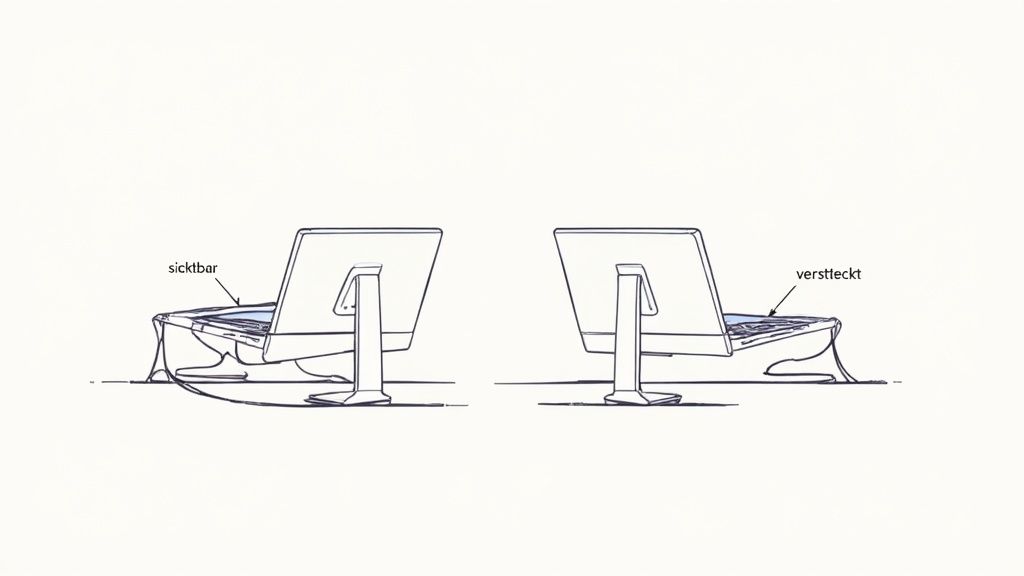
Before you start, get an overview. The best way to do this is to unplug everything and disconnect all connections. This way, you can see which cables you need and sort out any that are too long or superfluous.
The right tools for cable organization
To effectively tame cable chaos, there are a number of helpers. What works best for you depends on your setup and preferences. Most of the time, it's a combination of several solutions that ensures perfect desk organization.
Here's a selection of proven tools:
- Cable trays: These troughs are screwed or glued under the tabletop. Power strips and excess cable lengths disappear from view inside them.
- Cable sleeves: These flexible sleeves are ideal for bundling multiple cables into a single strand. Perfect for concealing the connection from the floor to the desk.
- Cable ties and hook-and-loop fasteners: Reusable hook-and-loop fasteners are practical. They bundle cables without damaging them and can be opened at any time. Classic cable ties are a permanent solution for cables that you rarely unplug.
- Mountable power strips: Instead of leaving the power strip on the floor, screw it under the tabletop. This way, all connections are invisible but easily accessible.
The crucial trick for a tidy setup: Route all cables as close as possible to the underside of the table or along the table legs. This way, they disappear from direct sight and no longer bother you.
Bundling and routing cables
Sort your cables by where they lead. Power cables, monitor cables, and USB cables often run in the same direction. Group these into a bundle and secure them every few inches with a hook-and-loop fastener.
A practical tip: Label the ends of cables you often unplug, such as chargers. Small flags or special cable clips will save you from searching later to find out which cable belongs where. Then, route the finished cable bundles along the edge of the table or through your cable tray.
Imagine a typical setup with a laptop and an external monitor. You route the monitor's power cable and HDMI cable together behind the monitor arm and secure them there with hook-and-loop fasteners. Under the desk, they then meet the laptop's power cable. All three cables are now put into a cable sleeve that discreetly runs along the table leg to the power outlet on the floor.
If you want to delve deeper into the matter, take a look at our comprehensive guide to cable management at the workplace. The result will convince you: a clean look where hardly any cable is visible.
How to maintain the new order permanently
A tidy desk is one thing. Keeping it that way is the real challenge. The good news is that you don't need superhuman discipline for this, just a few small, effective habits. It's about developing routines that become second nature.
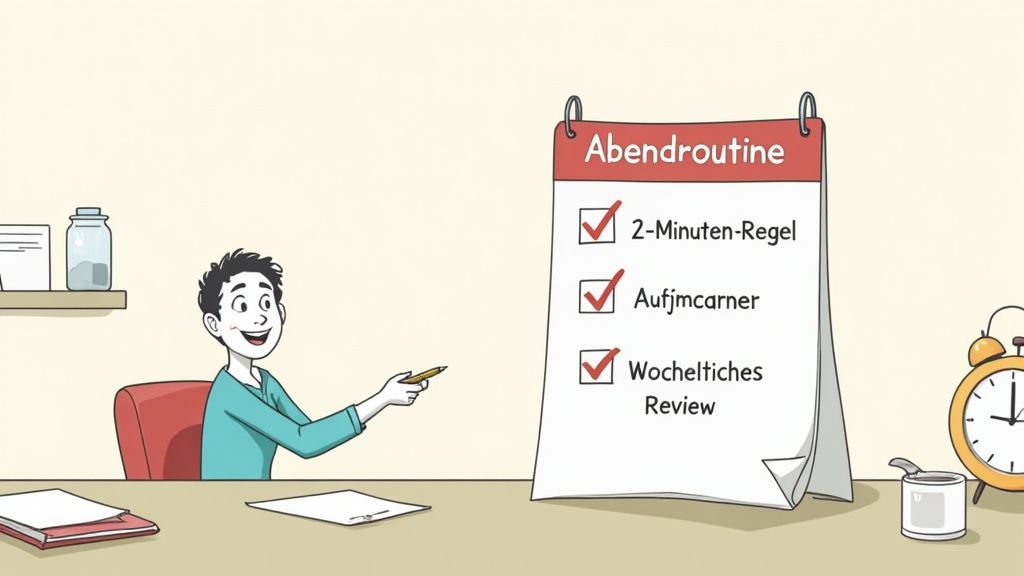
The trick is to prevent clutter from accumulating in the first place. With simple rules and fixed procedures, you effortlessly integrate desk organization into your daily work. This way, your workplace remains a productive and stress-free zone.
The Two-Minute Rule as a Daily Tool
An effective principle is the Two-Minute Rule. The logic is simple: Anything you can do in less than two minutes, you do immediately. No procrastination, no "later."
This rule is a game-changer. It prevents small, undone tasks from piling up into an overwhelming mountain. Your desk stays tidy almost by itself.
Here's what that looks like in practice:
- Process mail directly: Open a letter, quickly decide what to do with it, and then file or discard it immediately.
- Put away your mug: As soon as your coffee or tea is empty, the mug goes straight to the kitchen. Don't leave it standing around.
- Reply to emails quickly: A quick reply that doesn't require much thought? Type and send it immediately.
- File a document: Instead of putting a paper on a "someday" pile, file it immediately in the correct folder.
The consistent application of this rule reduces mental load. You don't constantly have to think about all the small to-dos that are still floating around. This creates mental space for your actual work.
Establish a simple evening routine
At the end of each workday, take five minutes for a fixed closing routine. This small buffer between work and leisure ensures that you return to a clean, ready-to-start workplace the next morning.
This routine doesn't have to be complicated. It's just about returning the desk to its defined baseline state.
Your 5-minute evening routine could look like this:
- Clear the workspace: Everything that doesn't belong in your primary zone goes back to its fixed place.
- Sort papers: Documents go into their designated tray or are archived immediately.
- Clean the surface: Quickly wipe the tabletop and your devices with a microfiber cloth.
- Prepare for tomorrow: Lay out the documents for your first task the next day.
This daily reset is one of the most effective methods for maintaining order in the long term.
Weekly reviews for lasting success
Your system is not set in stone. That's important to understand. Your projects and workflows change, and your organizational system should evolve with them. Therefore, schedule 15 minutes once a week for a quick review. Friday afternoon is often a good time for this.
Use this time to check what's working well and where there are problems. Ask yourself: Are the assigned places still sensible? Have new piles accumulated somewhere? Perhaps you'll find that you need a tool more often than you thought, and it should move from the secondary to the primary zone.
This weekly check-in is your personal quality assurance. It ensures that your desk organization system remains not just a one-time clean-up, but a living, adaptable tool that supports you optimally.
Order in the digital and hybrid work environment
Desk organization does not only apply to the traditional office. What if the workplace is sometimes here, sometimes there? In the home office or with hybrid models, boundaries blur, and chaos takes on new dimensions. It is no longer just about tidying the desk, but also about digital and organizational clarity.
A uniform structure, no matter where you work from, is key. This way, you avoid losing time and energy by jumping between different systems. The goal is an overall concept that meaningfully connects your physical desk in the office, your space at home, and your digital desktop.
The challenge of desk sharing
Shared desks, also known as desk sharing, are a guaranteed recipe for chaos without clear rules. The daily search for a free and clean spot quickly becomes a burden. What is needed are binding standards for how a workstation is to be left at the end of the day. And that applies to everyone.
A study by deskbird on the Desk Sharing Index 2025 shows the dilemma: Even on the most popular office day, Tuesday, an average of only 37 percent of desks are occupied. This is often due to unclear booking rules and a lack of order. More on the findings on office occupancy can be found at digitaleweltmagazin.de.
In the hybrid work model, the desk becomes a temporary resource. A clear "Clean Desk Policy" is therefore no longer a nice gesture, but a necessity for smooth processes and fairness in the team.
What helps in everyday life:
- Personal mobile pedestals: Everyone in the team gets their own mobile container. Personal belongings are safely stored inside and always at hand.
- Shared material station: Instead of everyone hoarding their own hole punch and stapler, there are central locations for office supplies. This creates space on the tables.
- Fixed end-of-day routine: Before leaving, the desk is completely cleared, and the surface is briefly wiped down. This takes only two minutes.
Separating work and private life in the home office
In the home office, the biggest pitfall lies in the lack of boundaries. If the work laptop lies next to private bills, it's hard to clear your head. Here you have to consciously draw a line, both spatially and digitally.
If possible, set up a fixed work area that is only for work. After work, this zone is taboo. This is a simple but effective signal to your brain that leisure time is beginning and you can start to relax.
Digital order as an invisible foundation
Your digital workspace is at least as important as your physical one. A desktop cluttered with countless files or a chaotic cloud storage creates mental noise. Apply the same organizational principles you use at your desk to your digital tools.
Create a logical folder structure, both on your computer and in the cloud. Give files meaningful names from the start and archive completed projects immediately. A tidy digital workspace makes you faster and facilitates teamwork. This approach also paves the way towards a paperless office. If you want to know how to gradually implement a paperless office, you'll find valuable tips here.
Frequently asked questions about desk organization
The same questions keep coming up when it comes to organizing your desk. Here are the most common ones, answered with practical solutions that will help you overcome typical hurdles and maintain your system long-term.
What really belongs on the desk?
Simply put: Only what you actively need daily for your most important tasks. In most cases, that's your computer with monitor, keyboard, and mouse. Perhaps an actively used notebook and a pen.
Everything else, from office supplies to charging cables, belongs within easy reach but not directly on the workspace. Drawers, organizers, or a small mobile pedestal are perfect for this. This keeps your workspace clear and helps you concentrate better.
A clear workspace reduces visual distractions and creates mental space for complex tasks. Don't view your desk as storage, but as an active tool.
How often should I tidy my desk?
More effective than a big clean-up on the weekend is a small, daily routine. Plan five minutes at the end of each workday to put everything back in its fixed place. It's like brushing your teeth for your workspace.
Once a week, take an additional 15 minutes for a larger review. During this time, sort papers, empty the wastebasket, and remove anything that has accumulated. This combination of daily maintenance and weekly check-up prevents chaos from having a chance.
Which method is suitable for creative professions?
Creative work requires flexibility and space for spontaneous ideas, but that doesn't mean you have to sink into chaos. A flexible system that combines both is ideal here. It combines clearly defined zones with vertical storage solutions.
- Create a free zone: A specific area on your desk always remains empty. Here you can temporarily spread out project-related materials without disrupting the basic order.
- Utilize height: A pegboard or wall shelves above the desk are valuable. Tools and materials are immediately accessible, but your workspace remains clear. This way, you have everything important in view without it getting in the way.
This approach supports dynamic work processes. It offers you the necessary freedom for creative phases and at the same time ensures that the basic order on your desk is maintained.
A well-thought-out organizational system only unfolds its full potential in an ergonomic work environment. At DESKSPACE, you'll find high-quality, height-adjustable desks and suitable accessories to perfectly organize your workspace while promoting your health. Discover the right solutions at deskspace.de now.


