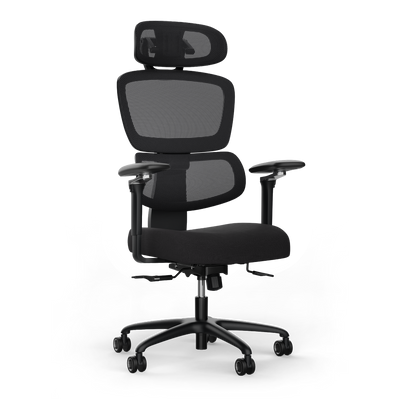
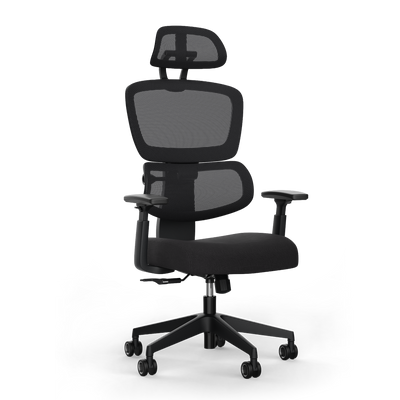


The Right Office Chair for Back Pain: A Practical Guide

A good office chair for back pain is more than just a seat. It is an active tool that alleviates symptoms and acts preventively. It promotes a dynamic, healthy sitting posture. It stabilizes the spine where the load is greatest and challenges your core muscles.
Why your back hurts in the office and what you can do immediately
Almost everyone who works a lot at a desk knows that nagging feeling in their back. Back pain at work is widespread. The cause is usually a combination of hours of rigid sitting and an unsuitable chair.
Conventional office chairs often force the body into a passive, unnatural posture. This weakens the muscles, while the intervertebral discs are unilaterally strained.
What starts as slight tension can develop into chronic complaints. The numbers are clear. In Germany, over 80% of office workers suffer from work-related back and neck pain several times a year. This is not surprising, as the average office day involves 9.2 hours of sitting. You can find more on these statistics at maidesite.de.
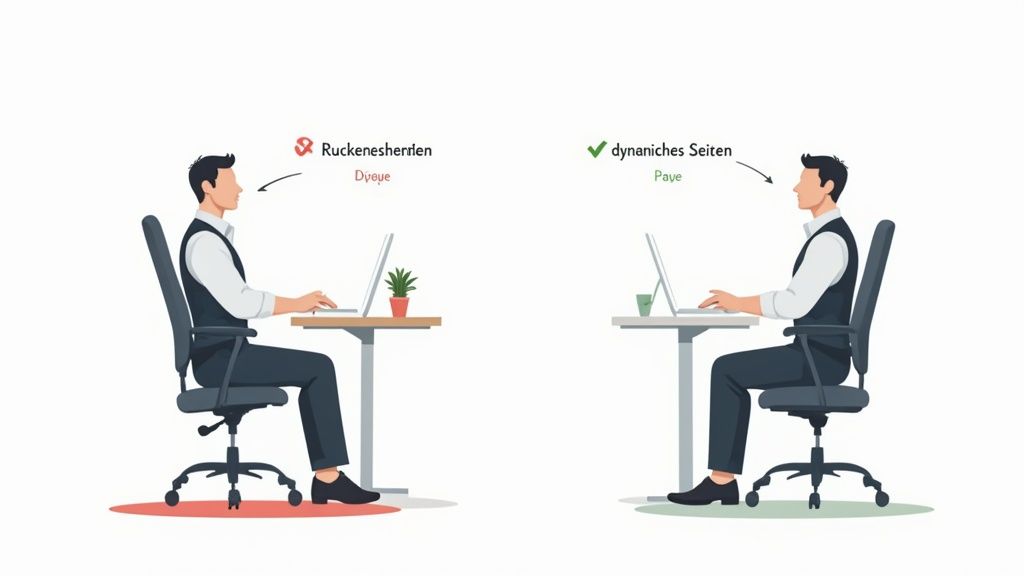
An ergonomic office chair addresses precisely this. It is designed not just to passively support the body. It actively encourages small micro-movements. This concept is called dynamic sitting. Instead of remaining in one position for hours, you unconsciously stay in motion. This promotes blood circulation, relieves pressure on the intervertebral discs, and keeps your muscles fit.
The main causes of your discomfort
Back pain usually arises from prolonged incorrect loading. This is exacerbated by specific weaknesses in the workplace.
- Lack of lumbar support: When sitting, the natural S-curve of the spine flattens. Without targeted support in the lower back, the lumbar support, pressure on the intervertebral discs increases.
- Rigid sitting posture: A chair without flexible mechanics fixes you in one position. Your core muscles, which are supposed to stabilize the spine, are not challenged and atrophy.
- Incorrect seat settings: An incorrectly adjusted chair leads to poor posture. The result is back pain, circulatory problems in the legs, and tension in the neck and shoulder area.
The following table summarizes the key points.
Immediate measures and selection criteria at a glance
This table shows the most important features of a back-friendly chair and effective countermeasures you can implement immediately.
| Feature or measure | Concrete implementation | Why it is crucial |
|---|---|---|
| Ergonomic lumbar support | Choose a chair with adjustable support and adapt it to the natural curve of your spine. | Relieves pressure on the intervertebral discs in the lower back and prevents slouching. |
| Dynamic sitting | Activate your chair's rocking mechanism or use a chair that allows forward and backward movements. | Keeps muscles active, promotes circulation, and supplies nutrients to the intervertebral discs. |
| Correct seat height | Adjust the height so that your feet are flat on the floor and your knee and hip joints form an angle of about 90 degrees. | Prevents pressure on the thighs, improves blood circulation, and stabilizes posture. |
| Regular breaks | Stand up at least once an hour, stretch, and walk a few steps. A sit-stand desk is ideal. | Relieves muscle tension, promotes circulation, and prevents the negative effects of prolonged sitting. |
Often, small but targeted adjustments make the biggest difference.
An ergonomic chair is not a luxury, but a necessary tool for your health. It allows you to regain control over your sitting posture and actively prevent pain. The investment pays off in greater well-being and productivity.
What matters in an ergonomic office chair
The right chair is crucial in the fight against back pain at the desk. Not every chair labeled "ergonomic" meets the requirements. An office chair that helps with back pain must adapt to you and actively support your body.
The main reasons for back problems are rigid poor posture, little movement, and the wrong office chair. The numbers are clear: in Germany, over 25 million people are under medical treatment for back ailments. This shows how crucial a well-thought-out workplace is. A high-quality chair is an investment in your health and concentration.
The core: adjustable lumbar support
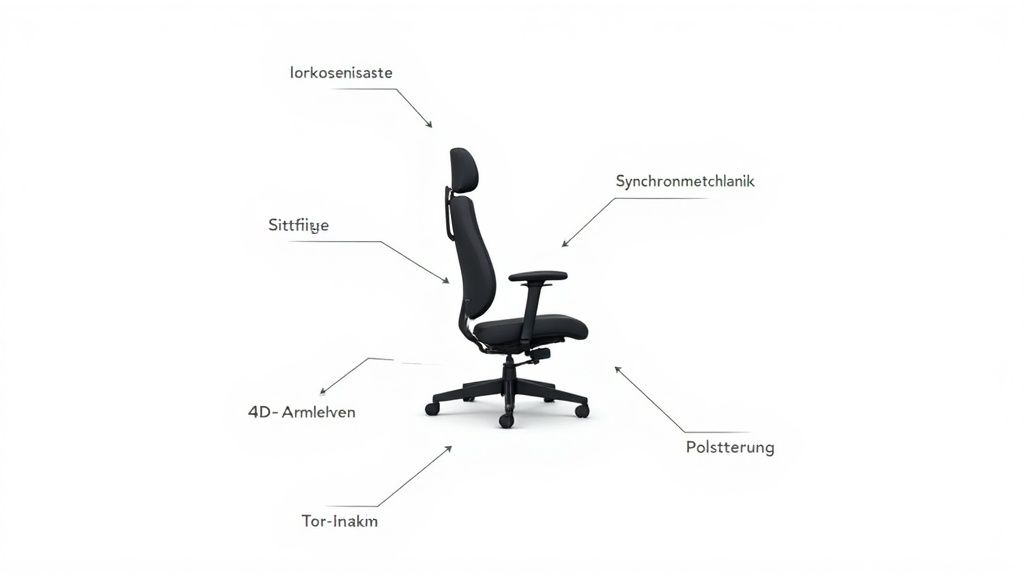
The most important feature for relieving back pain is the lumbar support, also known as sacral support. Its task is to support the natural S-curve of your lumbar spine. It prevents your lower back from slumping into an unhealthy, rounded posture that leads to pain.
A rigid, non-adjustable support is often useless, because every back is different. Therefore, pay attention to these details:
- Height adjustability: The support must be precisely adjustable to the height of your lumbar spine to specifically reduce pressure.
- Depth adjustability: Good support can be adjusted in pressure. It should provide noticeable support but not feel uncomfortably firm.
- Dynamic adaptation: The best models move with you. They ensure constant support, even when you change your sitting position.
A correctly adjusted lumbar support noticeably relieves your intervertebral discs and prevents fatigue. You can find more information in our guide on office chairs with lumbar support.
The synchronous mechanism for active sitting
The mechanism is the engine of your office chair. It determines how the seat and backrest move and whether your body is encouraged to move. The synchronous mechanism is the standard for ergonomic chairs.
When you lean back, the backrest reclines more than the seat, usually at a ratio of 2:1 or 3:1. The seat therefore only lowers slightly.
This mechanism opens the seat angle, promotes blood circulation, and ensures that your feet remain on the floor. It is crucial that the contact between your back and the backrest is always maintained, which continuously stabilizes the spine.
The opposite is the simple rocking mechanism, where the seat and backrest are rigidly connected. Here, the lower back quickly loses support.
Seat depth and armrests: often underestimated, but crucial
In addition to lumbar support and mechanism, other adjustment options are important for holistic relief.
- Seat depth adjustment: The ideal seat depth is reached when there is about a three to four finger-width gap between the back of your knee and the front edge of the seat. This prevents pressure on the blood vessels in the thighs and gives you a stable seating base.
- 4D armrests: These can be adjusted in height, width, depth, and angle. When correctly adjusted, they relieve the entire shoulder and neck area. Adjust them so that your forearms can rest relaxed on the tabletop at a 90-degree angle.
Material and certifications as proof of quality
The material influences comfort and durability. Breathable mesh backs allow air to circulate and prevent heat buildup. High-quality fabric or leather covers are also comfortable and should be robust and easy to clean.
Look for recognized certificates to ensure the quality of a chair.
| Certificate | Meaning | What to look for |
|---|---|---|
| GS Mark | "Geprüfte Sicherheit" (Tested Safety) confirms that the chair meets German and European safety standards. | The seal should have been awarded by an independent body such as TÜV. |
| IGR Certificate | An award from the "Interessengemeinschaft der Rückenschullehrer/innen e.V." (Community of Back School Teachers), confirming high ergonomic quality. | This seal is only awarded to products that demonstrably promote back health. |
| EN 1335 | A European standard for office work chairs that defines minimum requirements for dimensions, safety, and durability. | It ensures that the chair is suitable for daily, multi-hour use in the office. |
When all these features come together, you have found an office chair that actively helps alleviate your back pain and protect your health in the long term.
Adjusting your office chair perfectly to your body
A high-quality ergonomic chair is only effective when it is precisely adjusted to your body measurements. An incorrect setting can render even the best office chair for back pain ineffective or worsen discomfort. Take your time for the adjustment.
It's not complicated, but it requires care. View it as an investment in your daily well-being. Every lever on your chair has a specific function to relieve a body part and guide you into a healthy posture.
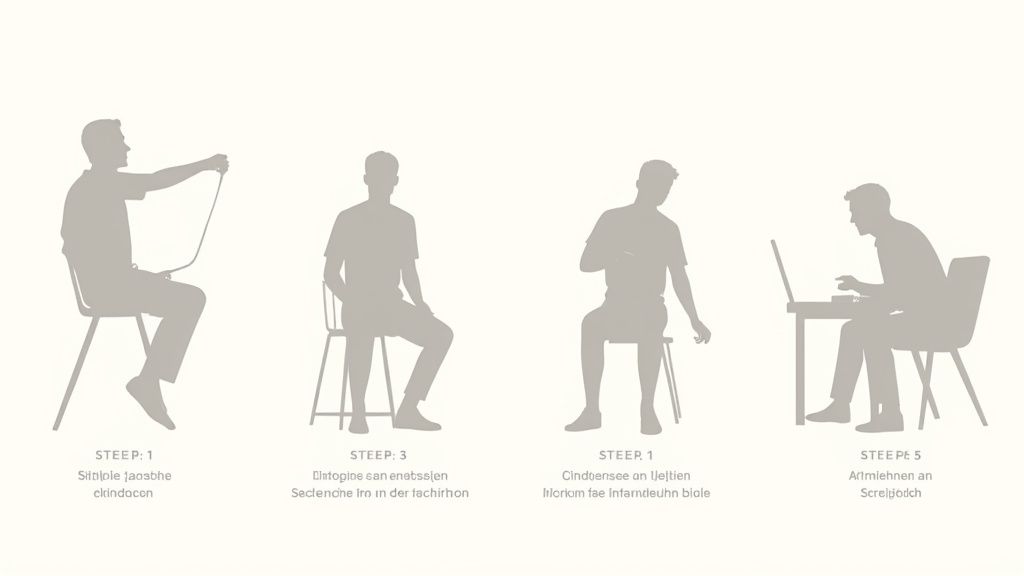
Seat height: the basis for everything else
Ergonomic posture begins with the correct seat height. An incorrect setting throws your body's statics out of balance.
Stand in front of your chair and adjust the seat so that its top edge is just below your kneecaps. Then sit down. Your feet should be fully and flat on the floor.
Your knees should form an angle of about 90 degrees or slightly more. A small gap between the front edge of the seat and the back of your knees is important. This ensures that blood circulation is not impeded.
Synchronizing seat depth and backrest
After height, comes seat depth. This setting ensures that your thighs are optimally supported and your lower legs have freedom of movement.
Slide your buttocks all the way back to the backrest. Adjust the seat depth so that a gap of three to four finger-widths remains between the front edge of the seat and the back of your knees. This gap prevents pressure on nerves and blood vessels.
Adjust the backrest so that it supports the natural S-curve of your spine. With a synchronous mechanism, adjust the counter-pressure: the backrest should follow your movements but offer slight resistance.
A correctly adjusted backrest supports you permanently, even with the smallest movements. It should neither push you forward nor let you fall backwards unchecked.
Lumbar support and armrests as fine-tuning
The lumbar support is important for back pain in the lower back. Its position must be exact to relieve the lumbar spine.
The support belongs in the curve of your lower back, approximately at belt height. Adjust its height and, if possible, its depth. You should feel a clear but comfortable support.
Finally, the armrests. Their task is to relieve your shoulders and neck.
- Height: Adjust the armrests so that your forearms rest loosely, while your shoulders are relaxed. Your arms should form an angle of about 90 degrees.
- Width: Your arms should be close to your body, without pushing your elbows outwards.
- Alignment: Ideally, the armrests should form a continuous line with your tabletop, so you can rest your arms when typing.
You can find detailed instructions in our guide on how to ergonomically adjust your office chair. Check these settings regularly.
How to integrate movement into your sitting routine
A perfectly adjusted office chair is important for a healthy back. But it alone does not solve the fundamental problem: hours of sitting. The key lies in movement. Only then do the muscles remain active and the spine is relieved. Dynamic sitting is a conscious decision against rigid postures.
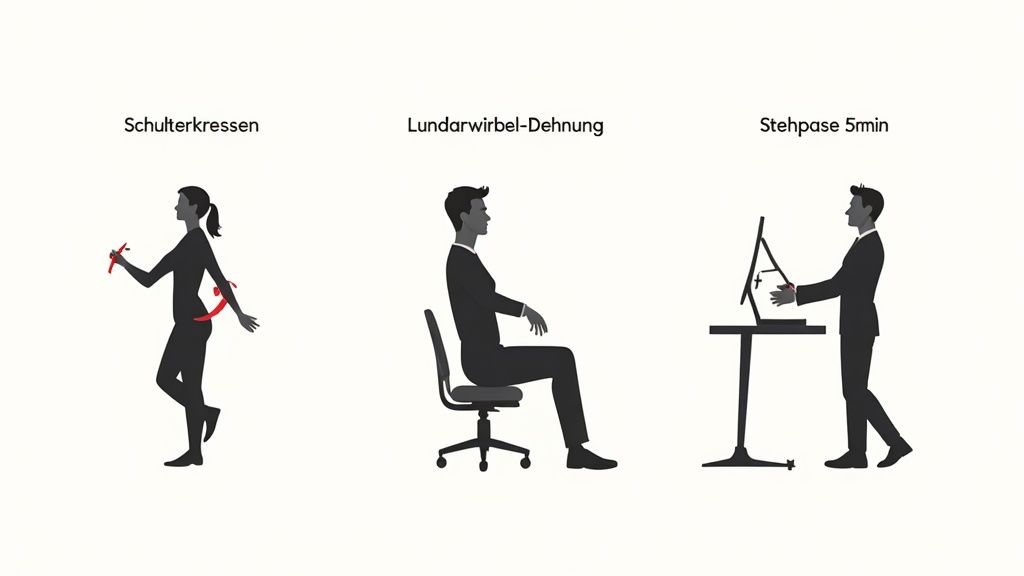
Change your sitting position regularly. Consciously lean back, use your chair's rocking function, or shift your weight. Every small movement activates the muscles, promotes blood circulation, and supplies your intervertebral discs with nutrients.
Small exercises with great effect
You don't have to integrate a complex workout into your workday. Short, targeted exercises directly at your desk are more effective. These units break the monotony and loosen tense muscles.
Here is a selection of quick and effective exercises to relieve back pain that you can perform at work.
Simple exercises for office life
| Exercise | Target area | Brief instructions |
|---|---|---|
| Shoulder circles | Neck, upper back | Sit upright, let your arms hang loosely. Slowly circle your shoulders 10 times backward, then 10 times forward. Immediately relieves tension. |
| Mobilizing the thoracic spine | Thoracic spine, shoulder girdle | Grasp the backrest with your hands. Consciously stretch your chest forward and upward. Hold the stretch for 15 seconds and repeat several times. |
| Neck stretch | Lateral neck muscles | Gently tilt your head to the right side. Slightly intensify the stretch with your right hand. Hold the position for 20 seconds, then switch sides. |
These exercises only take a few minutes but noticeably improve mobility. A collection of further ideas can be found in our guide to exercises for the lower back.
Dynamic sitting means making conscious posture changes and small movement impulses. It compensates for the negative effects of long, rigid sitting.
Intelligent break management
Use your breaks to get your body out of the sitting position. A good method is the 40-15-5 rule. It divides each hour into:
- 40 minutes of concentrated sitting
- 15 minutes of standing work
- 5 minutes of active movement (e.g., walking around, stretching)
This method is particularly effective in combination with a height-adjustable desk. The change between sitting and standing is good for the spine and circulation. In the home office, where, according to studies, 66% of people complain about back problems, such routines are crucial.
The effect is proven. A study showed a 76% reduction in pain through active ergonomic sitting. You can find more on these figures at bergardi.com.
Even without a standing desk, you can achieve a lot. Use phone calls for a walk or do a few squats while the coffee is being made. Every movement counts.
What matters when buying a chair: Your checklist
The decision for a new office chair to combat back pain is important. This checklist summarizes everything that makes a chair an ally for your back.
The most important features at a glance
A chair is more than just a seat and backrest. Only the interaction of all functions brings relief. Pay attention to the following points:
- Adjustable lumbar support: Can it be adjusted in height and depth? The support must meet the natural curve of your lumbar spine.
- Synchronous mechanism: Do the backrest and seat move in a coordinated ratio? This function is the standard for dynamic sitting.
- Seat depth adjustment: Can you shift the seat so that there is about a hand's width of space between the back of your knee and the edge of the seat? This is important to avoid impeding blood circulation.
- 4D armrests: Can the armrests be adjusted in height, width, depth, and angle? This function relieves the neck and shoulder area.
- Certificates: Does the chair have recognized seals? The GS mark or an IGR certification are good indicators of a high-quality product.
What matters after the purchase
A good provider also offers support after the purchase. Service aspects are often just as crucial as the technical data.
An office chair must prove itself in everyday use. Only after several working days will you notice if it truly suits you.
Therefore, pay attention to providers who allow you to test it.
Test phase at home: the practical test
A generous test phase, such as the 100-day trial period at Deskspace, is valuable. You can test the chair risk-free in your office or home office. This way, you can find out whether it is still comfortable after eight hours and relieves your back pain.
Warranty and customer service
The warranty period shows the manufacturer's confidence in its product. A long warranty of up to 10 years is a sign of high-quality materials and durability. Also, check the accessibility of customer service.
Free returns
Should the chair not be the right one after all, easy and free returns are important. This reduces the risk in the purchase decision.
Frequently asked questions about office chairs for back pain
A new ergonomic chair is an important purchase. Here are answers to the most common questions.
How quickly will I feel an improvement in my back pain?
Initial relief can occur after just a few days. This happens if the chair is correctly adjusted and you start to sit dynamically. However, your body needs time to get used to the new, healthier posture.
For lasting relief, you should plan for a few weeks of consistent use. Combine this with regular movement breaks. The office chair for back pain provides the foundation, but your body needs to re-learn the correct posture.
Is a good office chair alone enough to combat back pain?
An ergonomic office chair is very effective, but rarely the sole solution. It is a tool to combat the consequences of hours of sitting.
For a holistic improvement, other factors are also important. These include the correct desk height, monitor position, and regular movement. The chair is the centerpiece of your ergonomic workspace, but it works best in conjunction with the rest.
An office chair is not a cure, but a preventative tool. It enables a healthy posture, which you must actively support through movement and an ergonomic environment.
What is more important: a good backrest or a good seat?
Both are inextricably linked and crucial for a healthy sitting position. One does not work without the other.
A good backrest with lumbar support stabilizes your spine. At the same time, a good seat ensures even pressure distribution and a stable base for your pelvis. A chair is only ergonomic if both parts are high-quality and can be adapted to you. The backrest corrects, the seat stabilizes.
Does a good office chair for back pain always have to be expensive?
Quality has its price. However, a high price is no guarantee that the chair is right for you. Cheaper models often skimp on mechanics, adjustment options, and durability. This can cause more harm than good in the long run.
An investment in a high-quality ergonomic chair is an investment in your health and concentration. A solid model in the mid-price segment with the necessary certifications and adjustment functions is often the best choice for the coming years.
Are you ready to actively tackle your back pain? The ergonomic office chairs from DESKSPACE are specially designed to optimally support your back and promote dynamic sitting. Discover the right model for you now and benefit from our 100-day risk-free trial period.


