

Correct Office Chair Adjustment: Your Guide to Ergonomic Sitting

The correct adjustment of your office chair is the foundation for focused and pain-free work. Proper adjustment prevents tension, relieves strain on the spine, and promotes blood circulation. The few minutes spent on adjustment are a direct investment in your health and productivity.
Why the right chair adjustment changes your work
Incorrect sitting posture often leads to neck tension, lower back pain, or fatigue. Working for hours in an unnatural position unilaterally strains intervertebral discs and muscles. This reduces energy and concentration.
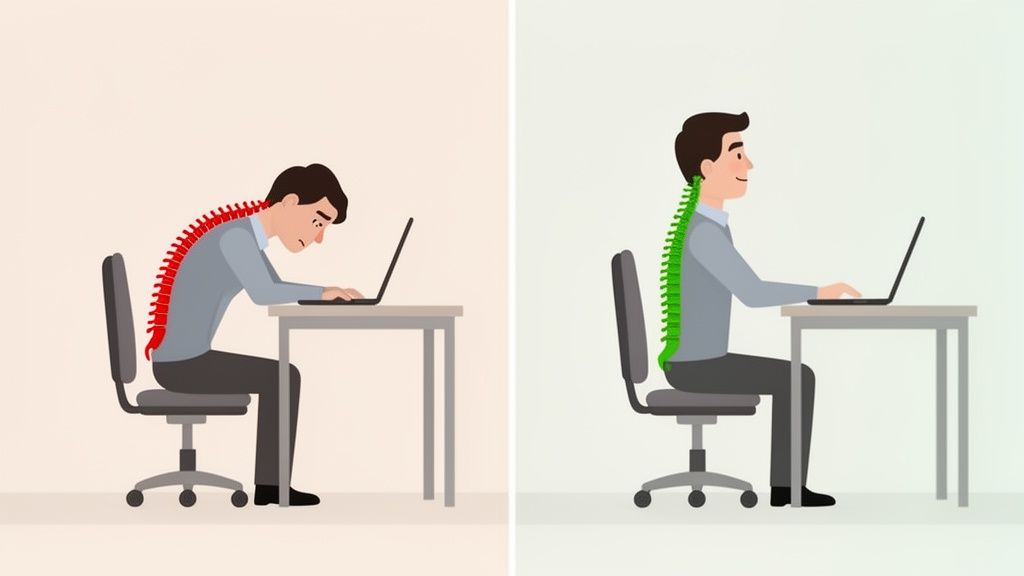
Adjusting your office chair correctly is an essential part of an ergonomic workstation. A well-adjusted chair supports the natural S-shape of your spine. It encourages dynamic sitting and promotes small posture changes.
The benefits of correct adjustment
Optimal adjustment of your chair offers several advantages:
- Better posture: Your body is stabilized in a neutral, upright position, which takes pressure off the spine.
- Improved blood circulation: If the seat surface does not press into your thighs, blood circulates freely, preventing tired legs.
- Less fatigue: Good support relieves your muscles. You expend less energy maintaining a healthy posture and stay fit longer.
Every adjustment, from seat height to lumbar support, is important. You can find more fundamentals in our guide on proper sitting at a desk. The following instructions will guide you step by step through each adjustment.
Adjusting your office chair perfectly step-by-step
Adjusting an office chair correctly requires a systematic approach. Each adjustment builds on the previous one. The goal is for the chair to support you and promote a healthy, neutral posture.
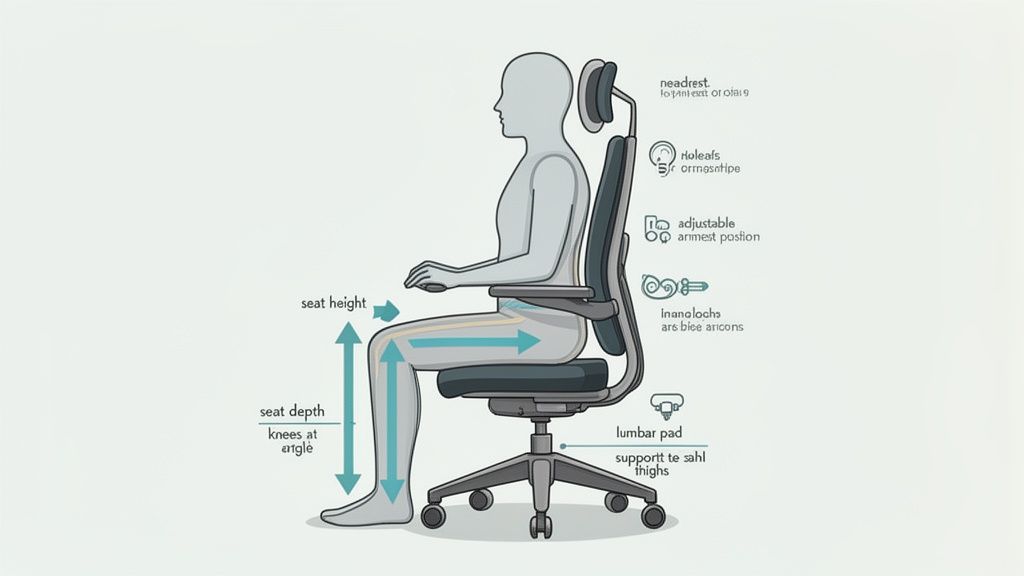
Always start with the seat height. It is the foundation for all further adjustments. Only when your feet are firmly and flat on the floor do the next steps make sense.
The foundation: Seat height and seat depth
The correct seat height creates a stable base and ensures good blood circulation. Adjust your chair so that your upper and lower legs form an open angle of approximately 90 to 100 degrees. Your knees should be at the same height as your hips or slightly below.
Next, adjust the seat depth. Slide your buttocks all the way back until your back touches the backrest. Check the distance between the front edge of the seat and your knee hollows. There should be about two to three fingers' width of space here. This prevents pressure on nerves and blood vessels.
Adjusting the backrest and lumbar support
The backrest stabilizes your spine. Its curvature in the lower back, the lumbar support, is the crucial element. Position it so that it sits at the height of your belt. It should fill the natural S-curve of your lumbar spine.
A correctly adjusted support prevents your pelvis from tilting backward and you from slumping into a rounded back. If it is incorrectly positioned, it misses its purpose. Our article explains what lumbar support actually does.
The demand for customizable office furniture is growing. The German office furniture market is estimated to reach approximately 2.90 billion US dollars in 2024. Ergonomic swivel chairs play a leading role in this.
Optimizing armrests and mechanism
Armrests relieve your shoulder and neck muscles. The correct height is reached when your forearms rest loosely and your elbows form an angle of about 90 degrees. Make sure your shoulders remain relaxed and are not pulled up.
Your armrests should align with your desk surface.
Finally, adjust the mechanism. Activate the rocking function of your chair. Adjust the counter-pressure so that the backrest gently follows your movements. You should be able to lean back effortlessly. This promotes dynamic sitting and switching between different postures. If your chair has a headrest, adjust it so that it supports your neck in a reclined position without pushing your head forward.
Checklist for your chair adjustment
This checklist summarizes the most important points. Use it to check your settings.
| Adjustment Area | Ergonomic Goal | Quick Guide |
|---|---|---|
| Seat Height | Stable base, good circulation | Feet flat on the floor, knees at a 90-100 degree angle. |
| Seat Depth | Pressure relief for knee hollows | 2 to 3 fingers' distance between seat edge and knee hollow. |
| Backrest | Spinal support | Backrest follows the natural S-curve of the back. |
| Lumbar Support | Lower back relief | Position curvature at belt height. |
| Armrests | Relaxation of neck and shoulders | Forearms loosely at a 90-degree angle, at desk height. |
| Tilt Mechanism | Promotion of dynamic sitting | Adjust counter-pressure so that the backrest gently follows movements. |
With this list, you have all the key points in view. It helps you ensure that your chair is optimally adjusted for you.
Common mistakes in chair adjustment and how to avoid them
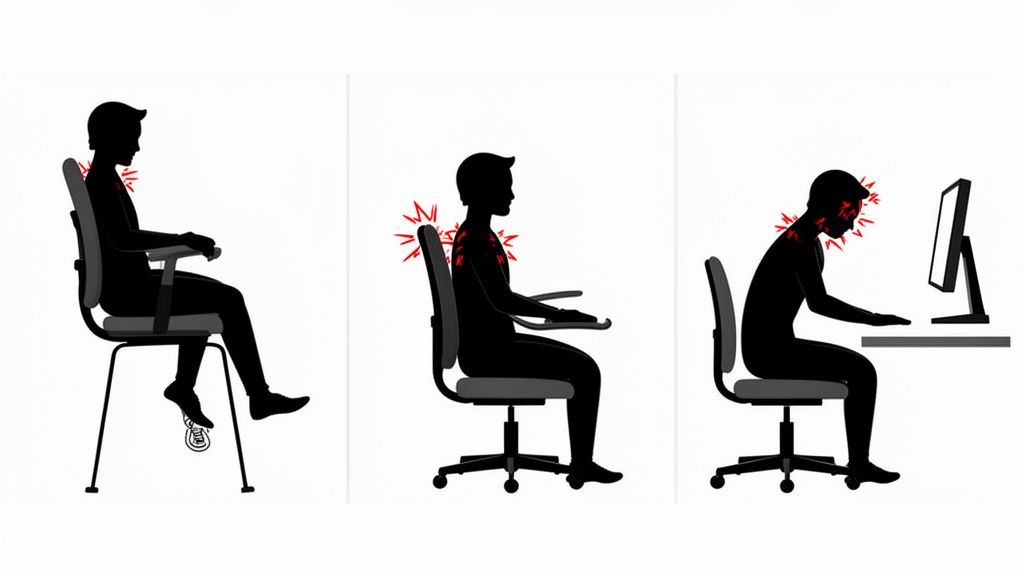
Mistakes can creep in when adjusting an office chair. The effects are often only felt hours later as tension or pain. A common mistake is to primarily adjust the chair to the height of the desk. This almost always leads to a cramped sitting position.
Your body sets the pace, not your desk. The rule is: always adjust the chair to your body measurements first. Only then does the desk come into play. A height-adjustable model flexibly adapts to your sitting height.
Typical pitfalls during adjustment
Certain mistakes reoccur. They can be easily corrected.
A classic is an incorrectly positioned lumbar support. Many intuitively set it too high. However, the support belongs precisely at belt height. Only there can it stabilize the pelvis and prevent a rounded back.
Also, pay attention to other stumbling blocks:
- Dangling feet: If you sit too high, blood circulation in your thighs is impaired, and you lose stability. Your feet must always be firmly on the floor with the entire sole.
- Fixed backrest: Many lock the backrest out of habit. Instead, activate the rocking mechanism to sit dynamically. Your body needs these unconscious movements.
- Raised shoulders: If the armrests are too high, the neck area becomes tense. They should provide a relaxed resting place for your forearms without you having to raise your shoulders.
The perfect adjustment of your office chair is not a one-time thing. Your body and tasks change. Check the settings regularly, especially if you feel tension.
Learn to listen to your body's signals
Your body sends clear signals when something is wrong. Tingling in the legs, a pull in the neck, or lower back pain are indications of inappropriate ergonomics.
Check your posture several times a day. Are you still sitting all the way back on the seat? Do you feel the lumbar support? Are your shoulders relaxed? These short self-checks help you maintain the correct adjustment of your office chair and correct poor posture immediately.
How office chair and desk work as a team
A perfectly adjusted office chair only fully unfolds its effect when used in conjunction with your desk. It is a system where all components must be coordinated.
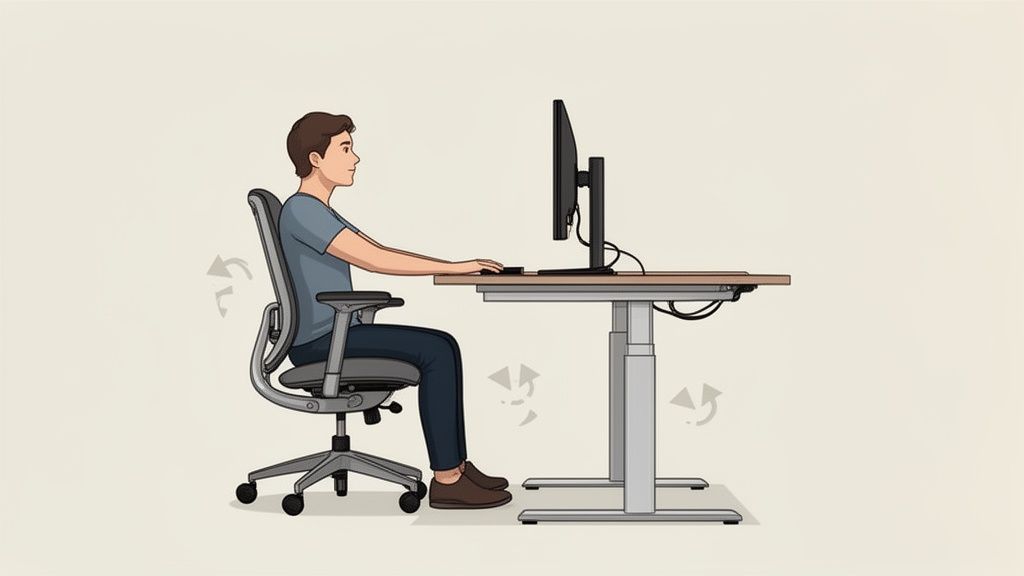
Your chair dictates the correct sitting height based on your body size. The desk must adapt to this height, not the other way around. Only then can you achieve a neutral and relaxed posture.
The ideal height for your workspace
Once your chair fits, it's the desk's turn. Adjust its height so that your forearms rest loosely on the desktop. Your elbows should form an angle of about 90 degrees, while your shoulders hang relaxed.
A height-adjustable desk adapts to the height dictated by your chair with millimeter precision.
Ergonomics is holistic. The correct adjustment of your office chair is the foundation. The position of your desk, monitor, and keyboard builds upon this. Only when everything fits together can you create a healthy workspace.
The arrangement of your work tools
If the desk height is correct, the fine-tuning of your tools follows. The position of your monitor, keyboard, and mouse is crucial to keep your head and wrists in a neutral position.
- Monitor: The top edge of your screen should be at or just below your eye level. This keeps your head straight and prevents strain on your neck.
- Keyboard and mouse: Place both so that you can operate them with relaxed shoulders and straight wrists. Your elbows should remain close to your body.
The investment in ergonomic office furniture is highly valued. In 2024, the German office and contract furniture industry employed 14,000 people with a total turnover of approximately 2.4 billion euros according to IBA Online. This shows the importance of employee health.
A coordinated system of chair and desk prevents pain and creates a performance-enhancing work environment. More in-depth tips on how to adjust your desk correctly supplement this guide.
What makes a Deskspace chair ergonomic
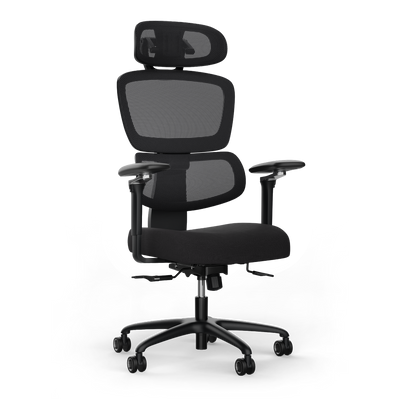
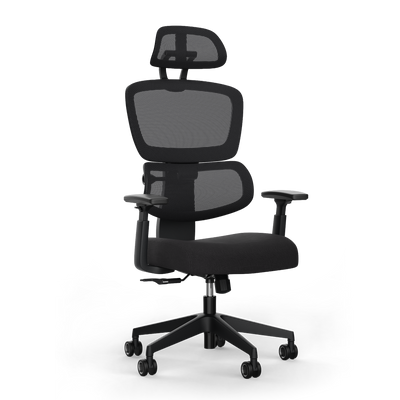
A good office chair is an active investment in your health and well-being at work. Every feature of Deskspace chairs follows a clear ergonomic principle and can be intuitively adjusted to your body.
When the technology is right, you'll quickly find the correct adjustment for your office chair.
Precision you can feel
Our chairs offer thoughtful adjustment options that allow you to customize your workspace precisely to your needs. It's about targeted support for your body.
- 4D Armrests: Adjustable in height, width, depth, and angle. This means you can effortlessly find the perfect position to relieve your shoulders and neck.
- Synchronous Mechanism: The seat and backrest move in sync with your body. This is the principle of dynamic sitting. It encourages small movements, activates core muscles, and promotes blood circulation.
- Adjustable Lumbar Support: Every back is different. You can precisely adjust the curvature of the backrest to the S-curve of your lumbar spine. This stabilizes the lower back and prevents pain.
Awareness of healthy workplaces is growing. The global market for ergonomic office chairs was estimated at approximately 5.2 billion US dollars in 2024 and is expected to continue growing until 2032. Details can be found in the market report from Future Market Report.
Our products are TÜV and IGR certified. These seals confirm that the ergonomics and safety of our chairs have been tested by independent experts.
We stand behind our quality and offer a guarantee of up to 10 years. You can test our chairs for 100 days at home to see if they suit you and your daily work routine.
Frequently Asked Questions about Office Chair Adjustment
Here are precise answers to typical questions that arise in everyday life.
How often should I change my sitting position?
Even the best adjustment is insufficient if you remain in it for hours. The key is dynamic sitting.
Consciously change your posture slightly every 15 to 20 minutes. Use the rocking mechanism, lean back, or shift your weight. Get up at least once an hour, stretch, and walk a few steps. This loosens muscles and stimulates circulation.
What do I do if my feet don't reach the floor?
If your feet don't touch the floor even with the correct seat height, a footrest is the solution. It ensures that your legs remain stable and at the recommended 90-degree angle.
This prevents the seat edge from impairing blood circulation in your thighs. Otherwise, this can lead to numbness or swollen legs.
My armrests constantly hit the desk, what should I do?
If the armrests bump into the desk, they are set too high. They prevent you from getting close enough to your workspace, leading to poor posture.
Adjust the armrests so they are just below desk height. Your forearms should rest comfortably without you shrugging your shoulders. Modern 4D armrests, like those of the Deskspace MOVE PRO, can also be adjusted in width and depth to circumvent this problem.
Find the chair that perfectly adapts to you. Deskspace ergonomic office chairs offer all the necessary adjustment options for a healthy and productive workday. Test them now 100 days risk-free. Discover the models at https://deskspace.de.


