

Effective Work: Organizing Your Office Made Easy

Effective work doesn't start with the first task of the day, but with the design of your environment. Good office organization is more than just tidying up. It creates an environment that intuitively supports your workflows and avoids mental clutter. The goal is to eliminate time lost searching and to focus on what matters.
Why Good Office Organization is Crucial
A thoughtfully organized workspace is the invisible force behind focused and efficient work. It's not just a matter of taste. A clear structure on your desk and in your digital space demonstrably reduces cognitive load. Your brain has fewer unnecessary stimuli to process.

The benefits are immediately noticeable and measurable. They range from saving time to improving your mental health.
- Less Stress: A chaotic workspace subtly creates stress. Order creates mental clarity and calm.
- More Efficiency: You find documents, tools, and information immediately. No more searching, allowing you to stay focused on your core tasks.
- Better Concentration: Fewer visual distractions make it easier to immerse yourself in a task and improve the quality of your work.
- Professional Impression: An organized workspace signals competence and reliability. This applies in the office and during video conferences.
This is what it looks like in German offices
Current data from the German office market shows an interesting discrepancy. Although 70 percent of offices value order, almost a third of employees work with outdated furniture. Outdated equipment and lack of ergonomics are often the biggest obstacles to productivity.
Office space turnover in key German markets is stable. At the same time, vacancy rates are rising in prime locations, indicating a shift. Companies are optimizing their spaces and investing in more efficient, better-equipped workplaces. Investing in modern, flexible office furniture today means better space utilization and increased productivity. For more insights into these developments, visit realestate.bnpparibas.de.
A modern, ergonomic workplace is not a matter of comfort. It is a strategic investment in productivity and employee well-being.
Providers like Deskspace are responding to this need. With ergonomic, height-adjustable desks, flexible spatial concepts become possible. They adapt to people, not the other way around. Direct sales without intermediaries reduce the cost of high-quality equipment.
Start with an honest inventory
Every improvement begins with an analysis of the current state. Before you move furniture or label folders, you need to understand the weaknesses of your setup. Take a few minutes.
Ask yourself these questions:
- What bothers me most every day? Is it the cable clutter, the stack of papers, or the cluttered desktop?
- What do I spend the most time searching for? Is it digital files, emails, documents, or a pen?
- Do I feel physically uncomfortable at the end of the day? Back, neck, or wrist pain are warning signs of ergonomic deficiencies.
- Does my workspace support my typical tasks? Or do I constantly have to improvise to get work done?
This reflection will help you identify the areas with the greatest potential for optimization. Often, small, targeted adjustments have the greatest impact.
Workspace Analysis Checklist
Use these criteria to objectively assess your current workspace and identify weaknesses.
| Area | Check Criterion | Status (Optimal / Needs Improvement) |
|---|---|---|
| Physical Desk | Is the work surface free of unnecessary items? | |
| Are all frequently used tools within reach? | ||
| Ergonomics | Are the chair, table, and monitor adjusted to my height? | |
| Does my setup allow for changes in posture (e.g., sitting/standing)? | ||
| Storage | Does everything have a fixed, logical place? | |
| Are documents and materials categorized meaningfully? | ||
| Digital Workspace | Is the desktop tidy and clear? | |
| Is the folder structure logical and consistent? | ||
| Cable Management | Are all cables neatly laid and bundled? |
This analysis gives you a clear roadmap. This way, you ensure that you focus your energy on the most impactful changes. In our guide, you can learn more about the basics of desk organization.
Setting up your workspace ergonomically
Your physical environment influences how you feel and how well you can concentrate. An ergonomically designed workspace is the foundation for productive and pain-free work. The goal is a neutral posture that relieves stress on your joints and muscles.
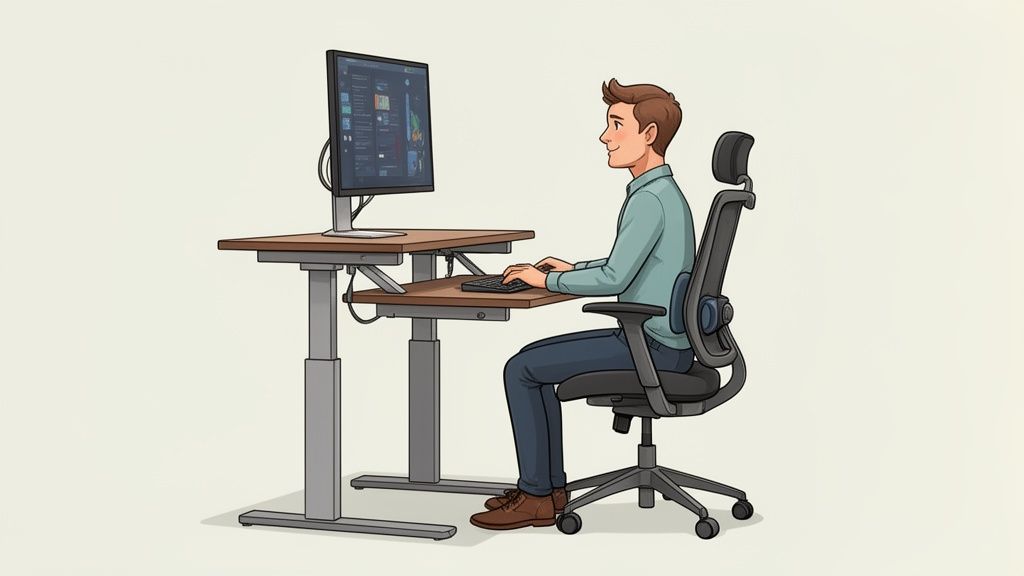
When your desk, chair, and monitor are properly adjusted, you actively prevent tension. You won't get tired as quickly and can focus better. On long workdays, even the smallest incorrect postures lead to neck or back pain.
The foundation: your height-adjustable desk
Regularly alternating between sitting and standing is an important lever for a healthy workday. A height-adjustable desk, like the Deskspace PRO or TITAN, is the ideal basis for this. It allows you to change your posture and break the one-sided strain on your spine.
Adjust the height so that your forearms are at a 90-degree angle to the desk surface. Your shoulders should remain relaxed. This applies to both sitting and standing. Your wrists should form a straight line and not bend.
Correct adjustment of chair and monitor
Your office chair is your most important partner at work. Its correct adjustment is crucial.
- Seat height: Your feet should be flat on the floor. Your knees should be at an angle of about 90 degrees. There should be a hand's width of space between your knee crease and the front edge of the seat.
- Backrest: The backrest must support your spine in its natural S-shape. The lumbar support should be at the level of your pelvic crest.
- Armrests: Adjust them so that your shoulders are relaxed and your forearms rest loosely on them.
The monitor is just as important. Its top edge should be at or just below your eye level. This way, you don't have to tilt your head unnaturally. The distance to your eyes should be about an arm's length.
Good ergonomic basic equipment is the foundation for taking office organization to a new level. It creates the physical conditions for focused and healthy work.
Accessories that make a difference
With the right ergonomic accessories, you can further optimize your setup and adapt it to your needs. A monitor arm creates more space on your desk and allows for more flexible positioning of your screen.
An external keyboard and mouse are also indispensable, especially when working with a laptop. They enable a natural posture for hands and arms, regardless of screen position.
Practical examples for different user types
Every workplace has different requirements. Here are two typical scenarios.
Scenario 1: The Home Office Power User
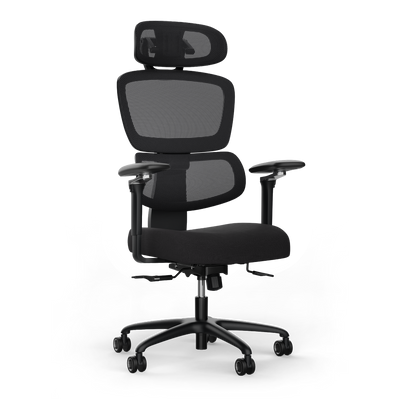
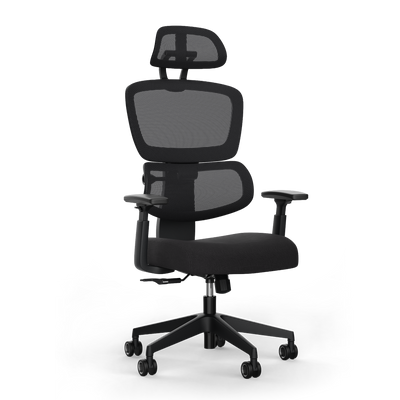
You work many hours from home and need a robust, reliable setup. A Deskspace PRO desk with its high lifting capacity and stability is ideal. Combine it with a dual monitor arm for your workflow on two screens and an ergonomic chair like the MOVE PRO, which promotes dynamic sitting.
Scenario 2: The Tech Professional or Creator
Your setup must be functional and look good. A Deskspace TITAN offers maximum load capacity for heavy equipment and a clean design. Choose a large tabletop for multiple monitors, a mixing console, or other devices. Good cable management is particularly important here to maintain the aesthetics.
A tidy desk looks better and helps you concentrate. The Clean Desk Principle underscores this. It creates a clutter-free zone for essentials.
In Germany, around 14.8 million people work in offices. A nationwide study has shown that almost a third of them have to work with worn-out desks and chairs. This slows down productivity. As 54 percent of employees now work more flexibly than before the pandemic, adaptable and ergonomic workspaces are more important than ever.
A detailed guide on how to set up your workplace ergonomically step by step can be found in our guide.
Mastering Cable Management and Storage
Loose cables and stacks of paper are more than just an aesthetic problem. They are mental clutter and disrupt your concentration. A clean environment is the foundation for effective work. Here's how to tame technology, organize your filing, and create a workspace that radiates clarity.
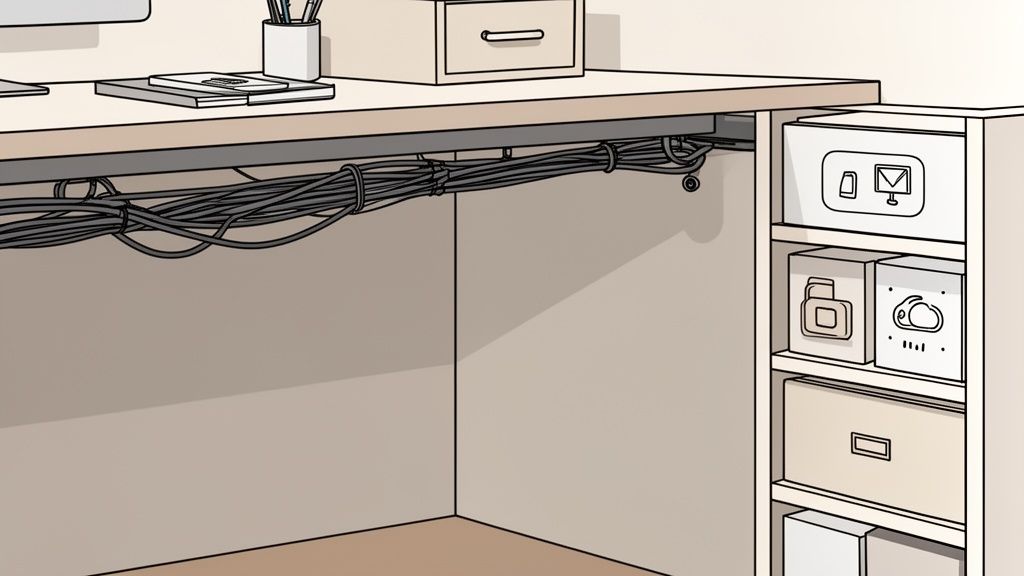
Order often begins invisibly under the desk. Loose cables are unsightly, a tripping hazard, and make cleaning difficult. Thoughtful cable management bundles everything and makes cable clutter disappear.
Effective Solutions for Cable Management
The first step is to unplug all devices and untangle the mess. Then you'll have a clear view and can choose the right system for your setup. There are proven methods to organize cables permanently.
Popular and practical aids are:
- Cable ties & Velcro straps: The quick solution for bundling related cables. They are inexpensive and easy to use.
- Cable sleeves: They group several cables into a single tube. Instead of many individual cables, you only have one clean line.
- Cable channels & cable trays: The professional solution. They are screwed directly under the tabletop. Cables and power strips can be accommodated here. Everything is invisible and tidy.
Integrated systems, such as those offered by Deskspace, are particularly practical. They are designed for height-adjustable desks. This way, everything stays securely in place when you switch from sitting to standing.
Good cable management is a one-time 30-minute investment. The reward is daily visual peace. It's one of the quickest ways to a professional workplace.
Our guide shows you the best strategies for perfect cable management at the workplace and helps you find the ideal solution for your setup.
Choosing the Right Storage Solutions
After technology, we turn to physical filing. The goal should be a "Clean Desk Policy". At the end of the day, only essential items remain on the work surface. Everything else needs a fixed place.
Which storage is right for you depends on your workflows. Do you need quick access to many files or is digital storage sufficient? Each solution has its pros and cons.
Strategies for Lasting Order
The best storage solution is useless without consistent use. Make the principle "Everything has its place" a habit. Put something back in its designated place immediately when you no longer need it.
Develop a system that is logical for you. Group similar items. Charging cables and adapters go into one drawer, pens and notepads into another. You can sort documents by project, urgency, or alphabetically.
Declutter regularly. At least once a quarter, take time to go through your documents and office supplies. Dispose of anything you no longer need. This prevents unnecessary clutter from accumulating.
Optimizing Digital Organization and Workflows
A tidy desk is important, but true efficiency today is decided digitally. Your digital organization is at least as crucial for smooth processes as physical order. A clear structure for data and tools saves you searching, reduces errors, and creates mental freedom.
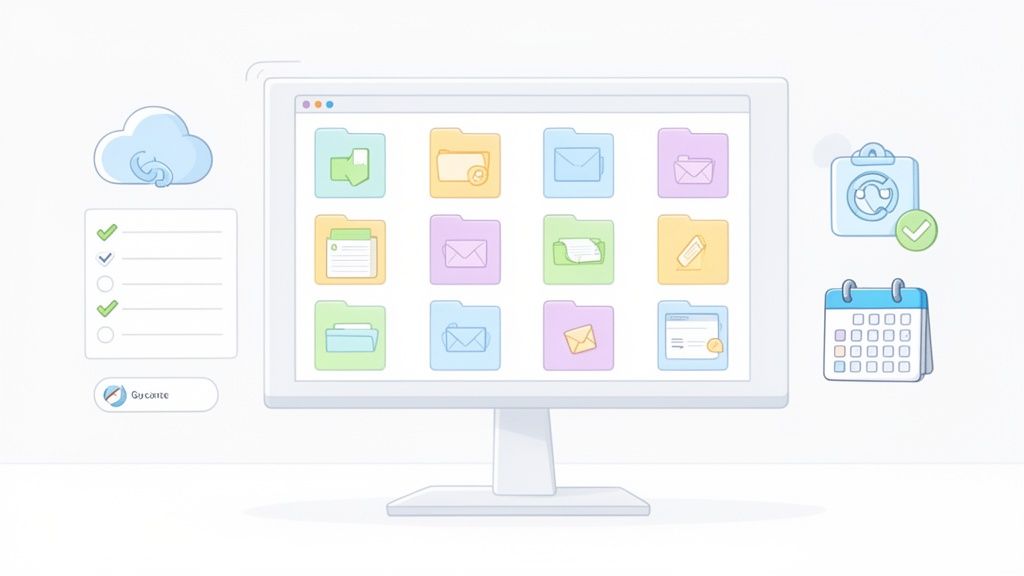
The key is to create systems that are intuitive for you and that you use consistently. This applies to your file management, your emails, and your task management.
Developing a Logical Folder Structure
The foundation for any digital office organization is a well-thought-out folder structure. Without it, your desktop or cloud storage will descend into chaos. The goal is to find every file with a few clicks, without using the search function.
Build a clear hierarchy that suits your way of working. Categorize by overarching categories.
- By projects or clients: Create a main folder for each project or client. Within this, you can further subdivide into "Offers," "Invoices," "Presentations," or "Minutes."
- By areas of responsibility: Alternatively, you can sort by activities. Then the main folders would be "Marketing," "Sales," "Accounting," or "Human Resources."
- By date: For documents such as invoices or reports, sorting by year and month can be useful. A folder "2025_Invoices" with subfolders for "01_January," "02_February" creates clarity.
Consistent file naming is just as important. A fixed scheme such as YYYY-MM-DD_ProjectName_DocumentType.pdf (e.g., 2025-10-28_ClientA_Offer-V2.pdf) makes files identifiable and sortable at a glance.
A digital filing system is like a well-sorted archive. It requires discipline at first, but saves countless hours of searching in the long run.
Getting Your Email Inbox Under Control
An overflowing inbox is a major productivity killer. Emails disrupt your concentration and create the feeling of constantly having to react. With clear rules, you regain control.
An effective technique is the "Inbox Zero" method. The goal is to clear your inbox by the end of the day. Every new email is immediately assigned to one of four actions according to the "One-Touch" principle:
- Delete: Unimportant emails are immediately removed.
- Archive: Emails that don't require action but should be kept go to the archive.
- Reply: If the reply takes less than two minutes? Do it immediately.
- Create task: If an email requires more time, create a task in your task management tool and archive the email.
Also use filters and rules. Have newsletters or system notifications automatically moved to their own folders. This keeps your inbox clear for important messages.
The Right Tools for Tasks and Notes
To keep track of projects, deadlines, and ideas, good tools are essential. It's less important which tool you choose, but rather that you use it consistently.
| Tool Category | Purpose | Popular Examples |
|---|---|---|
| Task Management | Organize to-dos, assign tasks, and monitor progress. | Asana, Trello, Todoist |
| Notes & Knowledge Management | Record ideas, write minutes, build a knowledge base. | Notion, Evernote, OneNote |
| Cloud Storage | Store files centrally and keep them synchronized across all devices. | Google Drive, Dropbox, OneDrive |
Limit yourself to a few tools that work well together. A solid setup often consists of a task tool, a note-taking tool, and cloud storage. When everything has its fixed digital place, you create a reliable structure.
Sustainable Order Through Fixed Routines
The best organization falls apart if it's not maintained. Lasting order doesn't mean planning hours of tidying up. It's about establishing habits that seamlessly integrate into your daily work and barely take any extra time.
These small, consistent routines prevent chaos from spreading again. This way, organizing becomes an automatic process. Your workspace remains a productive and stress-free zone.
Daily routines for a clear mind
The key to sustainable order is short, daily rituals. They often last only a few minutes but have a big impact on your focus and well-being.
Two simple but effective habits are:
- The 2-minute rule If a task takes less than two minutes, do it immediately. This could be filing a document, replying to an email, or putting away office supplies. This rule prevents small tasks from piling up into a huge mountain.
- The Clean Desk Policy at the end of the day Make it a habit to tidy your desk at the end of each workday. Put away all documents, dispose of trash, and ensure only the essentials remain on your workspace. This 5-minute wrap-up provides a clean mental break and a motivating start to the next day.
A tidy desk in the evening is like a reset button for your brain. You leave work with a sense of control and start the next morning without yesterday's mental baggage.
Weekly routines for the perfect start
In addition to daily habits, a short weekly routine helps maintain an overview. Schedule a fixed time for this, for example, Friday afternoon.
Checklist for your 15-minute weekly routine
- Check physical workspace Are all documents in the right place? Do office supplies need to be refilled? A clean, clear surface is the basis.
- Clean up digital desktop Move downloaded files and documents from your desktop to the correct folders. Empty the trash.
- Organize inbox Archive completed emails and create tasks for messages that will be important in the coming week.
- Plan the week Take a look at your calendar and to-do list. Set the three most important priorities for the coming week. This way, you'll start Monday focused.
Maintain and Adapt Systems
Your organizational systems are not set in stone. They must grow with your tasks and projects. Take time once a month or quarter to question and adapt your systems.
Ask yourself questions like: Is my folder structure still logical? Can I find everything immediately? Are there areas where clutter is accumulating? This reflection helps you identify weaknesses and improve your methods. A professional office cleaning can also create a hygienic basis for your daily routines.
Frequently Asked Questions About Office Organization
The same questions always arise when it comes to tackling office chaos. We have collected the most common ones and provide you with tried-and-tested answers here.
What is the first step towards a better organized office?
The most important first step is an honest inventory. Before you rearrange or buy anything, you need to find the real disruptors in your daily life.
Look closely: What slows you down every day? Is it the chaos on your desk, a cluttered digital filing system, or is your chair causing you back pain? Start where the problem is biggest. Usually, that's the mess on your desk, because it directly interferes with concentration.
How much time should I set aside per week for organization?
Efficient organization requires consistency, not major tidying efforts. The secret lies in integrating order into everyday life through small, fixed habits.
Plan five minutes at the end of each workday for a "Clean Desk" routine. Everything that is no longer needed is put away. In addition, 15 minutes at the end of the week to tidy up digital folders and plan the next week. It's about regularity, not a Herculean effort.
A small, consistent routine is more effective than a major cleanup once a month. This way, chaos has no chance.
Which digital tools are truly useful?
Focus on a few, but effective tools. Less is more here, because every additional tool increases complexity.
A proven setup consists of three core components:
- A task management tool: This helps you keep track of your to-dos.
- A note-taking tool: The central place for ideas and minutes.
- A cloud storage solution: This gives you access to your files from anywhere.
Which provider you choose is secondary. More important is that you use the tools consistently and build a clear structure.
How do I deal with the constant flood of paper?
The key to taming paperwork is the "one-touch" rule. Every piece of paper that lands on your desk is picked up immediately and only once.
Make an immediate decision for each document:
- Process: If the task takes less than two minutes, do it immediately.
- File: Digitize the document or file it in your filing system.
- Discard: Unimportant items go directly into the trash or shredder.
A clear filing system and the habit of digitizing a lot are the best weapons against piles of paper.
How do I best organize my desk?
The arrangement of your desk should follow a clear logic that is tailored to your way of working. The "zone method" has proven effective.
Imagine your workspace in three areas:
- Zone 1 (Primary): Directly in front of you. Only what you permanently need belongs here: keyboard, mouse, current notepad.
- Zone 2 (Secondary): Within comfortable reach. Here you place things you use several times a day, like your phone or important documents.
- Zone 3 (Tertiary): The outer area of your desk. Here you store everything you only rarely need.
This principle ensures that your immediate workspace remains clear, which helps you concentrate better. The right physical organization is a cornerstone when it comes to organizing the office.
A well-organized workspace starts with the right foundation. The ergonomic and thoughtful solutions from Deskspace help you create an environment that actively promotes your productivity and well-being. Discover the right products for your perfect setup now at https://deskspace.de.


