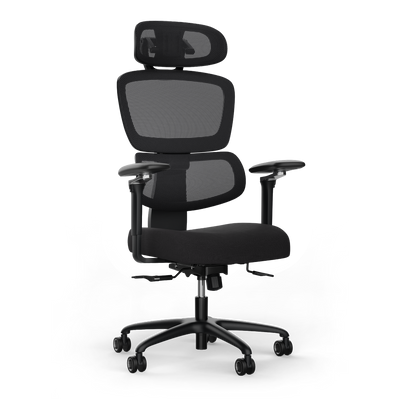
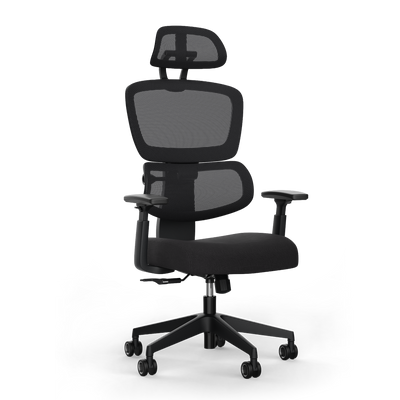


Sitting Correctly at Your Desk: A Guide

Sitting correctly at your desk is fundamental for your health in the office. The ideal posture relieves the spine, promotes blood circulation, and prevents pain. For this, your chair, desk, and work equipment must be optimally coordinated. The goal is to find a neutral, dynamic posture, rather than remaining rigidly in one position for hours.
Why the right sitting posture protects your health
Long periods of sitting are part of modern working life. The consequences of poor posture are often underestimated. A workstation that is not adapted to you quickly leads to tension. This can develop into chronic complaints. It's about more than comfort. It's about actively preventing health risks.
An ergonomic posture has been shown to improve concentration and increase productivity. When your body expends less energy compensating for an unhealthy position, more mental resources are available for your tasks.
The consequences of incorrect sitting
The list of possible complaints is long and can affect the entire body. A poor sitting position strains the intervertebral discs, can pinch nerves, and impair blood circulation.
Various problems can arise from this:
- Chronic back pain: The lower back, in particular, suffers from a hunched posture and lack of support.
- Neck and shoulder tension: A poorly positioned monitor forces the head into an unnatural position. Pain is the result.
- Headaches and poor concentration: Tension in the neck area often radiates into the head and impairs mental performance.
- Fatigue and reduced energy: Poor posture makes breathing difficult and reduces oxygen supply, which makes you tired more quickly.
These symptoms are clear warning signals from your body. If you ignore them, you risk serious long-term health problems such as herniated discs or carpal tunnel syndrome. Additional tips and tricks for a healthy posture at work can be found in our further article.
The reality of sitting culture in Germany
Current data shows how urgent this issue is. A survey found that Germans spend an average of 9.2 hours sitting on a weekday. For young people between 18 and 29, it's even over 10 hours a day.
These figures clearly show how important it is to consciously address one's sitting posture. This way, negative effects can be actively reduced.
An investment in ergonomic knowledge and the right equipment is a direct investment in your long-term health and well-being. It is the basis for sustainable productivity and quality of life.
An ergonomically designed workstation that adapts to your body is not a luxury. It is a necessary tool to meet the demands of modern working life in a healthy and efficient way.
Correctly adjusting the office chair as a foundation
An ergonomic chair is of little use if it is not precisely adjusted to your body. This adjustment is the foundation for healthy sitting. Every adjustment has a direct impact on your posture, comfort, and health.
The process is logical and systematic. We start with the seat height as the basis. Only when this is correct do we move on to subtleties such as seat depth, backrest, and armrests.
Seat height: The basis for your posture
Start with the seat height. Sit on the chair and adjust the height so that your feet are flat on the floor. Your knees should form an angle of approximately 90 degrees. Your thighs should be parallel to the floor.
This position gives you a stable base. It relieves your thighs and lower back. This prevents your feet from dangling in the air or your knees from being bent too much. Both can disrupt blood circulation.
Seat depth for optimal blood circulation
After height comes depth. Slide your pelvis all the way back against the backrest. There should be space for three to four fingers between the back of your knee and the front edge of the seat.
This distance is crucial. It prevents blood flow in your legs from being hindered or pressure being exerted on nerves. Correct seat depth ensures that you fully use the backrest without pinching your legs. Choosing the right chair is a prerequisite for this. You can read more about this in our guide on how to find the right office chair.
Backrest and lumbar support
The backrest supports you against a rounded back. Adjust it so that it actively supports the natural S-shape of your spine in the lower back area. This curvature is called the lordosis.
The strongest curvature of the backrest, the lumbar support, should be at the height of your belt. This relieves the intervertebral discs and prevents you from slumping. Make sure your back always maintains contact with the backrest when sitting, so that it fulfills its function.
A correctly adjusted lumbar support is a central ergonomic element. It actively helps to minimize strain on the lower back and promote an upright posture.
Armrests for relieving shoulders and neck
Finally, come the armrests. Adjust them to a height where your forearms rest loosely, while your shoulders are relaxed. The angle between your upper and lower arm should also be approximately 90 degrees here.
Ideally, the top edges of the armrests should align with your desk surface. This prevents unconscious shrugging of the shoulders. This is a major cause of tension in the neck and shoulder area. Correctly adjusted armrests contribute to the relaxation of your upper body.
With these four adjustments, you create a stable and healthy foundation. Your office chair now works with you, not against you. It actively supports you in sitting correctly at your desk.
Finding harmony between desk and chair
Your ergonomic chair is now optimally adjusted. But that's only half the battle for sitting correctly at your desk. The second step is crucial: adjust the desk so that it and the chair form a single unit. Without this harmony, you force your body into an unhealthy compromise posture.
The goal is a neutral, relaxed position. Your muscles and joints should be subjected to as little strain as possible. You don't adapt to the workplace; the workplace adapts to you.
The ideal height for working while sitting
After the chair, it's the table's turn. Sit upright, with your shoulders relaxed and loose. Position your arms so that your upper arms are perpendicular to the floor. Your forearms should form an angle of approximately 90 degrees with your upper arms.
Exactly at this height, the top edge of your desk should be located. This allows your forearms and wrists to rest straight and without tension on the work surface. You don't have to shrug your shoulders or lean forward. This setting is the basis for relaxed neck and shoulder muscles.
What to do with a fixed desk?
Not everyone has a height-adjustable desk. If your fixed desk is too high, you should not solve the problem by raising your chair. Then your feet will lose contact with the floor.
In this case, a footrest is the best solution. It allows you to raise the chair to achieve the correct arm position. Your feet still remain stable and supported at the correct angle.
A footrest is not an emergency solution, but an important ergonomic tool. It compensates for height differences and provides stability when standard settings are not sufficient.
If the table is too low, it becomes difficult. Table leg risers are often unstable and not a permanent solution. This is where the advantage of a flexible workstation that can be adjusted to your body measurements down to the millimeter becomes apparent.
Switching to standing with a height-adjustable desk
A height-adjustable desk changes the way you work. It gives you the freedom to fundamentally change your posture. Regularly switching between sitting and standing is one of the most effective methods against the negative consequences of prolonged sitting.
To find the correct standing height, stand upright and relaxed. Your arms should again be bent at a 90-degree angle, just as when sitting. Raise the table until the tabletop is exactly at the height of your forearms. This ensures that your shoulders, neck, and wrists are optimally relieved even when standing.
The perfect desk height is individual and depends on your body size. The following table provides an initial orientation. However, please note that these are only guidelines. The 90-degree rule for your arms is always the more precise measure.
Guidelines for ergonomic desk height
This table gives you an orientation as to which desk height in sitting and standing position suits your body size. For safety, always measure individually.
| Your body height | Recommended desk height (sitting) | Recommended desk height (standing) |
|---|---|---|
| 160 cm | approx. 64 cm | approx. 96 cm |
| 170 cm | approx. 68 cm | approx. 102 cm |
| 180 cm | approx. 72 cm | approx. 108 cm |
| 190 cm | approx. 76 cm | approx. 114 cm |
These numbers are a good starting point. For precise instructions on how to determine your personal measurements, read our detailed guide. In it, we explain how you can calculate the optimal desk height.
The interplay of chair and desk is the heart of an ergonomic workstation. If these two elements are perfectly coordinated, you have overcome the most important hurdle for healthy and productive work. You avoid tension and create a work environment that actively supports you.
Ergonomically positioning work equipment
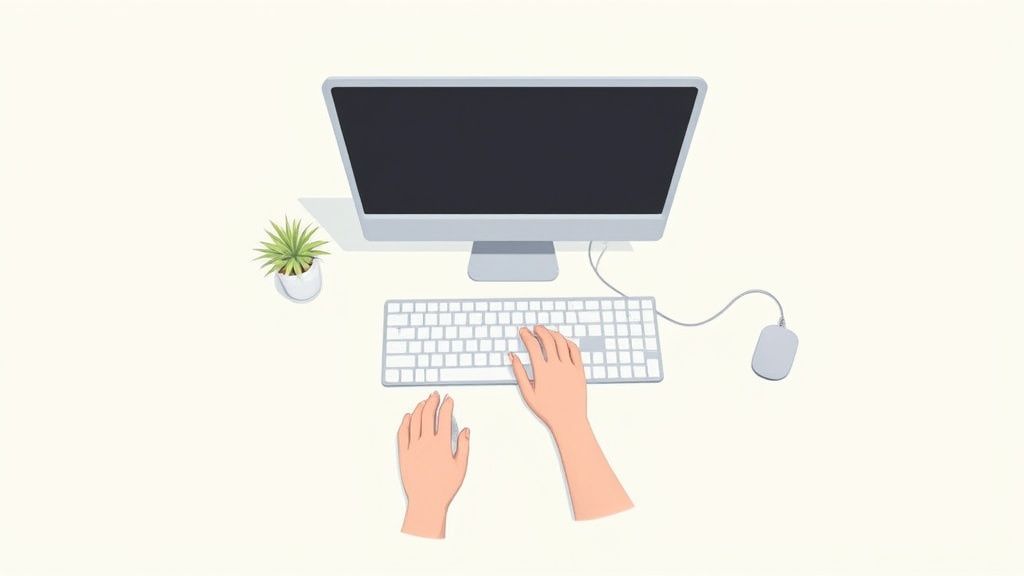
Chair and desk form a unit. Now it's time for your work tools. The arrangement of monitor, keyboard, and mouse determines whether your neck, shoulders, and wrists remain relaxed or are under stress. This arrangement completes your ergonomic setup and is crucial for sitting correctly at your desk.
Incorrect alignments often gradually lead to discomfort. An unconsciously twisted head towards the screen or a bent wrist on the mouse are typical mistakes. The consequences only become apparent after hours or days as pain. The goal is a neutral posture where you can reach everything without straining yourself.
Optimally aligning the monitor
Your monitor most strongly influences your head and neck posture. A few centimeters too high or too low can make the difference between a relaxed neck and chronic tension.
Start with the height. The rule is simple: the topmost visible line on the screen should be at or slightly below your eye level. This ensures a slightly downward gaze, which relaxes the neck muscles. If the monitor is too high, you unconsciously crane your neck. If it's too low, it promotes a rounded back.
Then comes the distance. Stretch your arm straight out in front of you. Your fingertips should be able to touch the screen. This distance, usually 50 to 70 centimeters, is ideal for your eyes. It prevents you from unconsciously leaning forward.
Correctly positioning keyboard and mouse
The position of the keyboard and mouse determines the health of your hands, arms, and shoulders. Overuse injuries such as tenosynovitis or carpal tunnel syndrome often occur here.
The keyboard belongs directly in front of you. Your elbows should rest loosely against your body and form an angle of about 90 degrees. Your wrists must remain straight. They should neither bend upwards nor sideways. Your hands and forearms form a continuous line.
The same applies to the mouse. Place it as close as possible next to the keyboard. This avoids reaching too far to the side with your arm, which would strain your shoulder. Here too, a straight wrist is crucial.
Practical tip: An ergonomic, vertical mouse can be a great relief. It places your hand in a more natural "handshake position," which reduces forearm rotation.
Special considerations when working with a laptop
A laptop is designed for mobile use, not for eight hours of work at a desk. Its biggest ergonomic problem is the rigid unit of screen and keyboard. If the keyboard height is right, the screen is too low. If the screen is at eye level, the keyboard is unreachable.
The solution is simple and effective: treat your laptop like a desktop PC.
- External keyboard and mouse: This is the basic setup. Connect separate devices. Only then can you position your hands and arms correctly.
- Laptop stand or monitor arm: This brings the screen to the correct eye level. The laptop then functions only as a monitor.
These adjustments are a necessity for healthy laptop work. With a correctly aligned screen and ergonomically placed input devices, you create a work environment that supports your health.
Integrating dynamic sitting and active breaks
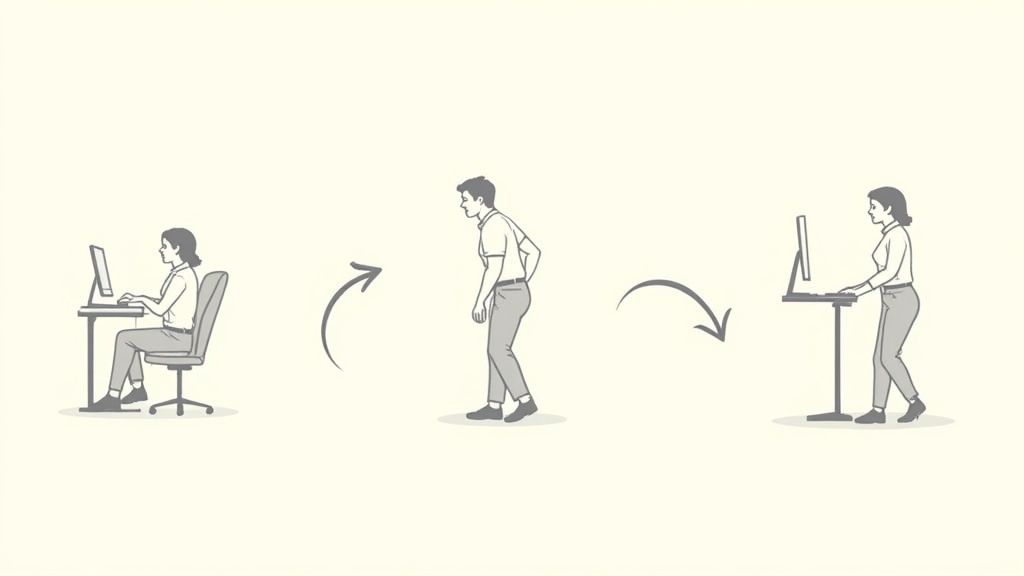
Even the best ergonomic setup is useless if you remain rigidly in one position for hours. Our bodies are made for movement, not for stillness. This is where the concept of dynamic sitting comes into play. It is the key to sitting healthily and correctly at your desk. The best sitting position is always the next one.
The idea behind it is simple: change your posture as often as possible. Consciously lean back, shift your weight, use the mechanics of your chair, or roll your feet. Every change of posture activates different muscle groups, promotes blood circulation, and relieves your intervertebral discs.
A height-adjustable desk is the perfect tool for this. It enables the fundamental change of posture from sitting to standing.
The 60-30-10 principle as a guide
A simple formula helps to bring system into movement at the workplace. It provides guidance for a healthy ratio of sitting, standing, and active movement.
The breakdown is simple:
- 60% Sitting: Use this time for focused tasks, but remain dynamic.
- 30% Standing: Take calls, attend meetings, or engage in creative tasks while standing.
- 10% Walking: Use breaks for a short walk to get your circulation going.
This model helps you develop an awareness of your posture and break rigid patterns. It's not about timing minutes, but about finding a healthy balance.
The reality in everyday office life
Health experts agree: A mix of 60 percent sitting, 30 percent standing, and 10 percent walking is ideal. Another model, the 45-10-5 principle, recommends a maximum of 45 minutes of sitting, 10 minutes of standing, and 5 minutes of movement per hour. Reality often looks different. Most office workers spend the majority of their day sitting. You can find insights into actual sitting times in Germany in this guide from ERGO.
A height-adjustable desk makes switching between sitting and standing effortless. Use the memory function to save your ideal heights. This way, changing posture becomes routine with the push of a button.
Simple exercises for the workplace
Active breaks don't have to be long or complicated. A few minutes of targeted movement make a big difference. They release tension, improve your concentration, and give you an energy boost.
Incorporate these exercises directly at your desk. Perform each exercise slowly and controlled for about 30 seconds.
1. Neck stretch to the side
Sit or stand upright. Slowly tilt your head towards your right shoulder until you feel a gentle stretch on the left side of your neck. Hold the position briefly and then switch sides.
2. Shoulder rolls
Slowly pull your shoulders up to your ears. Then roll them in a large, controlled circular motion backward and downward. Repeat this to loosen the shoulder girdle.
3. Open your chest
Clasp your hands behind your back. Straighten your arms and actively pull your shoulder blades together. This opens the chest and counteracts the forward-bent desk posture.
4. Mobilize wrists
Stretch one arm forward, palm facing up. Now grasp your fingers with your other hand and gently pull them downwards towards the floor. You should feel a stretch in your forearm. Then switch sides.
These short exercises interrupt static strain. They are a good prevention against typical office complaints. Set a reminder on your computer or phone to take a short movement break approximately every 60 minutes.
The combination of ergonomically correct basic posture, dynamic sitting, and regular, active breaks is key to long-term health at the workplace. Every movement counts.
Frequently asked questions about proper sitting
In everyday life, uncertainties creep in, even if one knows the basics of ergonomics. Here you will find clear answers to the most common questions. This way, you can avoid typical mistakes and ensure that your knowledge is applied at work.
See this section as a quick check-up for your setup.
What is more important: a good chair or a good desk?
Both are equally important, as they form a team. A high-quality, ergonomic chair is the foundation. It supports your back and promotes an upright posture.
However, the best chair is of little use if the desk doesn't fit. Only when the desk height is correct can your arms rest relaxed. A height-adjustable desk also enables the crucial switch between sitting and standing.
How often should I change my sitting position?
The best posture is always the next one. Remaining static leads to tension. Get used to slightly changing your posture every 20 to 30 minutes.
Consciously lean back, change the seat tilt, or shift your weight. Actively use the functions of your chair. If you have a sit-stand desk, a complete switch from sitting to standing is ideal approximately every hour.
Do ergonomic aids like footrests really help?
Yes. Accessories like footrests or lumbar cushions are tools to compensate for deficits in the setup.
- Footrests: They are necessary if your desk is too high and your feet don't reach the floor. A footrest gives you the necessary stable base.
- Lumbar cushions: An additional cushion can support the lower back even more specifically. This is useful if the built-in lumbar support of your chair is insufficient or cannot be perfectly adjusted.
With these helpers, you get the best for your back.
Our body is made for movement, not for hours of rigid stillness. Every change of position, every break, and every conscious movement is an active contribution to your health.
Studies show that the risk of cardiovascular disease, diabetes, and chronic back pain increases when daily sitting time exceeds eight hours. To compensate for this, experts recommend 60 to 75 minutes of moderate exercise per day. You can find more about the health consequences of prolonged sitting on faktor-a.arbeitsagentur.de.
What is the ideal angle for knees and elbows?
The 90-degree rule is an effective rule of thumb. Your knees and elbows should form approximately a right angle.
For the knees, this means: Your thighs run parallel to the floor, your lower legs are vertical. For the elbows, the 90-degree angle ensures that your forearms rest relaxed on the tabletop or armrests, without you having to shrug your shoulders.
Should I lean back while sitting?
Yes. Your backrest is your most important ally. It takes a large part of the holding work off your back muscles.
Make sure your pelvis always has contact with the backrest. Slide all the way back. Only then can the lumbar support effectively support your lumbar spine. Also, use the mechanics of your chair. Regularly leaning back promotes blood circulation in the intervertebral discs.
An ergonomic workstation is one of the best investments in your health and performance. At Deskspace, you will find TÜV-certified, height-adjustable desks and ergonomic chairs that can be perfectly adapted to you. Design your workplace so that it optimally supports you every day.
Discover the right solutions for your office or home office now at https://deskspace.de.


