

Creating and maintaining an organized desk

Order on your desk is a functional necessity. A tidy workspace minimizes distractions and helps you focus on what's important. It's the foundation for efficient work and mental clarity.
Why Order on Your Desk Boosts Your Productivity
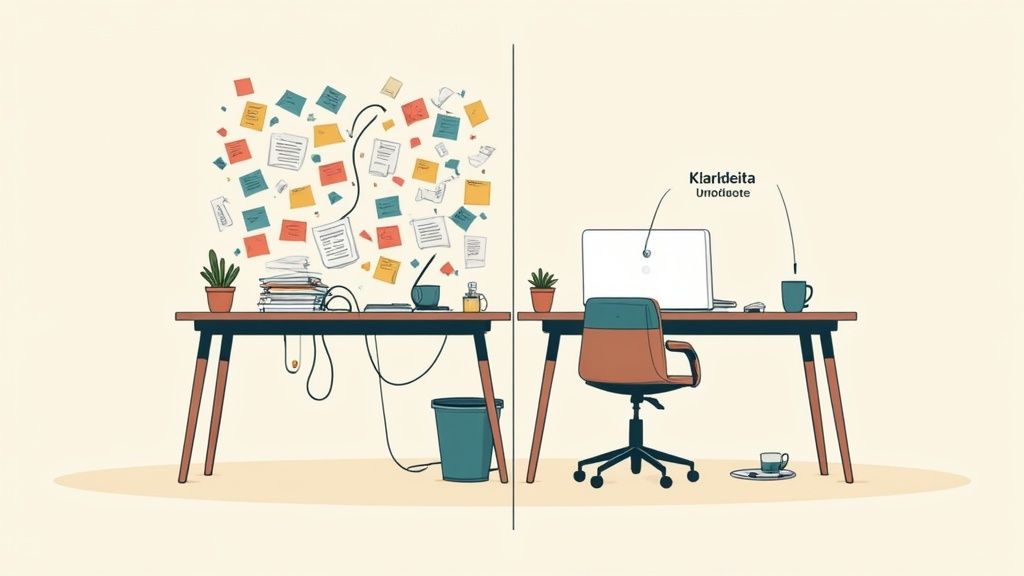
Your desk is the interface between your physical environment and your mental performance. Clutter acts like constant background noise. Every unnecessary item and loose piece of paper unconsciously consumes cognitive capacity. This capacity is then unavailable for your actual tasks.
By reducing this visual noise, you'll notice a significant improvement in your concentration. A structured workspace signals to your brain: It's time to focus.
The Connection Between Order and Efficiency
The time spent searching for documents, notes, or charging cables adds up. This is proven. The Fraunhofer Institute estimates that approximately 10% of daily working hours are lost due to inefficient processes in disorganized offices.
A clear system shortens search times. It also sharpens your decision-making. When everything has its fixed place, small decisions are eliminated. You use your mental energy for important things.
The benefits of a well-thought-out desk organization extend beyond saving time.
- Less Stress: A chaotic environment can intensify feelings of overwhelm. Order creates calm.
- Better Concentration: Fewer distractions facilitate a "flow" state and deep work.
- More Creativity: A clear workspace creates room for new ideas and thoughts.
An organized workspace is a tool. It ensures that your energy flows into tasks and not into managing chaos.
The following steps are an investment in your performance. It's about creating an environment that supports you.
A structured work environment is an important step towards increasing productivity. Another 10 tips to boost productivity offer additional approaches. Many tricks for office organization can be found in our comprehensive guide.
Your Desk Reset with the 3-Category Method
A permanently tidy system begins with a radical cut. Before you rearrange, you need to clear out what's currently there. This fresh start creates physical space and the mental distance to break old habits.
The first step is simple and effective: Clear your entire desk surface. Absolutely everything. Every pen, every notebook, the monitor. Everything comes off the desk. This empty space is your new base.
The Decision Phase: Everything into 3 Categories
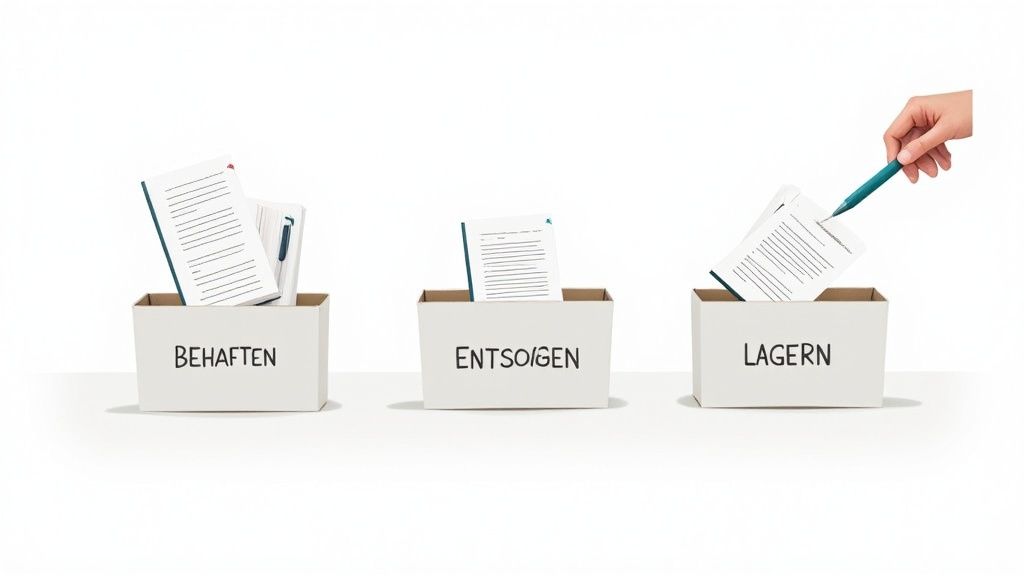
Pick up each item and make a clear decision. You sort everything into three groups. This method forces honesty and prevents you from just moving clutter around.
- Keep: Only things you need daily or several times a week directly at your workspace belong here. Be honest. The hole punch you use once a quarter doesn't belong here.
- Store: This category is for things that are important but don't need to be within immediate reach. This includes old notebooks, important documents, or special technical devices.
- Dispose: Anything broken, outdated, or superfluous goes. Old promotional gifts, dried-out pens, notes from completed projects.
This process requires discipline. For each item, ask yourself: "Have I used this in the last four weeks?" If the answer is "No," it probably belongs in the "Store" category or the trash.
The goal of this reset is to only put back on the desk what actively supports your work. Everything else is a potential distraction.
The Method in Practice
Use three boxes or marked areas on the floor. Then systematically work your way through the items. Decide quickly and without prolonged deliberation.
The 3-category method is effective. It helps you decide what can stay and what must go.
| Category | Description | Examples |
|---|---|---|
| Keep | Immediately necessary for daily work. | Laptop, monitor, keyboard, mouse, one notebook, two pens. |
| Store | Important, but rarely used. Stored within reach. | Reference books, old project documents, spare cables, USB drives. |
| Dispose | No longer functional or relevant. | Broken headphones, empty ink cartridges, outdated printouts. |
The table shows: Only the essentials remain within direct access.
After you've sorted all items, thoroughly clean the empty desk surface. This symbolic act completes the reset. You now have a clean workspace and only the things that deserve a place on your new, organized desk.
Developing an Intelligent Layout for Your Workspace
After decluttering, the design process begins. It's about creating a system that supports your workflow. Desk organization thus becomes a habit. A proven concept is to divide your workspace into logical zones.
This zone model prevents unnecessary searching and ensures that every item has its fixed place. You structure your workspace according to how often you use something. This optimizes your reach and makes you more efficient.
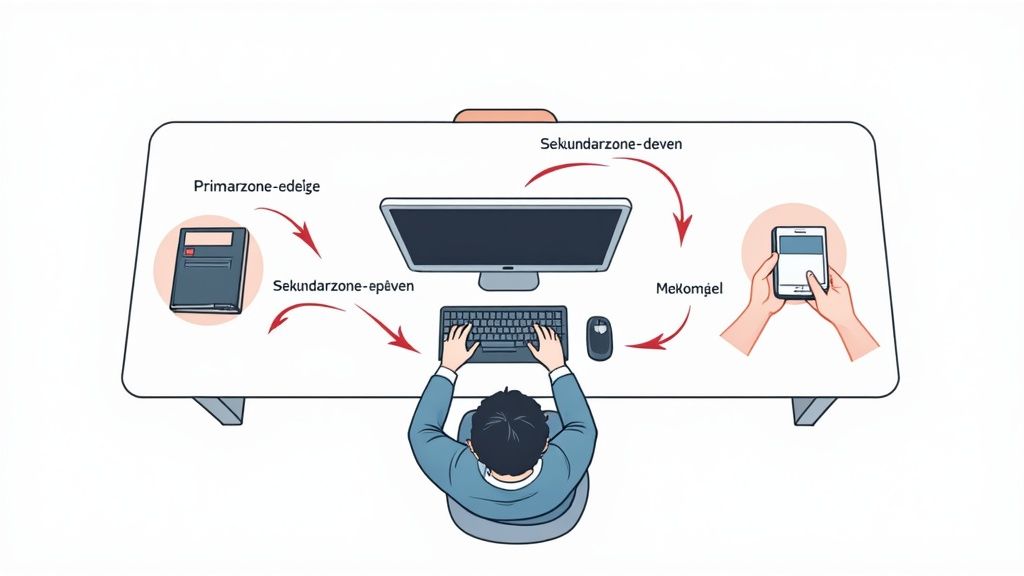
The Principle of Three Work Zones
The idea is simple: Your desk is divided into three areas. This division helps you intuitively place your work tools. You have everything important immediately at hand, without wasting valuable workspace.
- Primary Zone (Reach Space): The area directly in front of you that you can comfortably reach with your hands. Only the most important things you use constantly belong here. In most cases, this is your keyboard and mouse.
- Secondary Zone (Extended Reach Space): This area surrounds your primary zone. Here you place everything you need frequently, but not permanently. This includes your current notebook, smartphone, or coffee cup.
- Tertiary Zone (Edge Area): These are the outer edges of your desk. Things you need less frequently find their place here. Classics include a desk lamp, speakers, or a pen holder.
If you consistently apply the zone principle, search times disappear and your workflow is hardly interrupted. You automatically reach for the right place.
Ergonomics as the Foundation for Order
A smart layout considers not only the position of your things but also your body. Ergonomics and order are closely linked. Good ergonomic aids often inherently create more space and clearer structure.
The correct positioning of your monitor is a good example. A monitor arm lifts the screen off the desk surface. This immediately creates valuable space under the monitor. At the same time, you can flexibly and ergonomically align it at eye level.
Integrating ergonomic principles is crucial for a workspace that remains tidy in the long term. Our guide shows you how to set up your workspace ergonomically.
A keyboard tray mounted under the desk can increase usable space. It brings the keyboard and mouse to the correct height. The primary work zone on the tabletop remains clear when you don't need it.
A well-thought-out ergonomic setup protects your health. It is a fundamental building block for lasting order on your desk. It actively supports the previously defined zones.
Achieving Effective Cable Management and Digital Order
A well-designed layout and clear work zones are the foundation. Yet, even the best system can be undermined by cable clutter. Visible cables look chaotic and spoil the aesthetic.
Tidy cable management is a crucial step towards an organized workspace. It provides visual calm, facilitates cleaning, and prevents cables from being damaged or becoming tripping hazards.
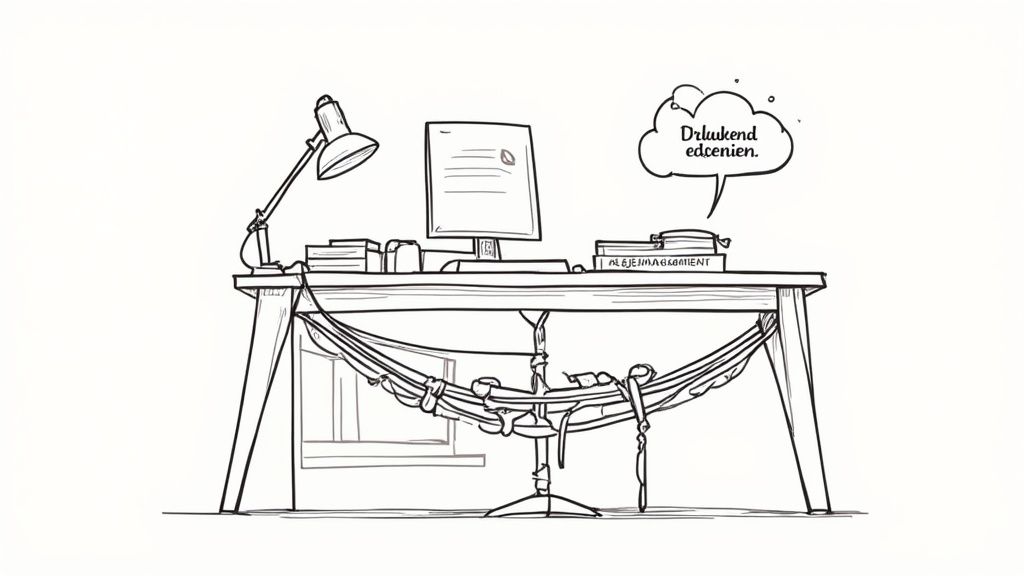
Organizing and Concealing Physical Cables
There are many tools to tame cable chaos. The choice depends on the number of your devices. The goal is always the same: to bundle loose cables into a single strand and get them out of sight.
- Cable Trays: These troughs are screwed under the desk. Power supplies, power strips, and excess cables disappear inside them.
- Cable Sleeves: A flexible and simple solution. They bundle several cables into one strand. Ideal for connecting from the desk to the power outlet.
- Cable Ties and Hook-and-Loop Fasteners: The classics. You can use them to bundle cables. They are inexpensive and versatile.
Good cable management makes your workspace neater and safer. The risk of accidentally pulling a plug or tripping over cables is eliminated.
Our comprehensive guide shows you step-by-step how to set up perfect cable management in the workplace.
Bridging to Digital Order
Physical chaos often has a digital root. Loose notes and printed emails are often symptoms of an unstructured digital workflow. Controlling your digital processes automatically reduces paperwork.
A survey revealed that 23% of employees regularly sort folders and documents. This activity reflects the paper chaos. Digital processes avoid these time-wasters.
Start with a clear folder structure on your computer. Give your files consistent and logical names, for example, YYYY-MM-DD_ProjectName_DocumentType.pdf. This way, you'll find everything immediately.
Cloud services are also useful. You can access your documents from anywhere without printing a page. Team collaboration becomes easier. If you learn how to simply eliminate paperwork, you tackle clutter at its source.
Maintaining Order Permanently with Routines
A tidy desk is a good start. Keeping it that way is the real challenge. It's not about big clean-up operations, but about small habits that can be integrated into everyday life.
Creating order is the first step. Maintaining it requires routines. These prevent chaos from creeping back in. A tidy desk becomes second nature.
The 2-Minute Rule for Immediate Tasks
One of the most effective methods is the 2-minute rule. The principle is simple: Anything that takes less than two minutes is done immediately. No procrastination.
These small tasks collectively cause the mess. With this rule, you break the cycle of procrastination.
- Read a document? File it directly into the correct folder.
- Short email? Answer it immediately instead of leaving it in your inbox.
- Empty cup? Take it directly to the kitchen.
- Made a note? The pen goes straight back into the holder.
At first, it requires discipline. You will quickly notice the positive effect. The small disruptive factors don't even accumulate.
The key to lasting order lies not in grand actions, but in the consistent completion of small things.
The End-of-Day Ritual as a Daily Reset
Another habit with a big impact is the evening ritual. Every day before you finish work, take five minutes to return your desk to its basic state. This signals the end of the workday and allows for a clear start the next morning.
In a home office, a daily reset is particularly valuable. A study by IW-Köln showed that in 2023, already 56% of employees in Germany had the option to work from home. With more hybrid models, a personal organization system becomes more important. You can find more details in the study on the evolution of office work at iwkoeln.de.
Your evening ritual could look like this:
- Clear the surface: All loose notes and items go back to their designated place.
- Align work tools: Keyboard and mouse are straightened, the chair is pushed to the desk.
- Quick clean: Wipe the desk surface once with a cloth.
These actions only take a few minutes, but they have a great psychological effect. You end the day with a sense of control and start the next morning without the burden of the previous day.
Frequently Asked Questions About Desk Organization
Certain problems in organizing a desk frequently arise. Here you'll find clear, practice-proven answers to these questions with directly implementable solutions.
What do I do with all the loose papers?
Paper chaos is a classic. The key to success is not better filing, but reduction. For each sheet of paper, ask yourself: Do I need to keep this physically?
Most documents can be digitized. A scanner app on your smartphone is often sufficient to capture invoices or notes and store them in the cloud. Set up a clear folder structure there, for example, 2024 > Invoices > [Company Name]. This makes it easier to retrieve them.
For documents that need to remain in their original form, a vertical filing system is useful.
- In-trays: Use them as a temporary station, not as permanent storage. One for "Inbound," one for "Urgent."
- Suspension files: Ideal for long-term archiving of important documents or completed projects.
- The Friday Check: Take ten minutes every Friday to clear your in-trays. Completed items are digitized, filed, or disposed of.
How do I organize my desk with limited space?
A small desk requires creativity. The most important rule is: Use vertical space. Anything you move upwards creates workspace on the tabletop.
A monitor arm is very effective here. It lifts your screen off the desk, freeing up the space underneath. Wall shelves or a small desk riser also create storage space for things you don't constantly need directly in front of you.
With limited space, multifunctionality is important. Every tool that performs more than one task reduces the number of items.
An often-overlooked solution is magnetic strips on the wall above the desk. Small metal containers for pens, scissors, or paper clips can adhere to them. This keeps your workspace clear for your current task.
My desk is constantly messy again. What can I do?
If chaos returns, the problem likely lies in missing daily routines. Lasting order on your desk is the result of good habits.
Make the "evening ritual" a habit. Consistently take five minutes each day to return your workspace to its basic state. This routine allows for a clear start the next morning.
Another principle is "One in, one out." Before a new item comes onto your desk, an old one must go. This effectively prevents unnecessary clutter from accumulating.
A tidy and well-thought-out workspace is the foundation for focused, productive, and healthy work. Deskspace products are designed to support you in this. The range extends from ergonomic, height-adjustable desks to accessories. Discover the right solution for your workspace now at https://deskspace.de.


