

The Correct Sitting Posture at Your Desk for Pain-Free Work

Correct posture at the workplace is the foundation for pain-free and productive work. The correct sitting posture at the desk is not a rigid position. It is a dynamic adaptation of your body to the work environment. It prevents tension, relieves the spine, and protects your health.
Why Your Sitting Posture is Crucial for Your Health
The modern workday is predominantly spent sitting. This static strain can lead to health problems if posture is incorrect. It's about more than occasional neck or lower back pain. Persistently poor posture negatively affects the entire body.
We sit too much. A 2022 study by Deutsche Krankenversicherung (DKV) showed that the average sitting time is 554 minutes. That's around 9.2 hours daily. Young adults between 18 and 29 sit the longest, for over 10 hours. More details on the study results on sitting time in Germany can be found at aerztezeitung.de.
The Direct Consequences of Incorrect Posture
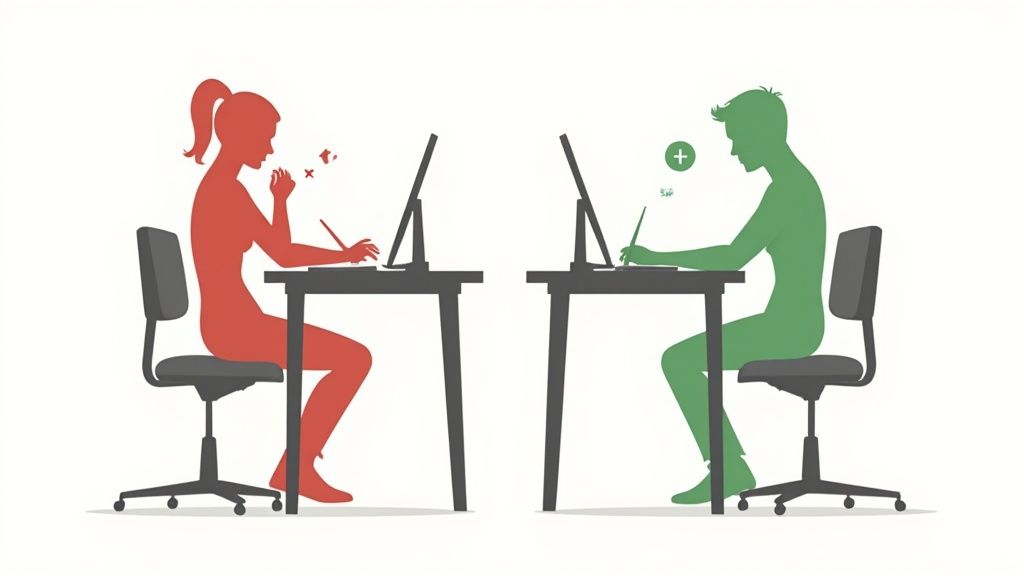
Shoulders slouch forward, the back rounds, and the head juts towards the screen. This typical posture puts enormous pressure on your spine. The intervertebral discs are unevenly loaded, which can lead to wear and tear or a herniated disc in the long term. Your muscles have to compensate for this unnatural position.
This constant tension leads to typical complaints of office workers:
- Neck and shoulder tension due to hunched shoulders and a cramped head posture.
- Chronic back pain, especially in the lumbar region, because the core muscles weaken.
- Tension headaches, often originating from overworked neck muscles.
- Poor circulation in the legs if the seat presses into the thighs.
Paying attention to your body posture is not a matter of comfort. It is an active preventive measure to avoid chronic pain and maintain performance.
More Than Just Back Pain
The effects of poor posture extend further. Slouching at your desk restricts your breathing. The diaphragm has less room to expand, leading to shallower breathing. Your body and brain receive less oxygen, which results in fatigue and concentration problems.
Correct sitting posture at the desk is a direct investment in your health and productivity. By recognizing the most common mistakes and applying ergonomic principles, you create the basis for a pain-free and focused workday. The following sections will show you how to optimize your workspace.
Adjusting Your Office Chair for Optimal Posture
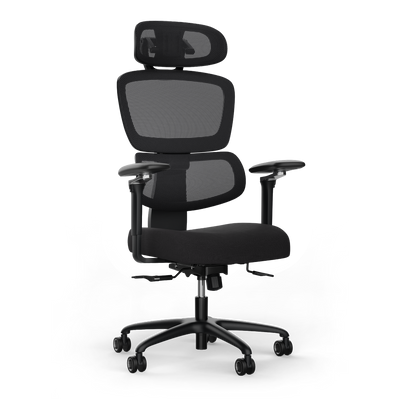
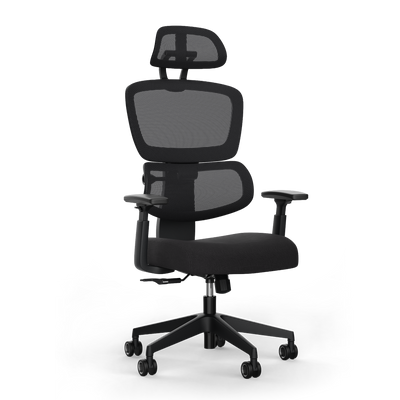
Your office chair is the foundation for correct sitting posture at the desk. A good model is of little use if it is not precisely adapted to your body. This adjustment is fundamental to prevent tension and relieve your spine.
We proceed systematically from bottom to top. Each step builds on the previous one and ensures that your body receives the necessary support. Take a few minutes for this.
Adjusting Seat Height and Depth
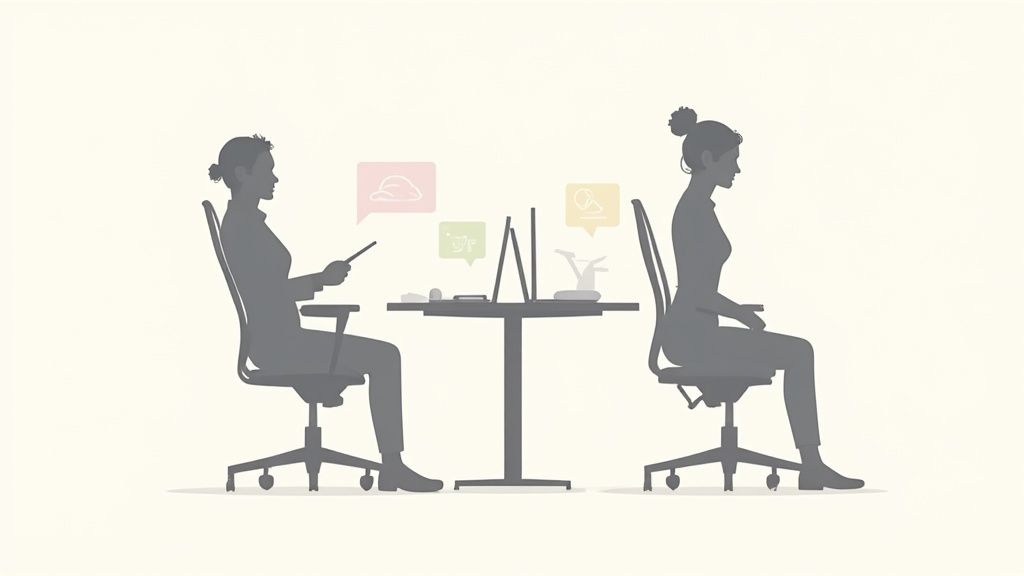
Everything begins with the right height. Adjust your chair so that your feet are flat on the floor with the entire sole. Your knees should form an angle of about 90 degrees. Your thighs should be horizontal or slightly sloping towards the floor. This prevents pressure on the underside of your thighs and promotes good blood circulation.
Now to seat depth. Slide back on your chair until your lower back touches the backrest. There should be two to three fingers' width of space between your knee hollow and the front edge of the seat. If the distance is too small, blood circulation will be hindered. If it's too large, you lose crucial contact with the backrest and its supportive effect.
The choice of chair is as crucial as its adjustment. If you are unsure which model suits you, read our guide to choosing the right office chair.
Adjusting Backrest and Lumbar Support
The backrest supports your spine. Its task is to support the natural S-curve in the lumbar region. This is where the lumbar support comes in, a curve in the lower part of the backrest. Position it precisely at the height of your lower back curve.
A correctly adjusted lumbar support provides gentle support without uncomfortable pressure. It helps your pelvis stay upright and prevents you from slouching.
The recline of the backrest should encourage dynamic sitting. A slightly reclined position of approx. 100 to 110 degrees relieves the intervertebral discs. However, rigid adherence to one position should be avoided. Movement is crucial.
Adjusting Armrests as the Final Step
Finally, the armrests. Their purpose is to relieve your shoulder and neck muscles. Adjust them high enough so that your forearms rest loosely, while your shoulders hang relaxed downwards.
The optimal position is reached when your upper and forearms also form an angle of approximately 90 degrees. Ideally, your armrests should be at the same height as your desk surface. This creates a continuous support surface that promotes a neutral wrist posture.
Adjusting Your Desk to Your Height
The chair is adjusted. Now for the desk. Its height is equally important for correct sitting posture at the desk and often determines tension in the neck and shoulder area. A height-adjustable model is ideal, as you can adjust the height to the millimeter.
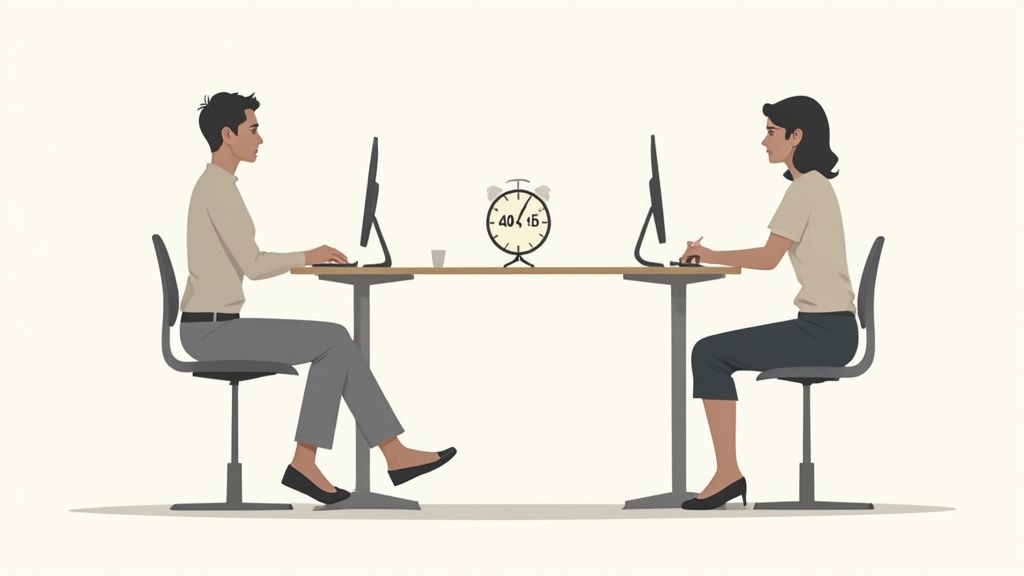
Finding the Ideal Height When Sitting
The rule is simple: Your shoulders are relaxed and hang loosely downwards, while your forearms rest flat on the tabletop. Your upper and forearms should form an angle of approximately 90 degrees. In this position, you neither have to hunch your shoulders nor stoop to reach the keyboard and mouse.
If you bring the armrests of your chair to the same height, you create a continuous, supportive line. This relieves the shoulders and ensures that your wrists remain relaxed and straight. You can find detailed instructions in our article on calculating the optimal desk height.
Implementing Ergonomics While Standing
The advantage of a height-adjustable desk is the quick transition from sitting to standing. The same principle applies here as when sitting: raise the tabletop so that your forearms can rest comfortably at a 90-degree angle again.
The health consequences of incorrect posture are considerable. In Germany, complaints such as back pain due to prolonged sitting caused costs of around 49 billion euros in 2016. An ergonomic workplace is not a matter of comfort, but an important investment in health. You can read more about the reasons for the change on forschung-und-wissen.de.
The alternation between postures is the key, not standing for hours. It's about avoiding rigid positions and keeping the body in motion.
Establishing a Healthy Rhythm
How do you integrate this change meaningfully into your daily routine? The 40-15-5 rule brings dynamism into the workday and prevents the typical afternoon slump.
- 40 minutes of focused sitting: Use this time for tasks that require full attention.
- 15 minutes of active standing: Raise the desk. Perfect for phone calls, emails, or quick consultations.
- 5 minutes of conscious movement: Leave your workspace. Get a coffee, do stretching exercises, or look out the window.
An ergonomic floor mat can make standing more comfortable. It provides cushioning, relieves joints, and encourages minimal movement, which promotes blood circulation. This way, alternating between sitting and standing becomes a habit that benefits your health and productivity.
Aligning Monitor, Keyboard, and Mouse for a Neutral Posture
Chair and desk are set. Now come the tools you work with. The arrangement of your devices has a major impact on correct sitting posture at the desk. A wrongly positioned monitor quickly forces the neck into an unhealthy and painful posture.
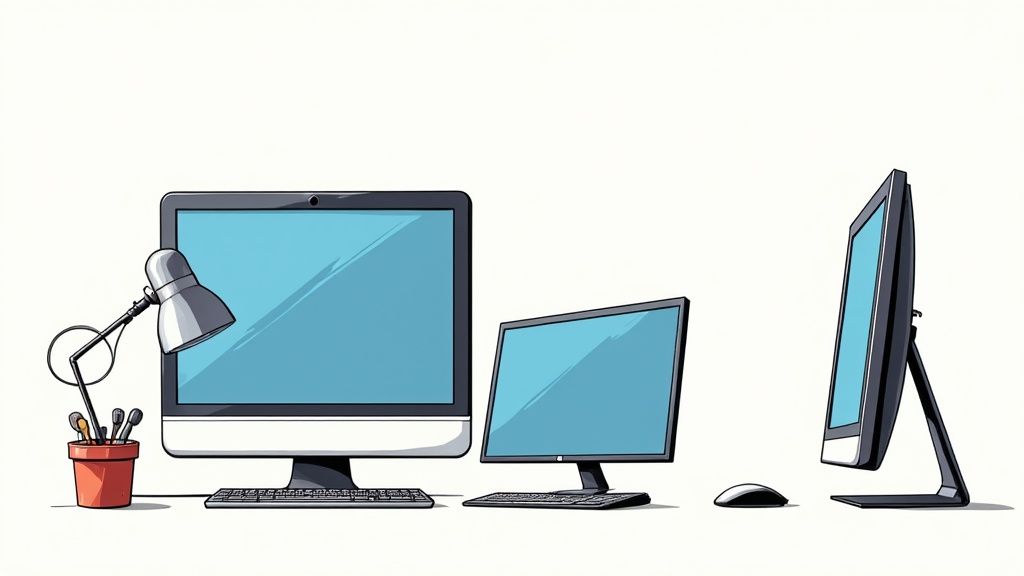
Optimally Positioning the Monitor
Your monitor determines the posture of your head and cervical spine. Incorrect alignment is a major cause of neck tension and tension headaches. Two simple rules form the basis for a neutral head position.
First, the height: The top edge of your screen should be at or just below your eye level. Your gaze will naturally fall slightly downwards without having to bend your head. This position is the most relaxed for your neck muscles.
Second, the distance: Sit upright and stretch one arm straight forward. Your fingertips should be able to touch the screen. This distance of about an arm's length is ideal for most screen sizes and prevents your eyes from being overstrained.
Keyboard and Mouse for Straight Wrists
Now to the keyboard and mouse. Place both close enough to your body that your elbows rest loosely at your sides. Your forearms should rest relaxed on the desk or armrests, without you having to hunch your shoulders.
Make sure your wrists form a straight line with your forearms. They should not bend up, down, or to the side. An unnatural posture can lead to complaints such as carpal tunnel syndrome. If you want to learn more about choosing the right devices, read our article on ergonomic keyboard and mouse.
Always align the devices you use most frequently directly in front of you. If you primarily type, the keyboard belongs directly in front of you. If you work a lot with the mouse, it should be reachable without twisting your upper body.
Dealing with Multiple Monitors
Do you work with two or more screens? Then the correct arrangement is even more important. Constant head turning strains the cervical spine.
Here's how to set up your multi-monitor setup ergonomically:
- Define primary monitor: Which screen do you use most frequently, e.g., for 80% of your tasks? This monitor belongs directly in front of you, aligned according to the rules mentioned.
- Position secondary monitor: The second monitor goes right next to it. Set both screens slightly angled towards each other, so they form a gentle curve.
- Gaze instead of head turning: Your goal should be to switch between monitors with your eyes as often as possible, with minimal head turning.
Through this conscious arrangement of your work equipment, you create an environment that actively promotes a neutral body posture and prevents tension.
Dynamic Sitting: Movement is Key
The perfect ergonomic setup of your workspace is a good foundation. But even the best chair is of little use if you remain in the same position for hours. Our body is made for movement, not stillness. The key to a sustainably correct sitting posture at the desk lies in a simple principle: variety.
Sitting rigidly for hours slows down blood circulation, weakens core muscles, and puts unilateral pressure on the intervertebral discs. The solution is dynamic sitting. This means consciously changing your sitting position again and again and keeping your body active.
What Does "Dynamic Sitting" Mean?
Dynamic sitting means fully utilizing the capabilities of your ergonomic chair. It's about avoiding rigid postures and incorporating small movements into your daily routine.
For example, consciously sit further forward on the edge of the chair and straighten your pelvis. After a while, lean back again and let the backrest support you. These small changes ensure that various muscle groups are engaged and your spine remains in motion.
Dynamic sitting is not a complicated workout. It is the conscious decision not to remain in a "perfect" posture. You keep your body active and healthy through gentle changes in position.
Micro-Breaks as a Booster for Your Concentration
Regular breaks are important to stay physically and mentally fit. This refers to short, targeted interruptions. Make it a habit to get up for a few minutes at least once an hour.
These micro-breaks boost circulation, relieve pressure on the spine, and can improve your concentration and productivity. Use the time to get water, look out the window, or do simple stretching exercises.
A study by the Robert Koch Institute (GEDA 2019/2020) shows the importance. Young, well-educated adults tend to have long sitting times. Around 39.8% of men between 18 and 29 sit for eight hours or more per day. A work environment that promotes movement is a necessity. You can read more about this in the results of the study on sitting times on rki.de.
Quick Stretching Exercises Directly at Your Desk
To prevent tension, you can do short stretching exercises directly at your workplace. This only takes a few minutes and has a great effect on your well-being.
Here are three simple exercises:
- Neck stretch: Sit upright. Slowly tilt your head to the right side, as if you want to touch your shoulder with your ear. Hold the stretch for 15–20 seconds and then switch sides.
- Shoulder circles: Let your arms hang loosely. Slowly pull your shoulders up to your ears, move them in a large, circular motion backwards, and let them drop again. Repeat this 5–10 times.
- Chest opener: Clasp your hands behind your back. Straighten your arms and squeeze your shoulder blades together. This opens the chest and counteracts the hunched-over desk posture. Hold the position for about 20 seconds.
Such small routines help you integrate movement naturally into your workday.
The Most Frequent Questions About Correct Sitting Posture
Finally, we answer some questions about correct sitting posture at the desk. Here we summarize the most important points and provide quick solutions for typical problems.
What do I do if I have lower back pain?
Lower back pain is an alarm signal. Usually, this means that your lumbar spine is not getting enough support. First, check your lumbar support. Is it positioned exactly in the natural curve of your back? It should apply gentle but noticeable pressure.
Be careful not to slouch or sit with a rounded back. The key is variety. Consciously lean back repeatedly and avoid working hunched over for hours.
Pelvic position is crucial. Try to tilt your pelvis slightly forward. This helps maintain the natural S-curve of your spine and relieves pressure on the intervertebral discs.
How do I avoid neck and shoulder tension?
Tension in the neck and shoulder area is often due to incorrect height adjustment of the desk, armrests, or monitor. Do you hunch your shoulders? Then your desk or armrests are too high. If your shoulders sag, everything is set too low.
The rule is simple: Your forearms should rest at a 90-degree angle on the desk or armrests with relaxed shoulders. At the same time, the top edge of your monitor must be at eye level or just below. This automatically keeps your neck in a neutral position.
Is it bad to cross your legs?
Crossing your legs briefly is fine. As a continuous posture, it is problematic. This position can disrupt circulation and often leads to a one-sided strain on the pelvis, which affects the spine.
Get into the habit of placing both feet firmly and flat on the floor. This creates a stable base, aligns your pelvis straight, and supports an upright posture. If your feet don't reach the floor, a footrest helps.
Do I need a height-adjustable desk?
A height-adjustable desk is not a must, but it is very effective against the negative consequences of sitting. It makes the transition between sitting and standing easy. This transition is crucial for relieving the spine and keeping muscles active.
Even the "perfect" sitting posture is harmful if you remain in it for hours. Changing to standing stimulates circulation, can increase concentration, and prevents fatigue. See it as a tool for more dynamism in your daily work.
What to do if my wrists hurt?
Sore wrists are a sign of a bent posture when typing and clicking. It is important to ensure that your wrists form a straight line with your forearms. No bending up, down, or sideways.
Move the keyboard and mouse close enough to you so that your elbows remain relaxed at your sides. Ergonomic mice or keyboards can also help, as they promote a more natural hand position and relieve pressure on the joints.
An ergonomic workplace is the foundation for healthy and productive work. At Deskspace, you'll find certified, height-adjustable desks and ergonomic chairs that help you find and maintain your perfect working position.
Find the right products for your setup at https://deskspace.de.


