

Best ergonomic office chairs: Your guide to healthy sitting

Anyone who sits at a desk for hours on end puts a strain on their body. An ergonomic office chair is therefore not a luxury, but a necessity for your health and concentration. The best ergonomic office chairs are those that adapt to your body, not the other way around. They promote a healthy posture and prevent injuries.
Why the right office chair protects your health
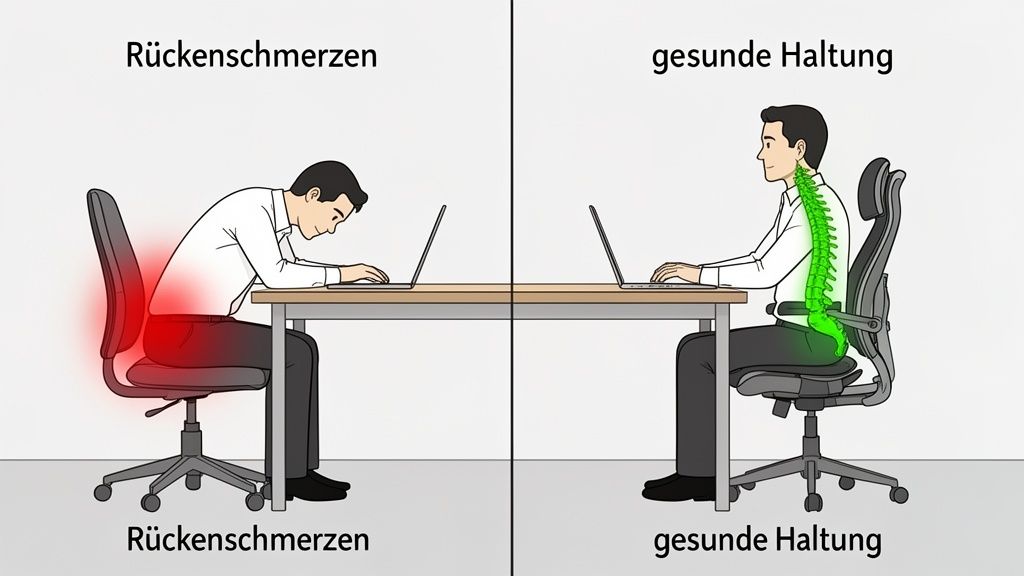
Incorrect sitting often leads to back pain and a stiff neck. It can also reduce productivity. An average office job means spending around 1,700 hours per year at a desk. Without proper support, this continuous strain forces your spine into an unnatural position. The result is not only short-term discomfort. Permanent postural damage can occur over time.
An ergonomic office chair specifically helps with this. It is the most important tool to prevent these problems. Its design allows for dynamic sitting. This means it supports your body with every movement and encourages you to change your posture. This improves circulation, relieves pressure on your intervertebral discs, and strengthens your core muscles.
The invisible costs of poor ergonomics
The investment in a high-quality chair quickly pays off. Poor posture causes hidden costs. These go beyond physical pain and can hinder you professionally.
- Decreased concentration: Pain and discomfort are constant distractions. They make it difficult to focus on complex tasks.
- Lower productivity: Those who feel uncomfortable work slower and make more mistakes. Studies show that good ergonomics can increase productivity by up to 17.5%.
- More sick days: Back pain is one of the most common reasons for sick leave in Germany. A preventive workplace reduces the risk of absenteeism.
An ergonomic chair is not just a matter of comfort. It is a strategic decision for your long-term health and performance.
More than just sitting
This article is your complete guide. It helps you identify the features that distinguish the best ergonomic office chairs. We explain key functions such as lumbar support and synchronous mechanism. You will also learn what certificates and materials to look out for. We guide you step by step through the offerings so you can find the right model for your needs and adjust it correctly. With this knowledge, you will make an informed decision.
Understanding the core functions of an ergonomic chair
An ergonomic office chair is more than just a seat. It is an active tool that specifically supports your body during long working days. To recognize the best ergonomic office chairs, you need to understand which functions truly matter.
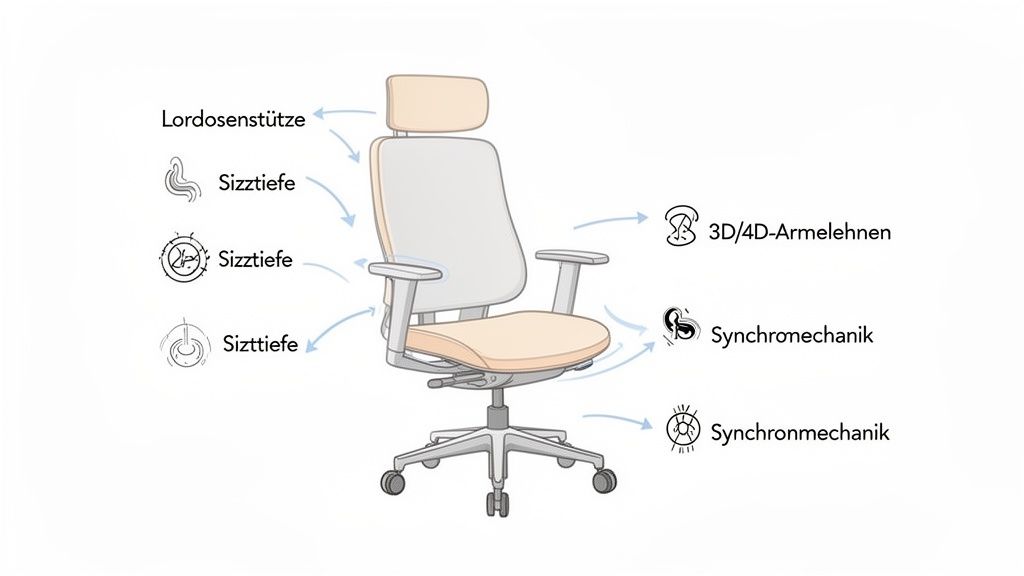
The many levers and buttons are not complicated technology. They are solutions for the everyday stresses of sitting. They help you find a neutral, relieving posture and maintain it effortlessly. This knowledge is key to finding a chair that truly suits you.
Lumbar support: The support for your lower back
Lumbar support is an important component of an ergonomic chair. Its purpose is to fill and stabilize the natural S-curve of your lower spine. Without this help, the lower back sags into an unhealthy C-shape, increasing pressure on the intervertebral discs.
Good lumbar support is adjustable in height and ideally in depth. This allows you to position it exactly where it provides the most support. In our article "What is lumbar support?" we go into more detail.
Seat depth and seat height for optimal blood circulation
The correct adjustment of seat height and depth is the basis for healthy blood circulation in the legs. The seat height is optimal when your feet are flat on the floor and your knees form an angle of approximately 90 degrees.
The seat depth ensures that there is about two to three fingers' width of space between the front edge of the seat and your knee hollows.
- Too short a seat: Your thighs do not have enough support, which leads to an unstable sitting posture.
- Too deep a seat: The edge presses into the back of your knees, which can pinch blood vessels and nerves.
These two adjustments are the foundation for any further ergonomic adaptation.
An ergonomic chair doesn't force you into a rigid position. It provides a framework in which your body can move freely and healthily. It's about flexible support.
3D and 4D armrests to relieve neck and shoulders
Armrests are more than just a comfortable place to rest. When properly adjusted, they support the weight of your arms, relieving your shoulder and neck muscles. This prevents typical tension that often leads to headaches.
Adjustability makes all the difference:
- 1D: Height adjustable only.
- 2D: Height and width adjustable.
- 3D: Additionally depth adjustable.
- 4D: Additionally swiveling.
4D armrests offer the greatest flexibility. They allow you to perfectly adapt the support to any activity, whether you are typing, reading, or using a tablet.
Movement mechanism: The engine of the chair
The mechanism is the heart of the chair. It determines how the seat and backrest move. It is crucial for "dynamic sitting." This constant change of posture is important for supplying nutrients to the intervertebral discs and keeping the muscles active.
Overview of the most important ergonomic functions
This table summarizes the central adjustment options of an ergonomic office chair and explains their benefits for the body.
| Function | Description | Health Benefit |
|---|---|---|
| Lumbar Support | Adjustable support that fills the natural S-curve of the lower back. | Stabilizes the lumbar spine, prevents intervertebral disc problems, and promotes an upright posture. |
| Seat Height | Allows adjustment of the seat height so that feet are flat on the floor. | Ensures a stable sitting position and a 90-degree angle at the knees, promoting blood circulation. |
| Seat Depth | Allows the seat to be moved forwards or backwards. | Prevents pressure in the back of the knees and ensures optimal thigh support. |
| 3D/4D Armrests | Armrests adjustable in height, width, depth, and angle. | Relieve shoulder and neck muscles, prevent tension and headaches. |
| Synchronous Mechanism | Couples the movement of the seat and backrest in an ergonomic ratio (e.g., 1:2). | Promotes dynamic sitting, opens the seat angle when leaning back, and stimulates blood circulation. |
The synchronous mechanism is now considered an ergonomic standard, as it best supports the body during natural movements. The home office boom and growing health awareness have increased demand for such chairs. The global market for ergonomic office chairs was estimated at USD 5.2 billion in 2024. In Germany, 66% of people in home offices suffer from pain due to prolonged sitting. This demonstrates the importance of ergonomic solutions. All these functions are a worthwhile investment in your long-term health.
Recognizing quality: What matters in certificates and materials
The best ergonomic office chairs are more than a collection of adjustable parts. True quality is demonstrated by tested safety and durable materials. Certificates and the right materials help you identify good chairs.
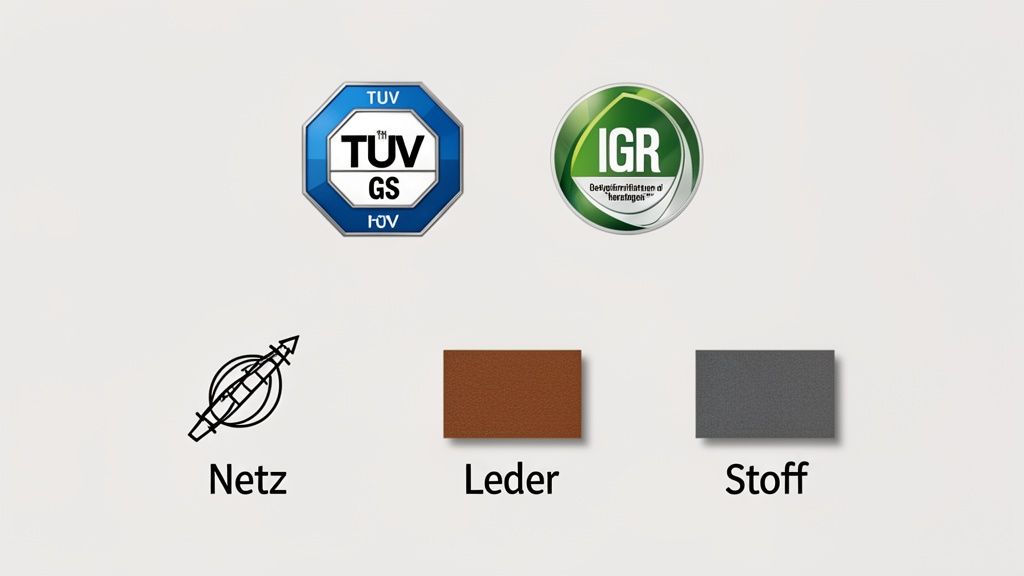
Such seals are not marketing tricks. They are the result of independent tests. These confirm that a chair meets the high standards for safety, ergonomics, and load-bearing capacity.
The importance of certificates and seals
Certificates are a promise of quality from a neutral authority. They help you distinguish well-constructed chairs from mere pretenders. In German-speaking countries, two seals are particularly important: the GS mark and the IGR certificate.
-
GS mark (Geprüfte Sicherheit - Tested Safety): This seal, often awarded by TÜV, guarantees technical safety. It confirms that the chair complies with the German Product Safety Act (ProdSG). Stability, load capacity, and freedom from harmful substances are tested.
-
IGR Certificate (Interessengemeinschaft der Rückenschullehrer/innen e.V. - Interest Group of Back School Teachers): The IGR tests ergonomic quality. An IGR-certified chair demonstrably promotes a healthy posture. It can be flexibly adapted to the user. This seal is a clear sign of practically tested ergonomics.
An office chair without recognized certificates is like a car without a TÜV inspection. You have no independent confirmation that it is safe and reliable.
Choosing the right material for your chair upholstery
The upholstery of your office chair affects seating feel, comfort, and maintenance. The three most common materials are mesh fabric, fabric, and leather. Each material has specific strengths.
Comparison of upholstery materials
Which cover is right for you depends on your personal preferences and your working environment.
| Material | Advantages | Disadvantages | Ideal for |
|---|---|---|---|
| Mesh Fabric | Extremely breathable, prevents sweating, adapts flexibly, modern look. | Less padding, can stretch with poor quality. | Warm offices and people who sweat easily. |
| Fabric | Very robust and durable, large color selection, feels pleasant. | Less breathable than mesh, more prone to stains. | Classic office use and intensive use. |
| Leather (Genuine/Artificial) | Very easy to clean, high-quality look, extremely durable with good care. | Not breathable, can stick in summer, usually more expensive. | Representative offices and for allergy sufferers. |
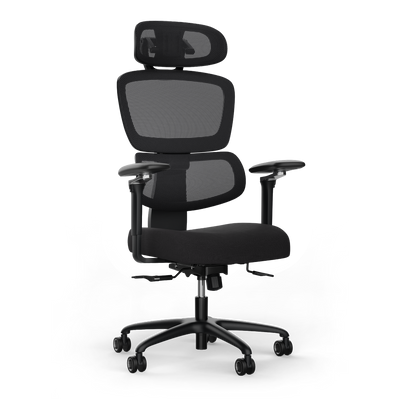
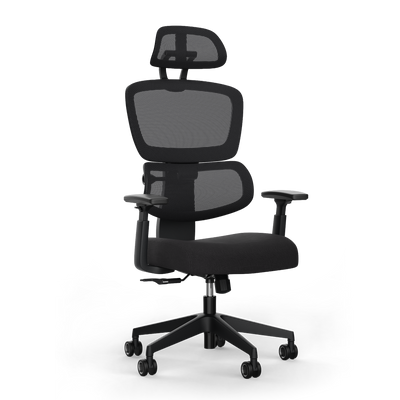
The choice is a compromise between breathability, seating feel, and maintenance. Models like the ergonomic office chair MOVE PRO rely on high-quality, durable materials for daily use.
What to look for in workmanship
The quality of a chair also depends on the base and castors. A solid aluminum or steel base is more stable than a plastic one.
The castors should match your flooring: soft castors for hard floors like parquet, hard castors for soft carpets. Also pay attention to the maximum load capacity. A good ergonomic chair should support at least 120 kg, top models even 150 kg or more. These details determine the lifespan of your chair.
Finding the right chair for your needs
There isn't one best ergonomic office chair for everyone. The right choice depends on your personal needs, how long you sit, and your work environment.
An office chair is a personal tool. Know your requirements before you decide. Depending on whether you work from a home office, furnish an office, or are a gamer, the priorities for ergonomics, material, and functions shift.
The chair for power users in the home office
If your desk is your daily workplace, you need a model with maximum adaptability and durability.
Your focus should be on these features:
- Comprehensive adjustment options: A 4D armrest, adjustable seat depth, and precisely adjustable lumbar support are a must.
- High-quality mechanism: A synchronous mechanism is the standard. It encourages dynamic sitting and prevents fatigue.
- Robust materials: Look for a sturdy metal base and abrasion-resistant, breathable upholstery fabrics.
For you, the office chair is an investment in your health and productivity. Compromises on ergonomics can backfire.
Efficient solutions for companies and office managers
As an office manager, you equip workstations for many different people. You need to keep an eye on budget, durability, and easy maintenance.
For office use, the priorities shift:
- Robustness and easy maintenance: The chairs must withstand daily user changes. Easy-care fabrics and solid construction are crucial.
- Universal adaptability: A good office chair must be quickly adaptable to different body sizes. Intuitive controls are an advantage.
- Certified safety: Seals such as the GS mark (Tested Safety) are indispensable. They guarantee compliance with legal requirements for occupational safety.
The German office furniture market is expected to reach 2.90 billion US dollars in 2024. This shows the growing importance of ergonomics. You can find out more about the developments in the German office furniture market on mordorintelligence.com.
Specialized chairs for creators and gamers
Creators and gamers often spend long periods in highly focused postures. Their requirements go beyond classic office ergonomics.
This is what matters for this target group:
- High load capacity and stability: A chair must withstand fast movements without wobbling or creaking.
- Lockable backrest: The ability to lock the backrest at different angles is ideal for breaks or periods of concentration.
- Appealing design: The aesthetics of the chair are a central element of the entire setup.
Comparing office chairs for different user types
This table helps in selecting the right chair by comparing the requirements of various user profiles with the most important chair features.
| User Type | Most Important Requirements | Recommended Features |
|---|---|---|
| Home Office Power User | Maximum ergonomics, durability, individual customization. | 4D armrests, synchronous mechanism, adjustable seat depth and lumbar support. |
| SMEs & Office Managers | Robustness, easy maintenance, safety, good value for money. | GS certificate, hard-wearing covers, easy operation. |
| Creators & Gamers | High stability, design, special features for intensive use. | High load capacity, lockable backrest, high-quality materials, appealing appearance. |
By defining your own profile, you can more specifically search for a model that meets your requirements.
Adjusting your office chair correctly step-by-step
Even the best ergonomic office chair only unfolds its full potential when it is perfectly adjusted to your body. Incorrect adjustment can lead to tension, even with a top model.
This guide systematically walks you through all the necessary steps.

The correct order is important, as each setting builds on the previous one. Take a few minutes to adjust.
Making the basic adjustments
We start with the foundation for a healthy sitting posture. These first steps create a stable and relieving base.
-
Adjust seat height: Sit on the chair and adjust the height so that your feet are flat on the floor. Your knees should form an angle of about 90 degrees. Your thighs should be parallel to the floor or slightly sloped forward.
-
Adjust seat depth: Slide your buttocks all the way to the backrest. Adjust the seat depth so that there are about three to four fingers' width of space between the front edge of the seat and the backs of your knees. This prevents pressure on blood vessels or nerves.
These two settings provide a stable base and good circulation.
Positioning the backrest and armrests
Once the base is right, we take care of the support for your upper body. The goal is to stabilize your spine in its natural shape and relieve your shoulder and neck muscles.
-
Backrest and lumbar support: Lean back. The backrest should support your entire back. Position the lumbar support so that it fills the natural curve of your lumbar spine (approximately at belt height). The pressure should be noticeable but comfortable.
-
Adjust armrests: Adjust the height of the armrests until they are level with your desk surface. Your forearms should rest loosely, while your shoulders are relaxed. This relieves the shoulder and neck area.
The perfect setting is not a rigid position. It is a neutral starting point that promotes dynamic sitting and easy changes in posture.
You can find detailed instructions in our guide on how to ergonomically adjust your office chair.
Adjusting the resistance of the rocking mechanism
Finally, the fine-tuning: the back pressure of the backrest. This resistance should be adjusted to your body weight.
The mechanism should gently support you when you lean back, but it should not require so much force that you have to strain yourself. Find the setting that allows you effortless movement between an upright and reclined posture.
Frequently Asked Questions about Ergonomic Office Chairs
Here we answer the most common questions briefly and directly.
How long does a good ergonomic office chair last?
A high-quality ergonomic chair is a long-term investment. With normal daily use, you can expect a lifespan of seven to ten years. Quality features include a solid metal base, a robust mechanism, and high-quality workmanship.
A long manufacturer's warranty is a good sign of product quality.
Which castors do I need for my floor?
The wrong castors can damage your floor. There's a simple rule:
- For hard floors: Parquet, laminate, or tiles require soft, rubberized castors. They prevent scratches and are quiet.
- For soft floors: On carpet, hard plastic castors are ideal. They don't sink deep.
Many good chairs come with universal castors that work on both surfaces.
Can I deduct an ergonomic office chair from my taxes?
Yes, that is possible. If you primarily use the chair for work in your home office or as a self-employed person, you can deduct it as a work tool from your taxes.
The chair must be clearly assigned to your professional activity. The exact regulations may change. It is best to consult your tax advisor.
An ergonomic chair is a recognized work tool that protects your health. The tax office also acknowledges this.
How often should I change my sitting position?
Even the best chair won't help if you sit rigidly for hours. The key is dynamic sitting.
Try to slightly change your sitting posture about every 15 to 20 minutes. Lean back, use the rocking mechanism, and stand up briefly at least once an hour. This stimulates circulation and prevents tension.
Find the ergonomic office chair that perfectly suits you and your needs at DESKSPACE. Discover our TÜV and IGR certified models and benefit from 100 days of risk-free testing.


