

Healthy Sitting at Your Desk: More Comfort and Focus at Work

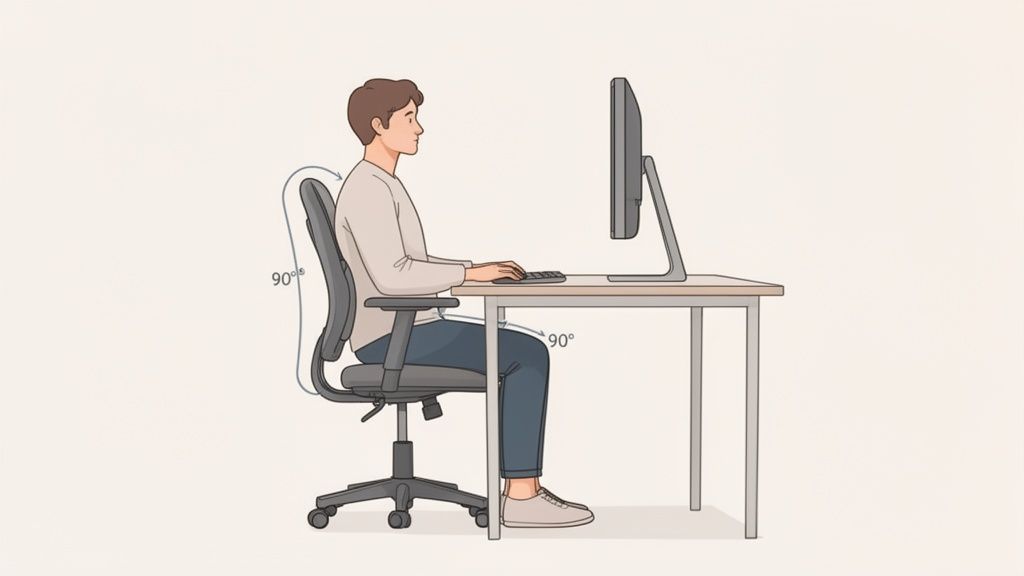
Sitting healthily at a desk means setting up your workstation so that your body can adopt a neutral and relaxed posture. This is achieved by precisely adjusting the chair, table, and monitor to your individual body measurements. A common guideline is to maintain 90-degree angles at the knees and elbows.
The foundation for healthy sitting: Setting up your workstation correctly
A healthy workday begins with an optimally set up workstation. Only when your office chair, desk, and monitor are adjusted to your body can you create the foundation for healthy and pain-free sitting.
Do not view the setup of your workstation as a one-time action, but as an ongoing process. Your body will signal you if something feels strained or unnatural. The goal is a basic posture that you can maintain effortlessly for extended periods.
The reality of office life often looks different. Those who work at a desk spend an average of about 70 percent of their workday sitting. A study by the Federal Institute for Occupational Safety and Health (BAuA) shows that this high sitting rate is associated with cardiovascular diseases, metabolic problems, and musculoskeletal complaints. Ergonomic adjustments are therefore important to counteract these risks.
Adjusting your office chair correctly
Your office chair is the foundation for healthy sitting at your desk. Therefore, always start by adjusting the chair.
- Adjust seat height: Adjust the height so that your feet are flat on the floor. Your knees should form an angle of about 90 degrees. Your thighs should be parallel to the floor or slope slightly downwards.
- Adjust seat depth: Slide your back against the backrest. There should be a gap of three to four finger widths between the back of your knee and the edge of the seat. This prevents pressure on the blood vessels in your legs.
- Position backrest and lumbar support: A good backrest supports the natural S-shape of your spine. The curve of the backrest (lumbar support) must be at the height of your lower back. This provides support and prevents a rounded back.
- Adjust armrests: The armrests should be high enough for your forearms to rest comfortably, while your shoulders are relaxed. The angle between your upper and lower arm should also be about 90 degrees. Properly adjusted armrests relieve the shoulder and neck area.
Aligning desk and monitor
Once your chair is correctly adjusted, adapt the rest to your needs.
A height-adjustable desk offers maximum flexibility. Raise the desk surface to the height of your armrests. This allows your forearms to rest horizontally on the desk or armrests with relaxed shoulders.
Note: If you do not have a height-adjustable desk and your feet do not reach the floor when the chair is at the correct height, a footrest is necessary. Never adapt to the desk.
The monitor is crucial for preventing neck tension.
- The correct distance: There should be about 50 to 70 centimeters between your eyes and the screen. This is roughly an arm's length.
- The right height: The top edge of the screen should be at or just below your eye level. Your gaze should therefore be directed slightly downwards, without having to tilt your head.
- The central position: Always place the monitor directly in front of you. A lateral position leads to a twisting of the cervical spine and can cause pain.
Positioning keyboard and mouse
Position the keyboard and mouse close to the edge of the desk. Your forearms should rest comfortably on the desk or armrests when operating them.
Make sure your wrists remain straight and in a neutral position. Avoid bending them. Ergonomic mice or split keyboards can help with this.
For more information, please refer to our guide on how to set up your workstation ergonomically.
Checklist for ergonomic basic settings
Here is an overview of the most important points for an ergonomically correct workstation.
| Area | Correct setting | Common mistake |
|---|---|---|
| Office chair | Feet flat on the floor, 90-degree angle at the knees, 3 to 4 fingers distance to the back of the knee. | Seat too high or too low, seat pressing into the back of the knees. |
| Backrest | Lumbar support at lower back height, spine supported in an S-shape. | Backrest not adjusted, leading to rounded back or hollow back. |
| Armrests | Forearms resting at a 90-degree angle with relaxed shoulders. | Armrests too high (hunched shoulders) or too low (no relief). |
| Desk | Desk height matches armrest height, forearms resting horizontally. | Desk too high, forcing an unnatural shoulder posture. |
| Monitor | One arm's length away, top edge at eye level, directly in front of the user. | Monitor too low or too high (neck pain) or placed sideways (twisting). |
| Keyboard & Mouse | Close to the desk edge, wrists remain straight and neutral. | Wrists bent, which can lead to tendinitis. |
These basic settings are the first step. However, an ergonomic workstation is only effective if you avoid rigid sitting. Dynamic sitting and regular movement are crucial.
Why dynamic sitting is crucial
An ergonomic basic setup is important. However, even the best posture becomes a burden if you maintain it for hours. The human body is made for movement, not for stillness. This is where the concept of dynamic sitting comes into play, redefining the idea of healthy sitting at the desk.
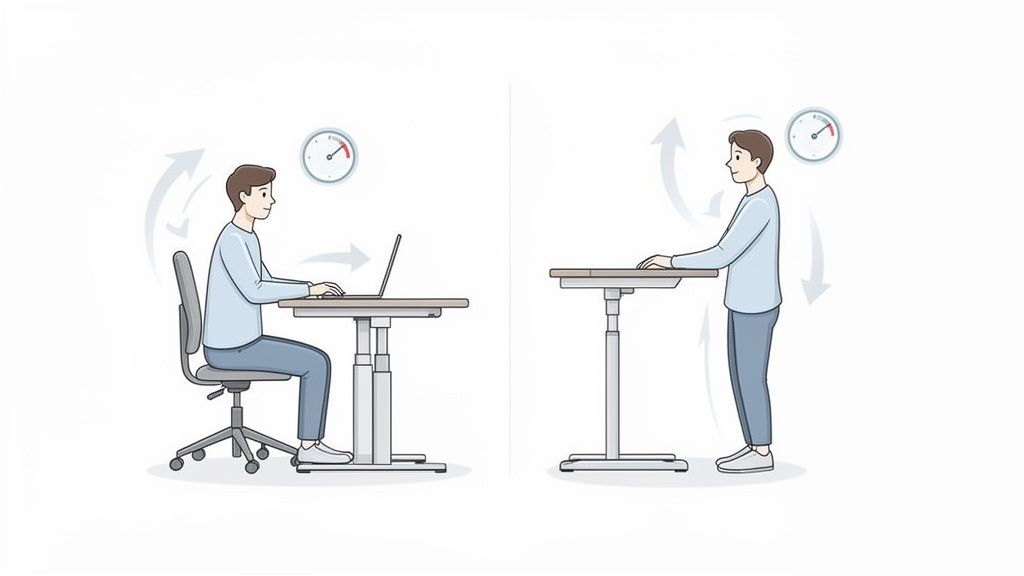
Dynamic sitting means regularly and consciously changing your position. Rigid sitting puts constant pressure on the intervertebral discs and impairs their nutrient supply. Changing posture activates the muscles, promotes blood circulation, and relieves the spine.
A height-adjustable desk is an ideal tool for this. It allows you to switch between sitting and standing at the touch of a button, without interrupting your workflow.
Find your rhythm with the 40-15-5 rule
A simple formula helps to systematically integrate the alternation between sitting, standing, and moving into your daily routine.
The 40-15-5 rule is a proven approach for a balanced workday:
- 40 minutes sitting: Use this phase for tasks that require full concentration. Pay attention to the ergonomic basic posture.
- 15 minutes standing: Raise your desk and continue working while standing. This is good for phone calls, emails, or scanning documents.
- 5 minutes active movement: Leave your workstation. Get a glass of water, go to the window, or do some stretching exercises. This short break promotes circulation and gives your brain a rest.
This rhythm ensures that no single position dominates for too long. Your intervertebral discs remain well-supplied, and you prevent fatigue and tension.
The benefits of working while standing
Switching to standing offers specific physical benefits that positively impact health and productivity.
Standing activates leg and core muscles, improves posture, and stimulates metabolism. Studies show that up to 20% more calories are burned while standing than while sitting. At the same time, blood flow to the brain is improved, which can increase concentration and energy levels.
Many users report increased productivity, especially after the midday slump. The standing position brings new momentum to the afternoon. You can find more information in our article on sit-stand desks.
Dividing tasks between sitting and standing
Strategic task planning can facilitate the change. Not every activity is suitable for every posture.
Activities while standing:
- Phone calls and video conferences: You often appear more present while standing, and your voice sounds more dynamic.
- Short emails and messages: Uncomplicated correspondence can often be completed faster while standing.
- Reading and researching: Scanning reports or websites works well while standing.
- Creative brainstorming: Movement can promote creativity.
Activities while sitting:
- Writing texts: Longer writing tasks that require high concentration are often more efficient while sitting.
- Detailed work: Tasks requiring precision, such as graphic design or data analysis, are usually better performed while sitting.
- Complex problem-solving: In-depth, analytical work often requires a calm, stable environment.
In addition to the correct setup, the importance of movement is crucial. The combination of correct posture and regular position changes creates the basis for a healthy workday.
Effective exercises for active breaks at the desk
Breaks are a targeted investment in your health and concentration. Regular interruptions with light exercises counteract tension and keep you fit and focused.
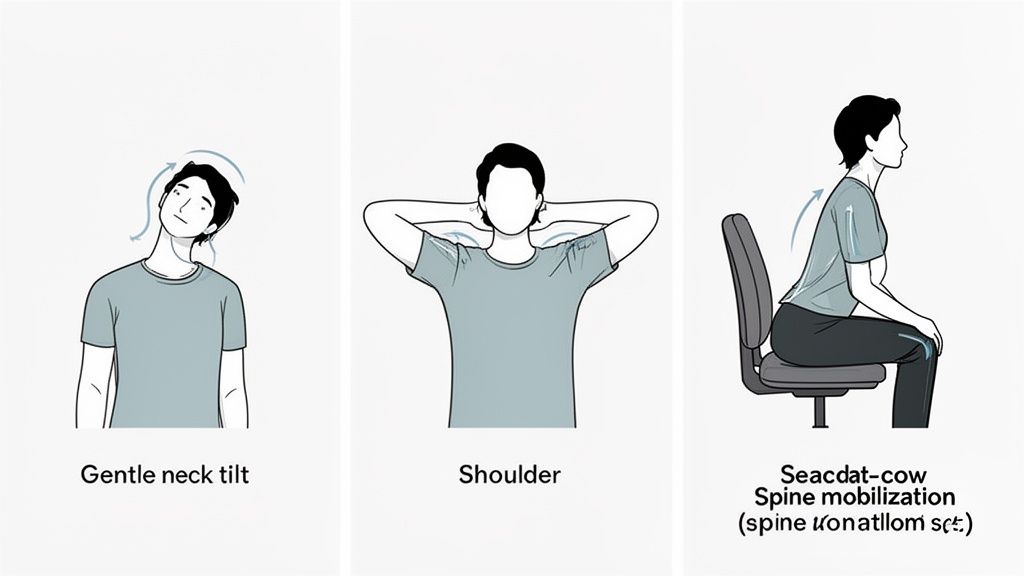
Just a few minutes of movement in between are enough to loosen stiff muscles, stimulate circulation, and give your eyes a break. The following exercises can be performed discreetly and without aids at the workplace. They are a simple method to practically implement the concept of "healthy sitting at the desk".
Exercises for neck and shoulders
The shoulder and neck area is susceptible to tension due to a rigid head posture. These exercises can provide quick relief.
1. Side neck tilt Sit upright and let your shoulders drop loosely. Slowly tilt your head to the right, as if you want to touch your shoulder with your ear. Hold this stretch for about 15 to 20 seconds. Repeat the exercise on the left side.
2. Shoulder circles Slowly pull both shoulders up towards your ears. Then move them in a circular motion backward and then down again. Repeat this movement five times backward and then five times forward.
3. Forward neck stretch Clasp your fingers behind your head. Gently let your head sink forward. Use the weight of your hands to support the stretch. Hold the position for 15 seconds.
Mobilization for back and spine
A mobile back is a prerequisite for pain-free sitting. These exercises mobilize your spine and prevent a rounded back.
Cat-camel stretch while sitting This exercise mobilizes the entire spine.
- Cat stretch: Sit on the front edge of your chair and rest your hands on your thighs. Exhale and round your back as much as possible. Your chin moves towards your chest.
- Camel stretch: Inhale and move in the opposite direction. Push your sternum forward and create a slight hollow back. Your gaze goes slightly upwards.
Repeat this alternation five to eight times in a flowing rhythm.
Torso rotation while sitting Remain sitting upright, with your feet firmly on the floor. Slowly rotate your upper body to the right and reach with your left hand to the outer edge of your right thigh. Hold the rotation briefly, then switch sides.
Short movement breaks are a necessity. They improve blood circulation to the brain, promote concentration, and prevent postural damage in the long term. Even five minutes per hour make a noticeable difference.
Stretching for hands and wrists
Working with a mouse and keyboard is a strain on hands and forearms. Regular stretches can prevent carpal tunnel syndrome and tendinitis.
Wrist flexor stretch Extend one arm straight forward, palm facing down. Gently bend the wrist downwards with the other hand until you feel a stretch in the forearm. Hold this position for 15 seconds. Then repeat with the palm facing up. Then switch arms.
Further instructions can be found in our guide on gymnastics with a chair.
Integrating active breaks into everyday life
Active breaks need to become a habit.
Here are some strategies to incorporate more movement into your day:
- Use a timer: Set an alarm to remind you of a short movement break every hour.
- Combine movement with routines: Stand up during every phone call and walk around. Get water glass by glass from the kitchen instead of placing a large bottle at your desk.
- Look into the distance: Relax your eyes by looking at a point at least six meters away for 20 seconds every 20 minutes.
These small changes add up and help you feel more energetic and less tense. They are a central component of healthy sitting at your desk.
The right equipment for an ergonomic workstation
Even the best posture is of little help if the workstation creates incorrect conditions. With the right furniture and suitable accessories, healthy sitting at the desk becomes a reality. This is not a matter of luxury, but a necessary foundation for professional and long-term pain-free work.
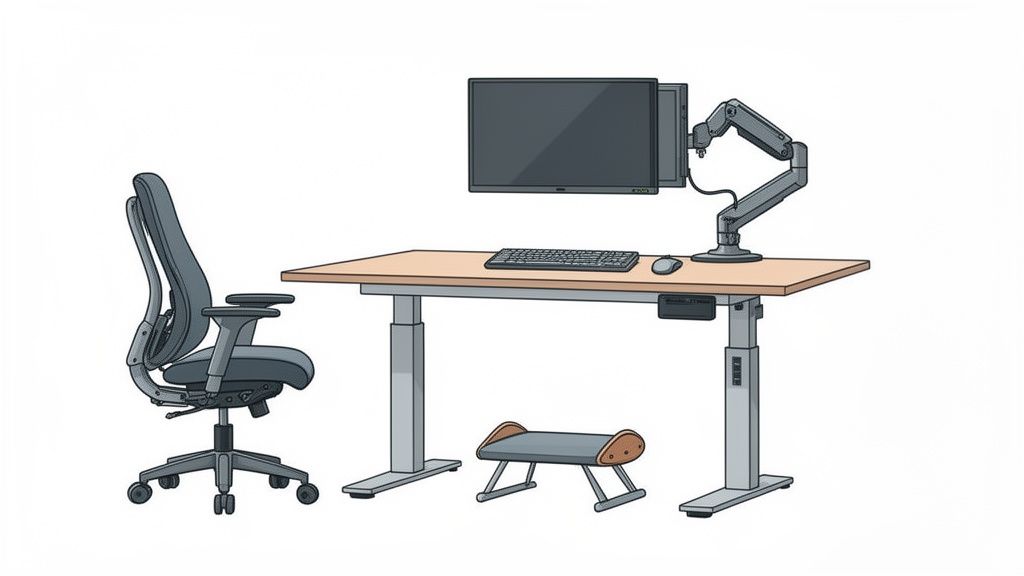
Investing in ergonomic equipment is an investment in your own health and productivity. It prevents tension, promotes concentration, and helps you stay fit even on long days.
Data shows that people in Germany sit an average of 554 minutes daily. That's over nine hours per workday. Young people and academics, the typical home office target group, are particularly affected. Prolonged sitting is demonstrably responsible for numerous diseases and causes the most sick days due to back pain in the national economy. More information can be found at the effects of prolonged sitting on arbeitsagentur.de.
The ergonomic office chair as a foundation
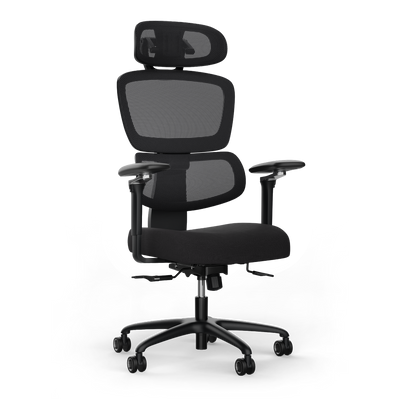
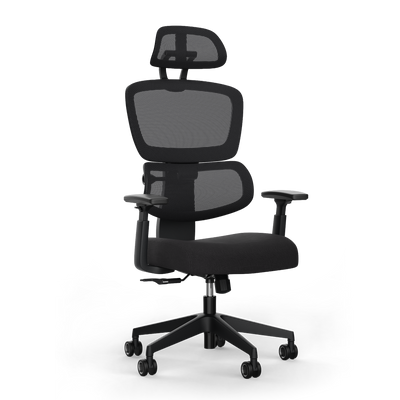
Your office chair is the heart of your workstation. A good chair adapts to you.
It must support dynamic sitting and relieve your spine. When choosing, pay attention to these features:
- Adjustable seat height and depth: These functions are essential to adapt the chair to your leg length and ensure good circulation.
- Adjustable armrests: Ideally, the armrests are adjustable in height, width, and depth. They absorb the weight of your arms and relieve the shoulder and neck area.
- Dynamic backrest with lumbar support: The backrest should follow your movements, and the counter-pressure should be adjustable to your body weight. An adjustable lumbar support provides support for your lower back.
The height-adjustable desk for more movement
An electrically height-adjustable desk is the ideal tool for dynamic work. It allows for quick changes between sitting and standing.
This change in position activates circulation, improves nutrient supply to the intervertebral discs, and increases concentration.
A height-adjustable desk is a functional necessity for anyone who spends many hours working at a computer. It is the most effective way to break rigid postures and integrate movement into the workday.
When choosing your desk, pay attention to these quality features:
- Stability: The desk must not wobble, even at its highest position. A stable frame is crucial.
- Lifting capacity and noise level: Two motors ensure smooth and quiet height adjustment. The lifting capacity should be sufficient for your complete setup.
- Memory function: With memory settings, you can recall your ideal sitting and standing heights at the touch of a button. This makes switching comfortable.
Useful accessories for detailed optimization
In addition to chairs and desks, there are accessories that can improve your ergonomics at the workstation.
External keyboard and mouse If you mainly work with a laptop, an external keyboard and mouse are necessary. This is the only way to raise the screen to the correct height without risking an unhealthy wrist posture.
Monitor arm for maximum flexibility A monitor arm offers more adjustment options than a standard monitor stand. You can adjust the height, depth, and tilt of the screen at any time. This is practical when switching between sitting and standing.
Footrest for fixed desks If your desk is not height-adjustable and your feet do not reach the floor when the chair is at the correct height, a footrest is the solution. It ensures a stable position and relieves the lower back.
Each of these elements helps to optimally adapt your workstation to you. This creates the conditions for staying healthy at your desk.
Common posture mistakes and how to avoid them
Even with good equipment, posture mistakes can creep in. These unconscious habits can negate the benefits of an ergonomic workstation and lead to discomfort. Knowing these mistakes is the first step to making healthy sitting at your desk a routine.
Stress, concentration, or habit often force us into an unhealthy position. These patterns can be broken with mindfulness and simple corrections. It's about developing a better sense of your own body.
The "vulture neck": the head pushed forward
A common mistake in the office is the "vulture neck." This is when you unconsciously push your head forward to be closer to the screen. This posture places a great strain on the cervical spine. For every centimeter your head moves forward, the weight acting on your neck muscles increases by several kilograms. In the long term, this leads to chronic neck pain, headaches, and tension in the upper back.
The cause is often a monitor that is too far away or set too small. Check your viewing distance. It should be roughly an arm's length. Also, make sure the font size on the screen is readable without having to squint.
Hunched shoulders and a tense neck
When stressed or highly concentrated, many people tend to unconsciously pull their shoulders up towards their ears. This permanent tension in the trapezius muscle leads to tension throughout the shoulder girdle. This can radiate into the arms and cause numbness.
Consciously make an effort to actively drop your shoulders. A simple exercise helps: Take a deep breath and consciously pull your shoulders up towards your ears. Hold the tension briefly and then let them fall as you exhale. Repeat this several times a day.
Self-awareness is crucial: A Post-it on the monitor with the question "Shoulders relaxed?" can help. This reminder helps you check and correct your posture throughout the day.
Crossing legs or letting feet dangle
Crossing legs hinders blood circulation and can lead to uneven stress on the pelvis. In the long run, this can twist the hips and cause lower back pain. Similarly unfavorable is pulling your feet under the chair or letting them dangle in the air.
Your feet should always be flat and firm on the floor. This base is the foundation for an upright and relieved spine. If your desk is too high and your feet do not reach the floor, a footrest is necessary.
Typical posture mistakes and their correction
The following table provides an overview of common sitting mistakes and shows how you can correct them.
| Mistake | Possible consequence | Simple solution |
|---|---|---|
| Head bent forward | Chronic neck pain, headaches. | Move monitor closer (approx. an arm's length), adjust font size. |
| Hunched shoulders | Tension in the shoulder-neck area. | Consciously drop shoulders, regular loosening exercises. |
| Crossed legs | Impaired blood circulation, uneven pelvic load. | Position both feet flat and parallel on the floor. |
| Rounded back (hunchback) | Strain on intervertebral discs, back pain. | Use lumbar support of the chair, actively lift sternum. |
| Bent wrists | Tendonitis, carpal tunnel syndrome. | Use external keyboard or mouse, keep wrists straight. |
By recognizing these mistakes and actively counteracting them, you lay the foundation for a permanently healthy posture. The small, conscious adjustments throughout the day make the biggest difference.
Frequently asked questions about healthy sitting
Finally, we will clarify some frequently asked questions about healthy sitting.
How often should I change my position?
Changing every 20 to 30 minutes has proven to be a good rule of thumb. This doesn't mean constantly switching between sitting and standing.
Often, small changes are enough. Shift your weight, stretch your legs, or lean back in your chair. The goal is to avoid rigid postures and keep muscles and intervertebral discs moving. A height-adjustable desk makes it easier to switch between sitting and standing.
Does a stability ball help with healthy sitting?
A stability ball can be a supplement, but it does not replace an ergonomic office chair. The unstable surface forces the core muscles to balance, which can strengthen them.
However, this becomes tiring in the long run. Many people tend to slump after a short time because the back lacks support.
Tip: Use a stability ball specifically for short periods of about 20 to 30 minutes per day to activate your deep muscles. For concentrated work over longer periods, a good office chair with a backrest is the better choice.
What can I do without a height-adjustable desk?
Even without a height-adjustable desk, you can do a lot for your health. Integrate movement into your workday in other ways.
- Regular breaks: Stand up at least once an hour. A walk to the window, getting water, or a short round through the office already helps.
- Use a footrest: If your desk is too high, adjust your chair so that your arms and elbows are at the correct angle. A footrest provides stable support for your feet.
- Take calls while walking: Use every call as an opportunity to stand up and walk around.
Are ergonomic mice and keyboards necessary?
For individuals who type and click for many hours daily, they are a worthwhile investment. Classic mice and keyboards often force the wrists into an unnatural position.
Ergonomic models support the natural position of the hand, wrist, and forearm. This can reduce the risk of discomfort such as carpal tunnel syndrome or tendinitis. If you experience initial pain or tension in this area, you should consider making a change.
An ergonomic workstation is the basis for your long-term health and productivity. At Deskspace, you will find certified, height-adjustable desks and ergonomic chairs that support you. Discover the right solution for you now at https://deskspace.de.


